Wolf IQ runs website migrations for large and publicly listed companies. At kickoff, marketing leaders ask us the same questions:
- What do I need to pull out of my internal stakeholders, and in what format?
- How will you know which pages matter and which ones you can change?
- What here is irreversible, and what can we adjust later?
- How much review time will my team need, and when?
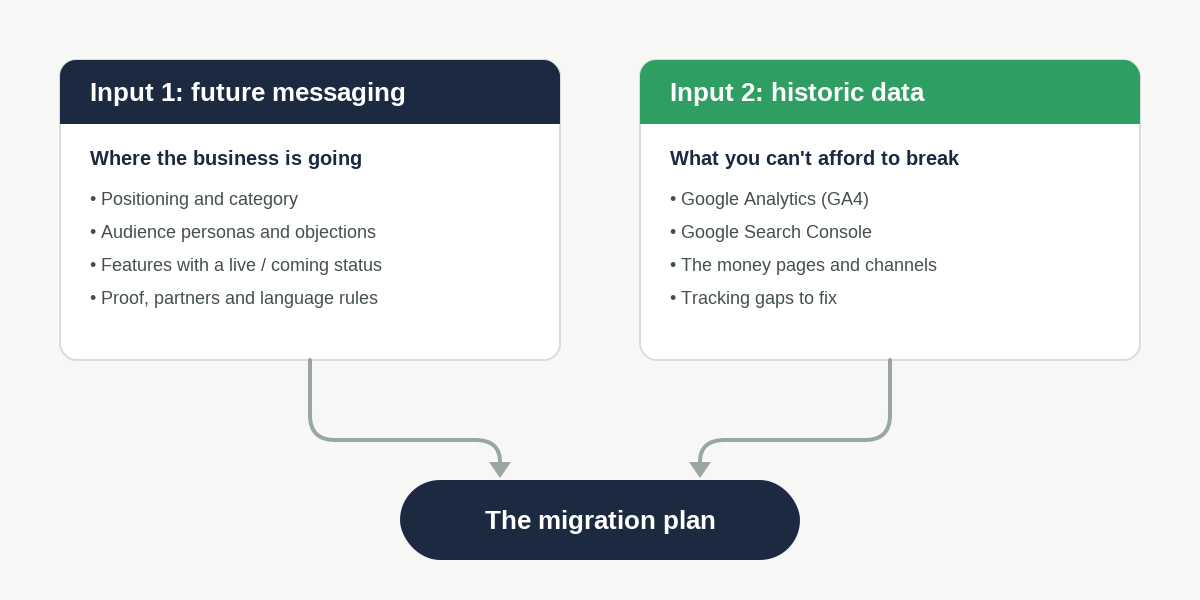
This guide answers them: the two inputs you bring, and the three outputs your agency should hand back.
Key takeaways
- Rankings live or die on redirects: every URL with traffic or backlinks needs a one-hop 301 to the page that replaces it.
- Two inputs drive the plan: your future messaging (one product and messaging overview) and your historic data (Google Analytics and Search Console).
- Money pages get locked: around 10% of pages earn most of the traffic and conversions, so their URLs, slugs and H1s don't change.
- Get three outputs before design starts: a strategy summary, a URL-level migration inventory, and a decisions list with owners and dates.
- Tracking is part of the migration: ship a clean GA4 and Tag Manager setup and watch it from day one.
- A brief dip is normal: if the drop lasts, look for a missing redirect first.
What your agency needs from you
A website migration plan is built from two things:
- Future messaging (where the business is going)
- The website's historic data (what the current site is doing and earning).
Only the people inside the company know the messaging and positioning. It usually lives in sales conversations and people's heads. A migration forces it to be written down, which pays off well beyond the website.
The historic data is the opposite: black and white, and much easier to gather. The agency's job is to connect the two and build the strategic plan.
Input 1: future messaging
This is the document most businesses don't have, and the reason redesigns can drift.
Your agency can see everything on your current site, but it cannot see what's missing from it. In one case, the new site needed a partners page and onboarding portal. Neither existed on the old site, so no amount of data analysis would have surfaced them.
This doesn't need to be a 60-page brand book. It should be one centralised document, usually built from a couple of internal workshops, covering:
- Positioning and category. What it is, who it's for, the one category term the site should own in search.
- Audience personas. Each buyer, what they're measured on, their top pains, the trigger that makes them look, and their biggest objection. The objection matters most: for one company the core buyer barrier was fear of change, so every selling page now carries the migration story.
- Proof and credibility. Customer counts, certifications, named results. Only what's verified and approved.
- Features and benefits with a status column. Live now, coming, or don't publish. This one column stops the site claiming capabilities that haven't shipped (the classic one right now: "powered by AI" for features still in development).
- Partners and integrations. Who plugs in and what each brings.
- Language rules. A short use/avoid table. One company banned "save time" as a lead message and any compliance guarantees; those two lines will quietly shape every page of copy.
Include what's coming as well as what exists. The litmus test for the new sitemap is whether next year's partner, vertical or feature has an obvious place to slot in.
Input 2: historic performance data
The messaging doc says where you're going. The data says what you can't afford to break.
That data sits in Google Analytics and Search Console: each page's organic clicks and impressions, sessions and conversions by page and channel, and current keyword rankings. Together they show which URLs earn their keep.
Here's what the data revealed for one company, none of it visible from inside the business:
- Traffic volume looked healthy but quality was mixed: a large share of sessions came from direct and display sources with only a few seconds of engagement. The channels producing demo requests were organic and paid search.
- Conversions were concentrated in a handful of pages: the homepage, the product pages, contact and book-a-demo.
- Search intent for one product was split across several competing URLs, diluting its ranking for the category head term.
- A meaningful share of traffic was customers trying to log in, clogging the sales funnel.
- Conversion tracking was sparse and inconsistent, so channel ROI was unknowable.
The data also answers the question every stakeholder group asks: what can be changed in future and what is set in stone.
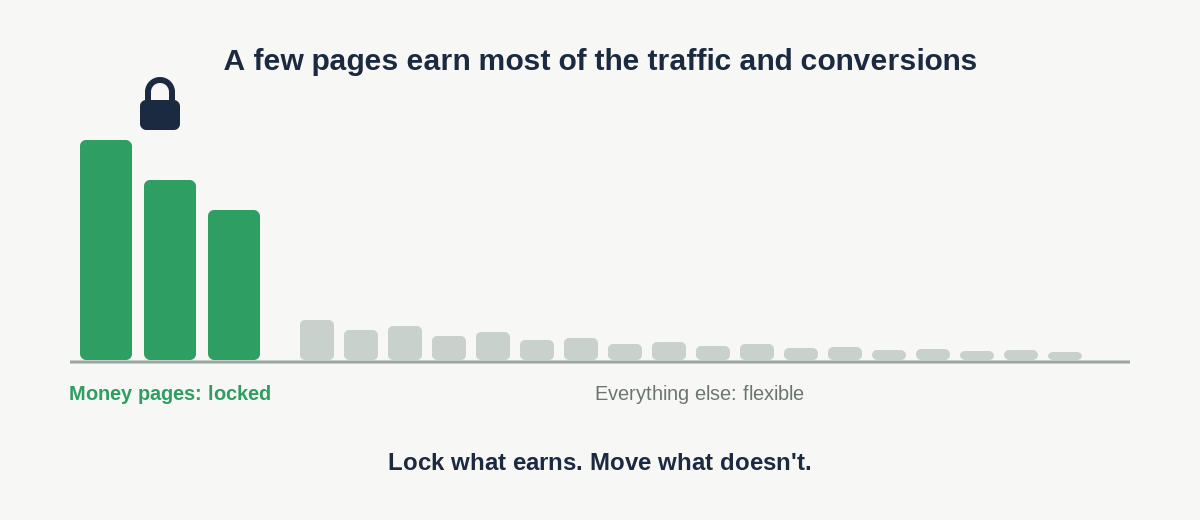
As with most websites, around 10% of the pages usually bring in most of the traffic and nearly all the conversions. Those are the money pages.
Their URLs, slugs and H1s get locked, because changing them risks rankings and business impact.
Everything else stays flexible: pages can be added after launch, copy can change, and a URL serving two visits a month can be dropped without a second thought. A website is not a printed brochure.
What you should get back: three outputs
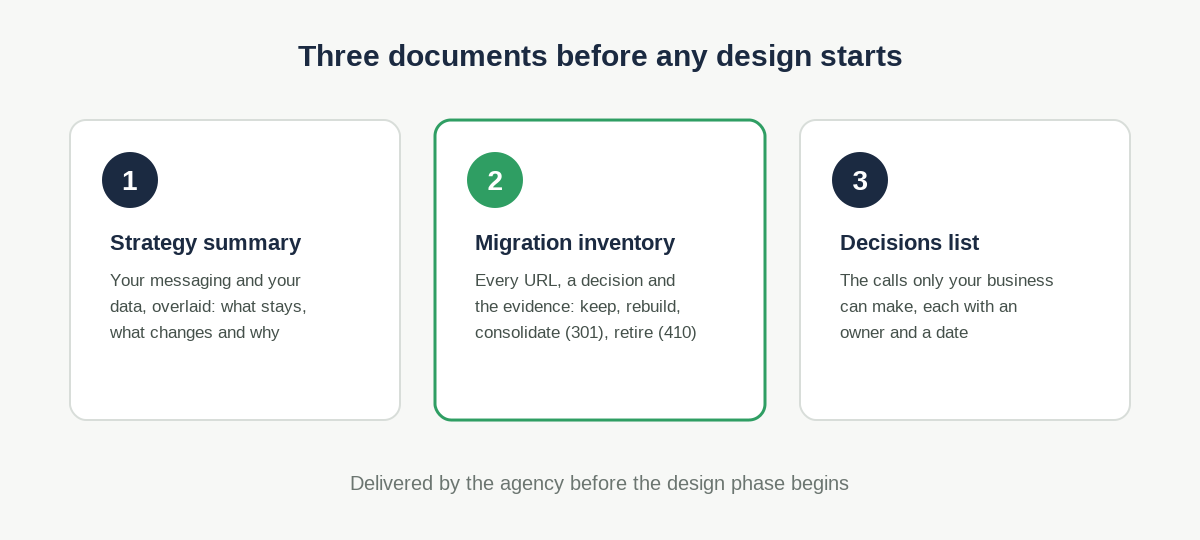
Before a single page is designed, you should have three documents for the website migration: the summary, the inventory and the decisions list.
Output 1: a strategy summary that marries your words with your data
A short document in three parts: what we heard from you (the decisions from your messaging work, played back), what the data told us about the current site (the money pages, the channel quality, the tracking gaps), and how the new site is structured as a result.
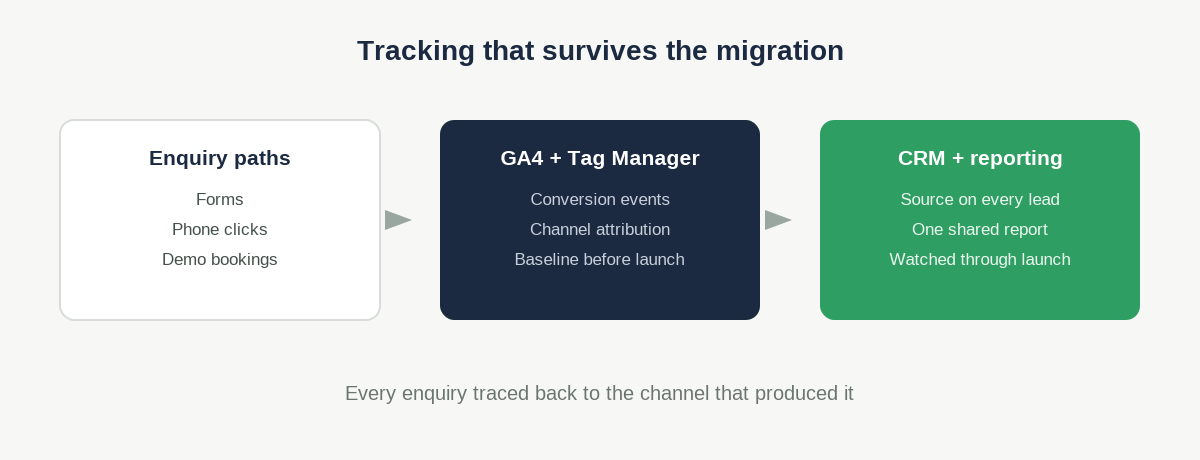
The strategy also needs a tracking plan: typically a clean GA4 and Tag Manager setup with conversion events defined.
In practice, tracking the migration means three things: conversion events on every enquiry path (forms, phone clicks, demo bookings), the source passed through to the CRM so sales can see which channel each lead came from, and one shared report both sides watch through launch. Set it up before the new site goes live, so before and after are measured the same way.
Output 2: a URL-level sitemap and migration inventory
This is the document that protects your rankings.
Every existing URL needs a decision, backed by its Search Console clicks, GA4 sessions and conversions, and keyword rankings. In one recent migration, more than 1,000 legacy URLs became around 50 final pages with 600+ redirect rules:
| Decision | What it means |
|---|---|
| Keep and rebuild | Proven pages keep their URLs and get new design and SEO |
| Rebuild on new templates | Blog posts, case studies and profiles move 1:1 with redirects |
| Consolidate | Duplicates redirect into the one page that serves that intent best |
| Retain, hidden from search | Logins and roadmaps stay live but out of Google |
| Retire | Dead archives and raw media files removed cleanly |
| Out of scope | App and login system pages the build never touches |
Two things make this document work.
- The money pages are marked and locked, so nobody has to remember which pages earn.
- The rationale sits next to every decision. When a stakeholder asks "why isn't this page getting a shiny new URL?", the answer is in the evidence column. That's what turns review meetings from debates into sign-offs.
Here's the shape of the register, with illustrative rows:
| Old URL | Decision | New URL | Evidence |
|---|---|---|---|
| /widget-management-software | Keep and rebuild | /widget-management-software | Money page: 240 clicks/mo, ranks #4 for the head term, drives demo requests |
| /widgets | Consolidate (301) | /widget-management-software | 70 clicks/mo on duplicate intent, splitting rankings with the money page |
| /post/widget-456-launch | Rebuild on template (301) | /resources/insights/widget-456-launch | 40 clicks/mo, steady; moves 1:1 with metadata preserved |
| /news-archive-2017 | Retire (410) | None | 0 clicks and 0 backlinks in 12 months |
The codes in brackets are doing real work.
- A 301 is a permanent redirect: it tells Google the page has moved and passes its authority to the new URL, which is how rankings carry through.
- A 410 says the page is gone on purpose. Google treats it much like a 404, but it can drop the URL from the index a little faster.
Every redirect should be one hop, old URL straight to final destination, never through a chain.
A migration handled this way can grow search traffic, too: Frazis Capital Partners grew organic traffic 58% after moving platforms.
Output 3: a short list of decisions only you can make
The agency will then close the strategy phase by handing you the specific decisions only your business can make.
These are normally things like:
- Which buyer persona leads the second product's page
- How a second geography is handled
- Which proof points and logos are approved for use.
An open-ended "let us know your feedback" should be avoided, as it leads to assumptions being baked into the website that people only discover after launch.
The website migration process, step by step
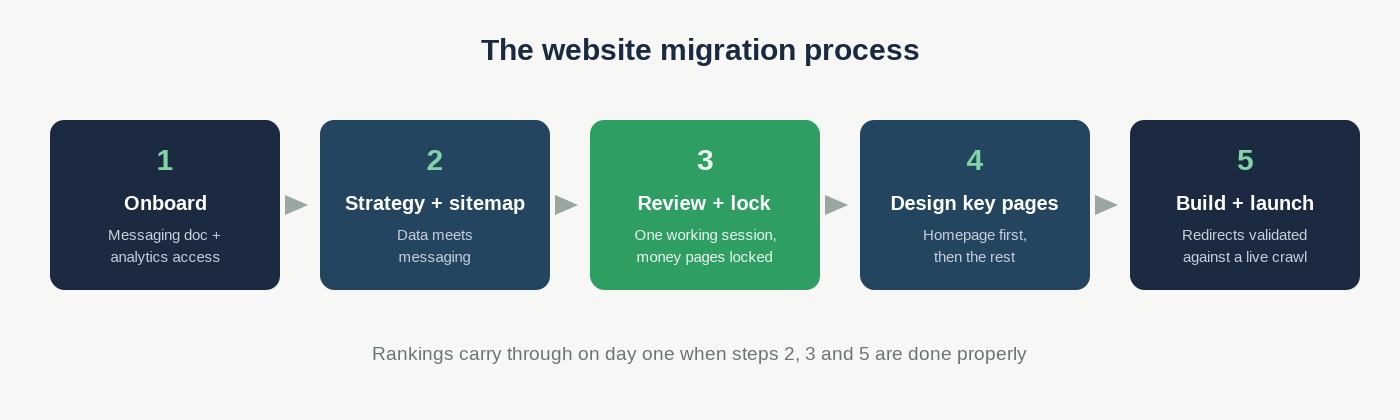
- Onboard the agency into your business. Hand over the messaging overview and grant GA4 and Search Console access. You are onboarding the agency like a new senior hire: they'll never know the business as well as you do, but the faster they get up the curve, the better the strategy.
- Strategy and sitemap. The agency overlays your messaging on your data and returns the three outputs above. Expect the current site and the strategy to be far apart; that gap is the opportunity.
- Review in a working session, then lock. Book a session with the people who can decide, work through the sitemap row by row, and escalate only the handful of pages that genuinely need wider stakeholder input. One session beats three weeks of scattered document comments.
- Design the homepage first, then 3 to 5 key pages in detail. The homepage settles the big website design decisions. The next few pages settle the patterns. After that, the remaining 30+ pages move fast because nothing new is being decided.
- Build, validate, launch. Content and development run from the locked sitemap. Every redirect is validated against a full live crawl before the 301 file ships, so old links and rankings carry through on day one.
After launch: the first fortnight
The redirect file goes live the minute the new site does, validated against a full crawl of the old one.
From there, submit the new XML sitemap in Search Console (and use the Change of Address tool if the domain changes), then watch the Page indexing report daily for two weeks. Watch GA4 conversion events fire in real time on day one and re-test every form (broken tracking quietly wastes ad spend), and crawl the new site for stray noindex tags left over from staging. A brief dip in rankings is normal.
A drop that lasts means something specific broke. Check redirects first, then stray noindex tags and robots.txt rules carried over from staging, then any money page whose content changed drastically. Keep comparing impressions, clicks, enquiries and conversions to the pre-launch baseline for the first month.
The site isn't finished when it's live; it's finished when it's delivering the planned results from the project.
Frequently asked questions
Will I lose my rankings during a website migration?
A brief wobble in the first couple of weeks is normal. Rankings only stay down when redirects are missing or money pages were changed without reason, which is what the migration inventory exists to prevent. On HosPortal's migration of 400+ pages, rankings held through launch and keywords grew from 831 to 1,226 within 15 months: see the HosPortal case study.
How long does a website migration take?
For a site with 1,000+ URLs, expect a few weeks for strategy and the sitemap, then two to three months of design and build. Review and approval speed sets the pace more than production does.
Does every URL need a redirect?
Every URL with traffic or backlinks needs a one-hop 301 to the page that now serves that intent. Dead archives with no traffic and no links can be removed cleanly instead.
What's the difference between a migration and a redesign?
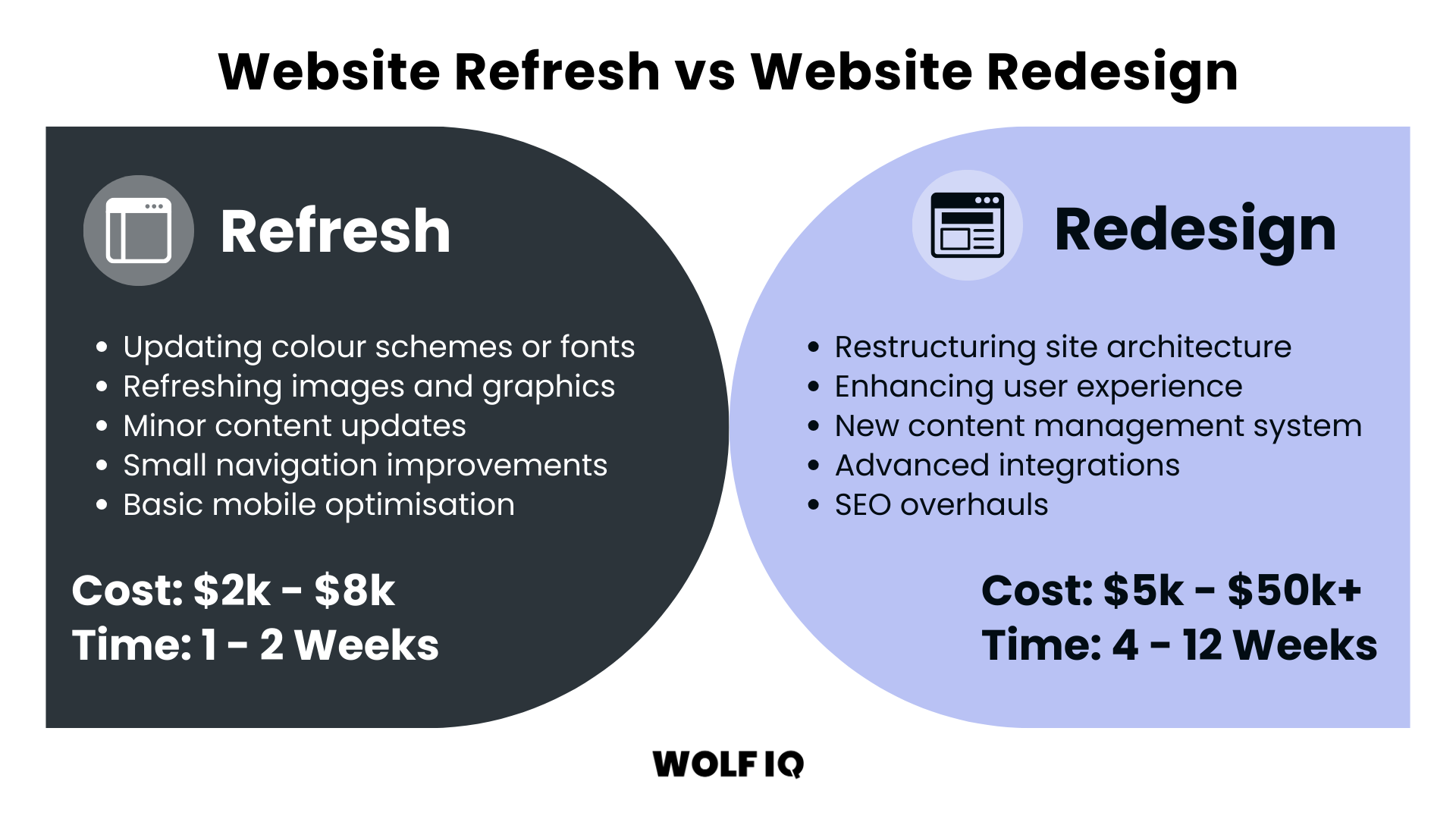
A redesign changes how the site looks and works. A migration moves it, often to a new platform, and most projects involve both. If you're still deciding whether you need a refresh, redesign or rebuild, start with our website redesign guide.
Can we add pages after launch?
Yes. The sitemap is a framework, so new partners, verticals and features slot in without rework. Only the money pages stay locked.
The short version
Bring two inputs: your future messaging in one centralised product and messaging overview, and your historic data via access to Google Analytics and Search Console. In return, your agency owes you three outputs before any design starts: a strategy summary built from your words and your data, a URL-level sitemap and migration inventory that locks the money pages and maps every redirect, and a short list of named decisions with owners and dates.
Get those right and every old URL has a destination on launch day, so your rankings carry through.
Migrating or rebuilding and worried about losing the traffic you've built? Mapping every URL and protecting the money pages is the job of our SEO migration service. For a Squarespace to WordPress example, see how we moved the Dental Advice Network across.