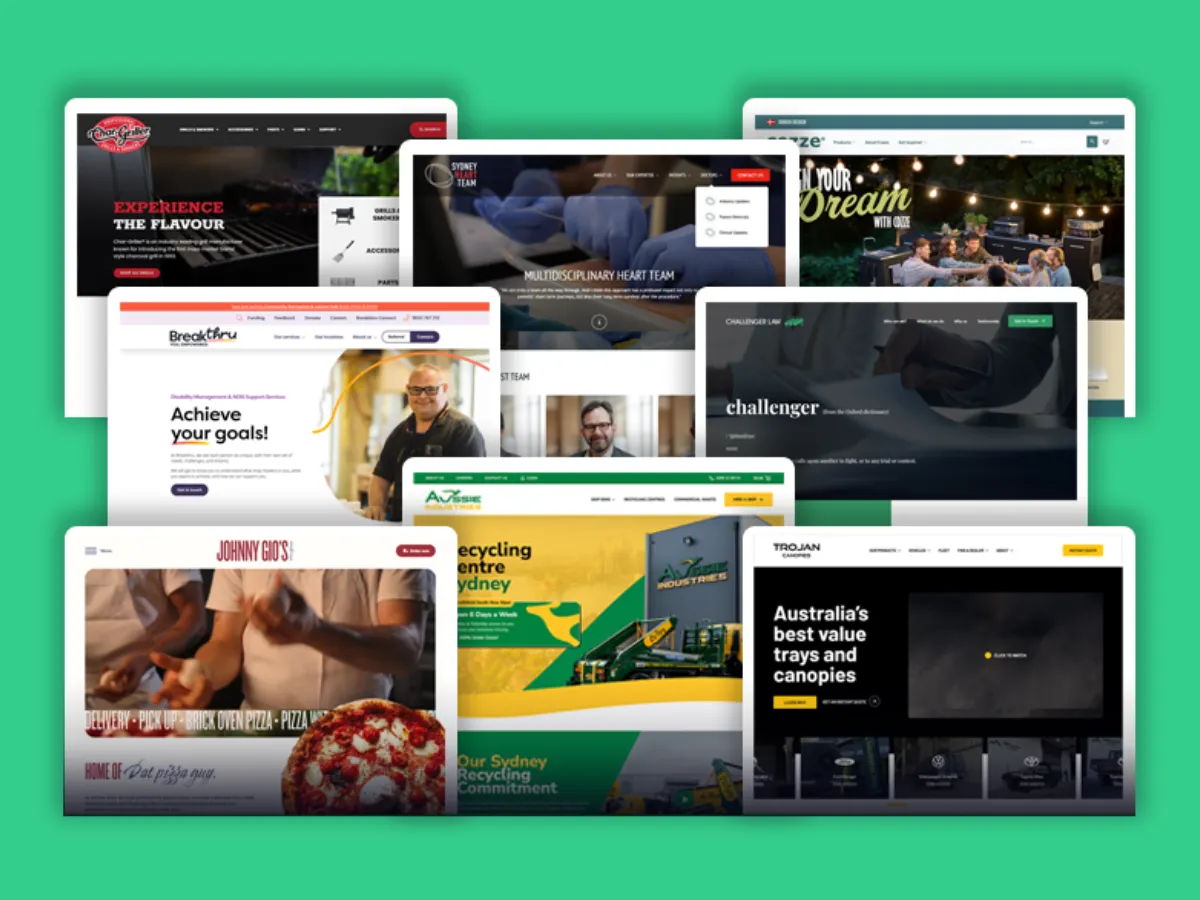
Your website is the first touchpoint customers will most likely have with your brand. It will either build trust or hurt it within seconds.
The truth is that an outdated, poorly performing website doesn't just fail to attract customers - it can actively repel them.
The Stanford Web Credibility Project found that 75% of consumers use a website's design as a primary factor in assessing a company's credibility.
The good news is a strategic website redesign can transform your online presence.
This guide will walk you through every aspect of planning and executing a website redesign.
At Wolf IQ we redesign dozens of websites every month for business owners and marketing leaders across legal, healthcare and manufacturing sectors. We'll also share examples and common mistakes we see.
Key Things to know about Website Redesigns
- Web Design = Business Credibility: 75% of consumers use a website's design as a primary factor in assessing a company's credibility.
- Redesigns fail from vague goals: Start with clear objectives and define specific, measurable goals for your website project.
- Any Redesigns should incorporate being AI ready: your website needs to be designed so AI Agents can easily read and cite your business.
- Process drives success: A successful redesign must begin with a current state analysis and clear success metrics.
- Bad experiences repel customers: 88% of online consumers are less likely to return to a site after a single bad experience.
- Speed is critical: Half of mobile users abandon sites that take longer than 3 seconds to load.
What is a website redesign?
A website redesign involves strategically changing your website's visual appearance and improving its user experience and functionality.
Think of it as renovating your physical shopfront, but with the added complexity of ensuring it works perfectly on every device, loads-fast, and continues to rank well in search engines.
Key factors in a website redesign
A successful website redesign addresses three critical areas:
| Visual Experience | Technical Performance | Business Alignment |
|---|---|---|
|
|
|
Website Redesign vs Website Refresh
Many people confuse a website redesign versus a website refresh.
This can lead to either over-investment in unnecessary changes or under-investment that doesn't solve the problem.
Here are the differences:
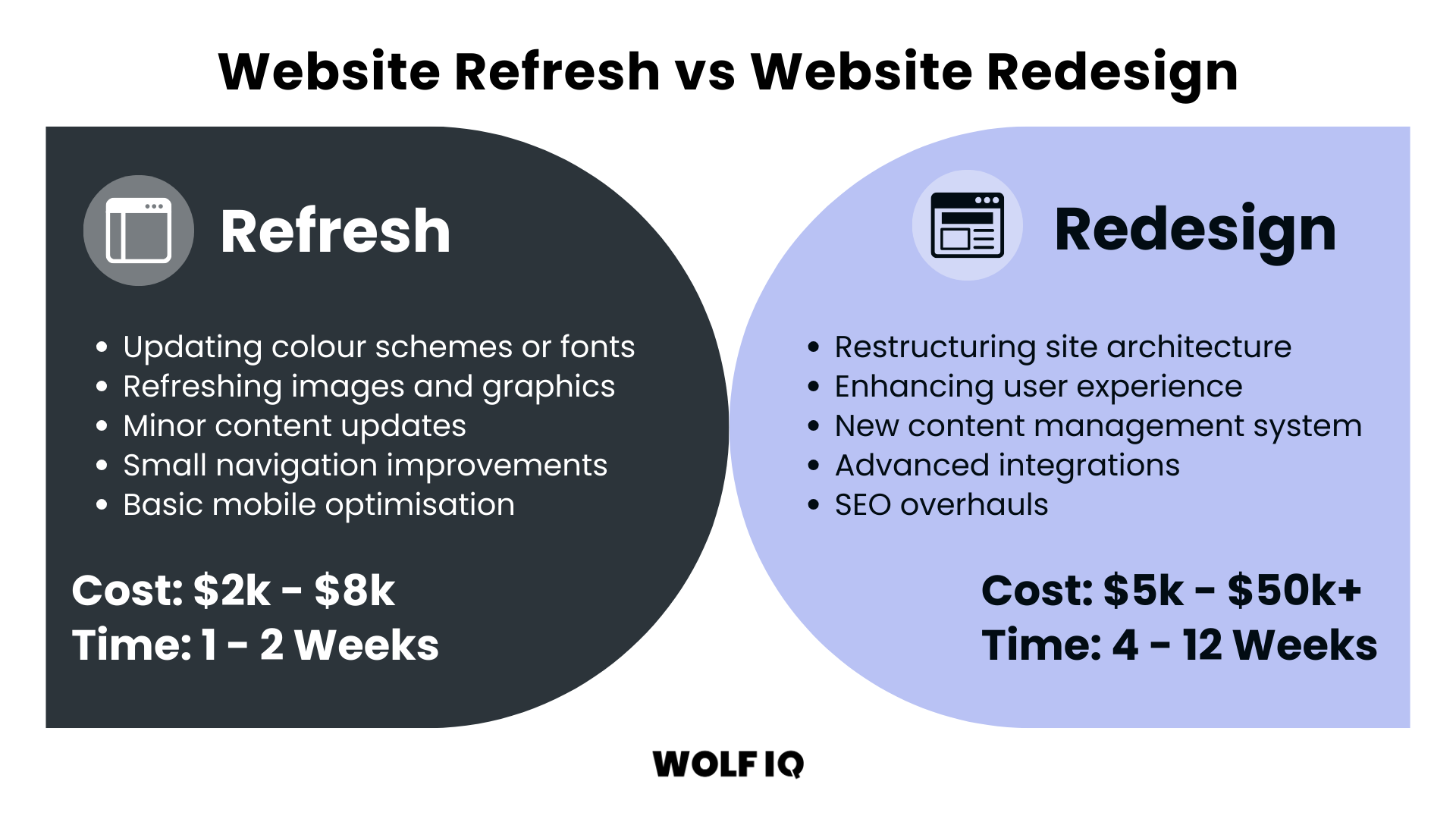
A Website Refresh involves minor cosmetic or user experience updates. This might include:
- Updating colour schemes or fonts
- Refreshing images and photos
- Minor content tweaks or updates
- Small navigation improvements
- Basic mobile optimisation
Website refreshes typically cost between $1,000 - $3,000 and can be completed within 1-2 weeks. They're best when your website's foundations are solid, but it needs a fresh touch.
A Website Redesign is different. It involves significant changes to infrastructure, functionality, and branding.
This might include:
- Restructuring of site architecture
- Overhauling the user experience
- Changing the content management system
- Complete SEO strategy implementation
Small business websites are typically $1,000 - $3,000 to redesign, with a 1-2 week timeline. Medium business websites run $5,000 - $15,000 over 6-10 weeks, and enterprise websites start at $25,000+ with timelines of 12 weeks or more. The larger and more established the site, the greater the complexity.
Wolf IQ data shows that when a site has more than ~30 pages and core user journeys that span multiple products or locations, a refresh rarely delivers on the project's goals, a full redesign can be a better solution long term.
Why choose to redesign your website?
There is a tonne of research about why redesigning your website can be a strong investment of time and capital.
- Review42: 38% of users will stop engaging with a website if the content or layout is unattractive
- Think with Google: 88% of online consumers are less likely to return to a site after a bad experience
- Google's Mobile Speed: 53% of mobile users abandon sites that take longer than 3 seconds to load
- Forbes: well-designed websites see conversion rates 200% higher than those with poor design
As more and more search is shifting to AI, recently Wolf IQ has been seeing optimisation for AI Agents as a key catalyst for undertaking a redesign. It is no longer enough to rank just for humans, websites must also be cited and discoverable in AI.
Websites need to be structured so these "AI Agents" can easily read and cite your business. This is called Generative Engine Optimisation (GEO). A redesign allows you to structure your website and data schema so you become the #1 answer when a user asks an AI, "Who is the best [service] in [location]?"
Redesigns will influence every part of a website, from the favicon, navigation and hero images, all the way down to the footer and each component should be reconsidered as part of the broader strategy.
What are the signs your website needs a redesign?
Many business owners operate with outdated websites simply because they're unsure whether the investment is actually worth it.
These are the warning signs that can indicate that your website is likely hindering rather than helping your business:
Technical Red Flags
Page Loading Speed Issues
If your website takes longer than 3 seconds to load, you're losing customers before they even see your content.
Google's research shows that as page load time increases from 1 to 3 seconds, the probability of bounce increases by 32%.
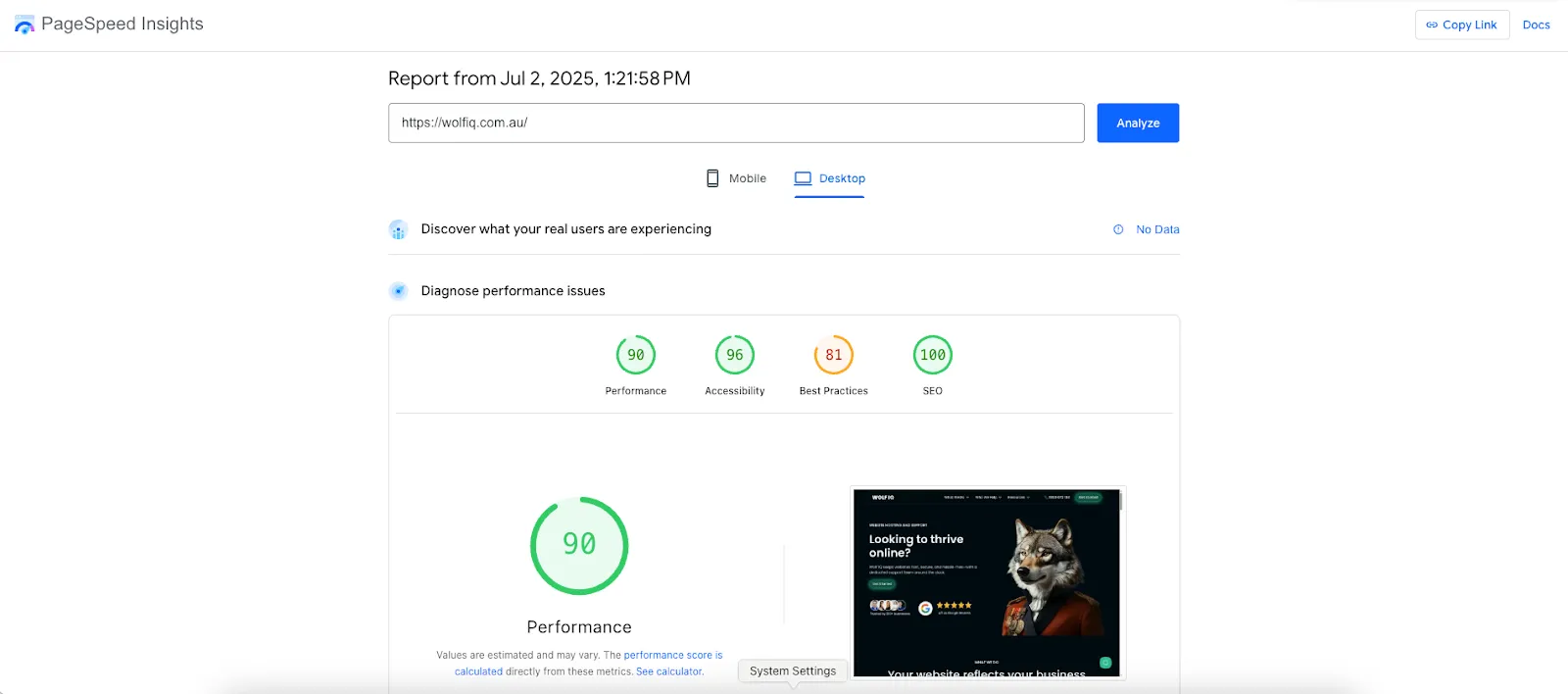
Test your site speed using Google PageSpeed Insights. If your scores are below 70/100, or if your load times exceed 3 seconds, this alone justifies urgently investigating site optimisation or a potential redesign.
When we find load‑times over 4 seconds on mobile, or bounce‑rates over 70% - this is the 'sweet‑spot' signalling a redesign might be overdue.
Mobile Responsiveness Problems
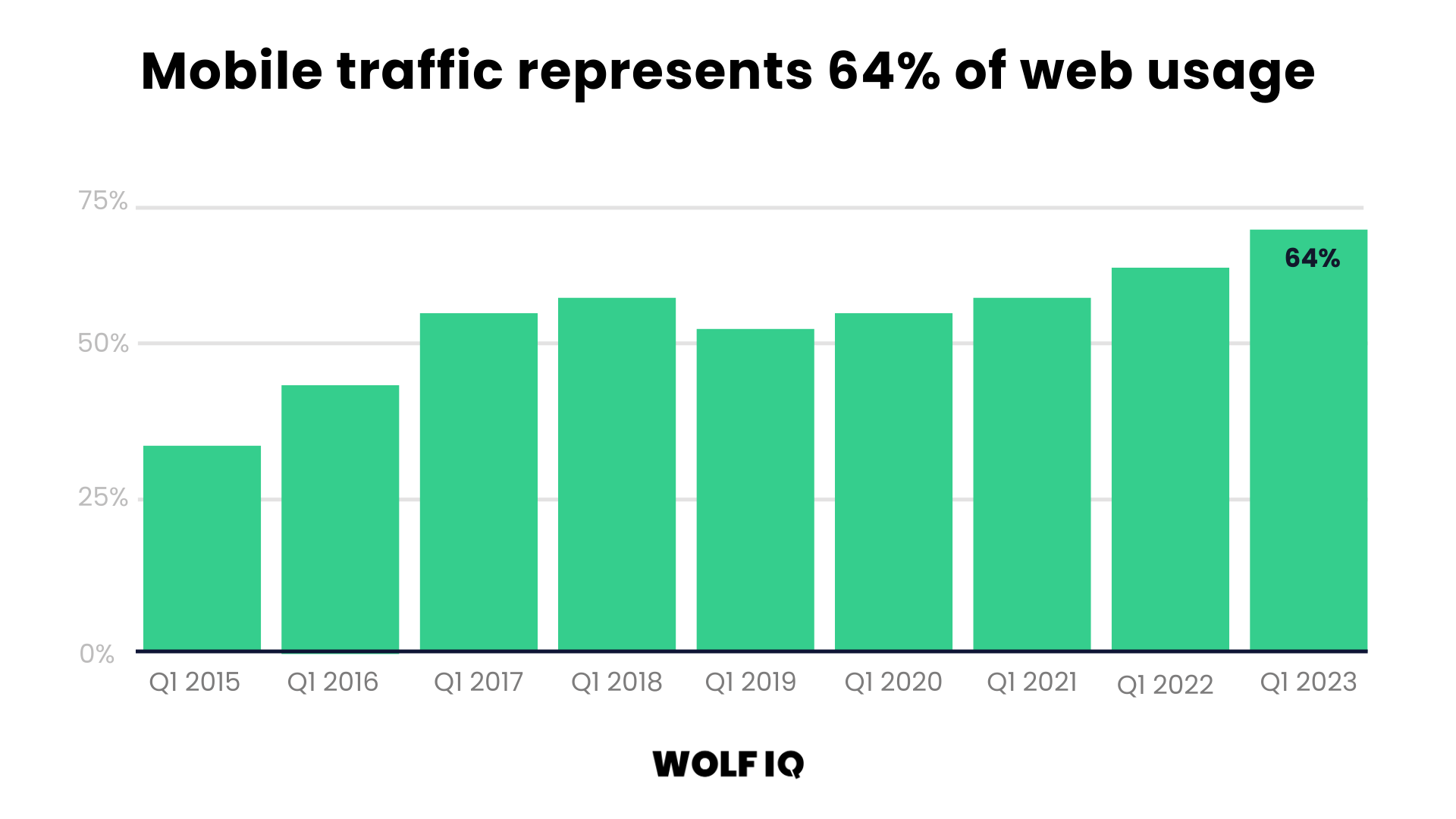
Mobile traffic represents 64% of web usage, so that will likely be the default experience for most people interacting with your website.
Using tools like Google Lighthouse and BrowserStack, you can view and investigate your site's usability and performance on different mobile devices. Signs your website's mobile experience needs attention include:
- Text that's too small to read without zooming
- Buttons and links that are difficult to tap
- Horizontal scrolling requirements
- Content that doesn't adapt to different screen sizes
- Forms that are impossible to complete on mobile
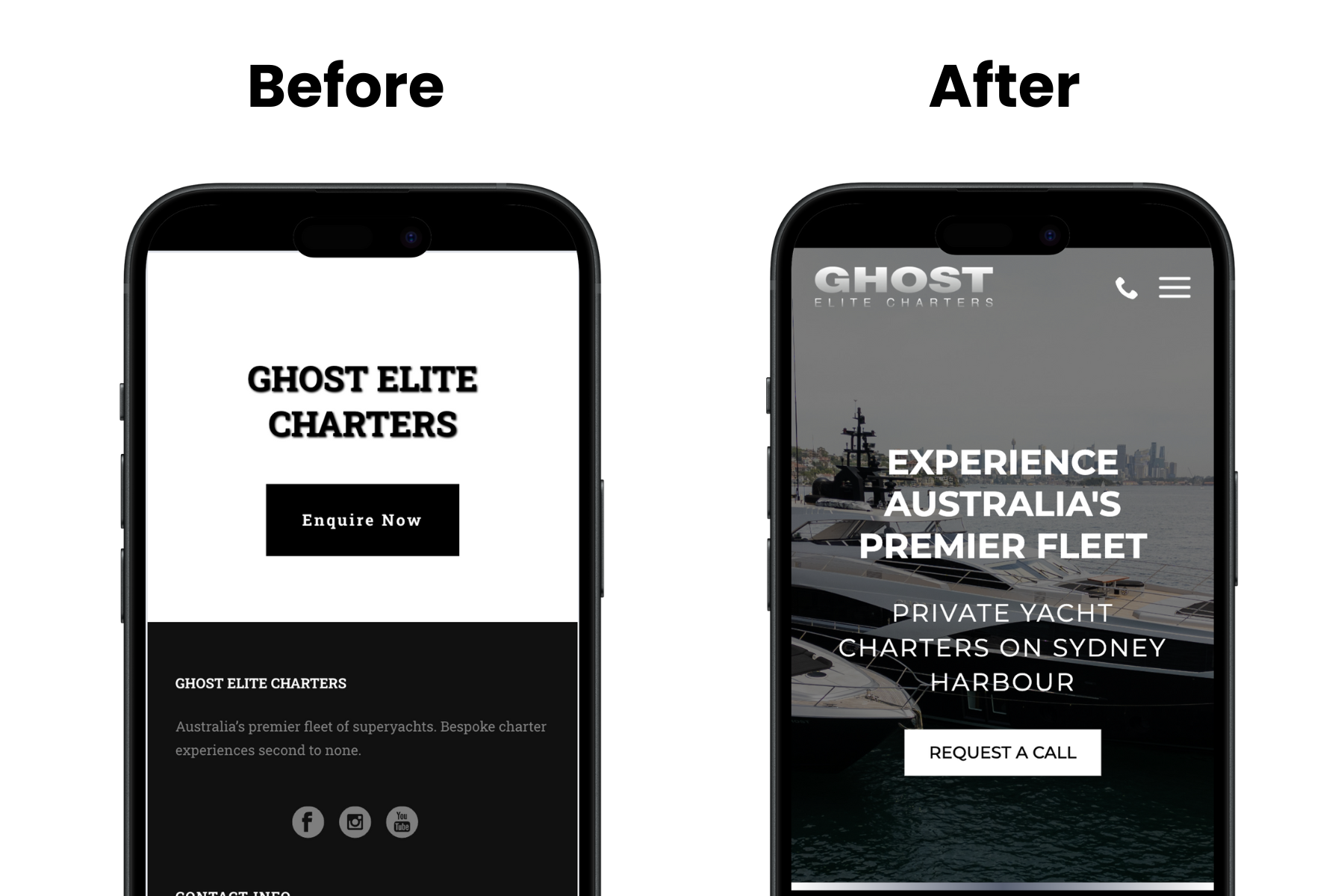
An example of a website redesign to improve mobile responsiveness was Ghost Charter Experiences. They provide luxury boating experiences in Sydney, and had an outdated mobile design and experience. Wolf IQ helped them redesign their website to match the high-quality brand and service that their customers expect.
Search Engine Visibility Issues
If potential customers can't find you online, it will be hard for them to contact you and your website isn't fulfilling its primary purpose. Warning signs include:
- Declining organic search traffic
- Poor rankings for relevant keywords
- Outdated SEO practices (keyword stuffing, poor meta descriptions)
- Lack of local SEO optimisation for target markets
- Missing or poorly implemented schema markup
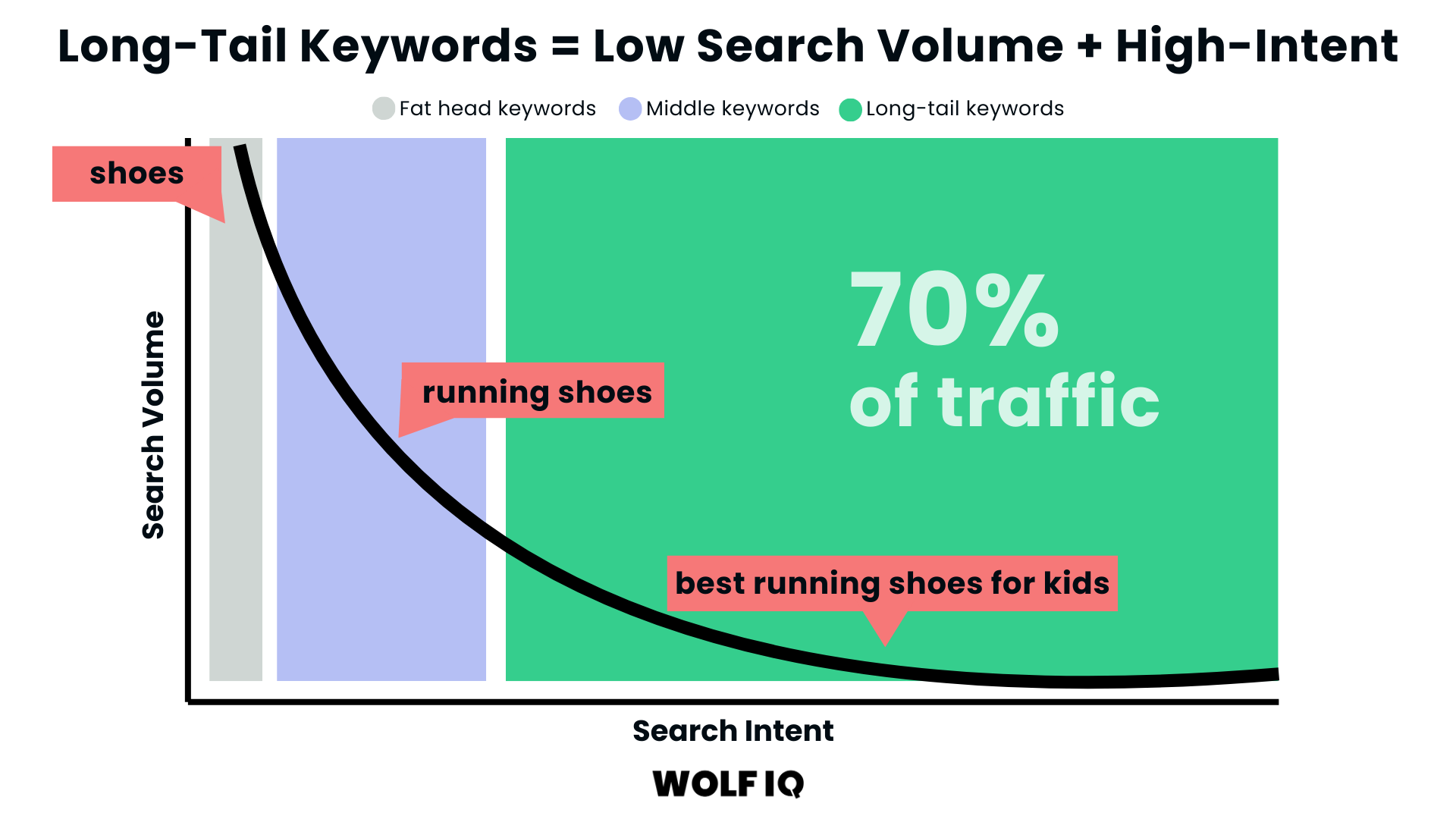
Your website needs to be ranking for both short and long-tail keywords. Short-tail is where the volume is but highly competitive. Long-tail keywords often represent more specific search intent, leading to higher conversion rates.
User Experience Warning Signs
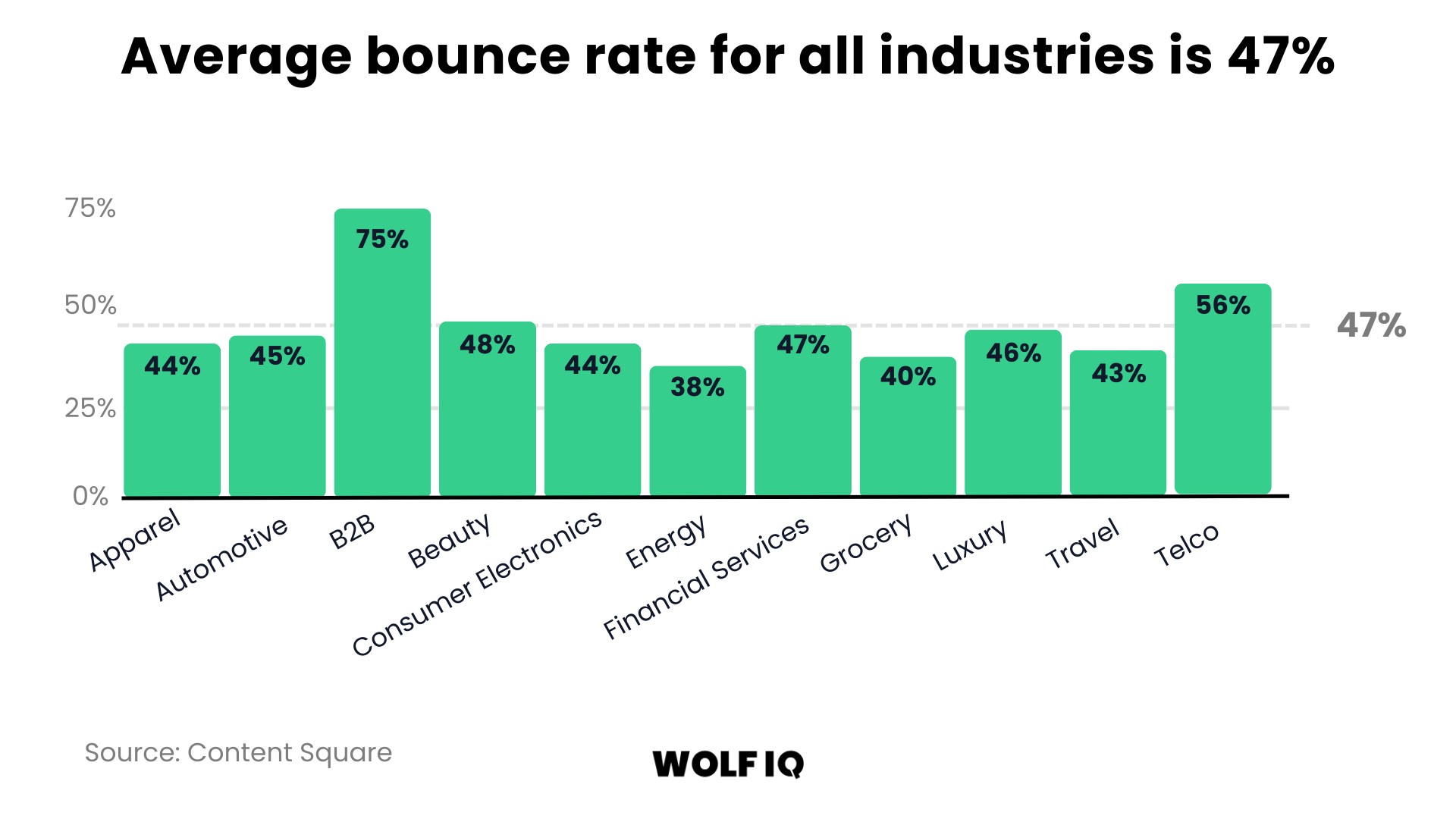
High Bounce Rates
If visitors are leaving your site immediately after arriving, your design or content isn't meeting their expectations.
Industry benchmarks vary, but bounce rates above 70% typically indicate serious user experience problems.
Low Conversion Rates
Your website should convert visitors into leads or customers.
If your conversion rates are below industry standards (typically 2-5% for most Australian SMBs), your site isn't effectively guiding users towards desired actions.
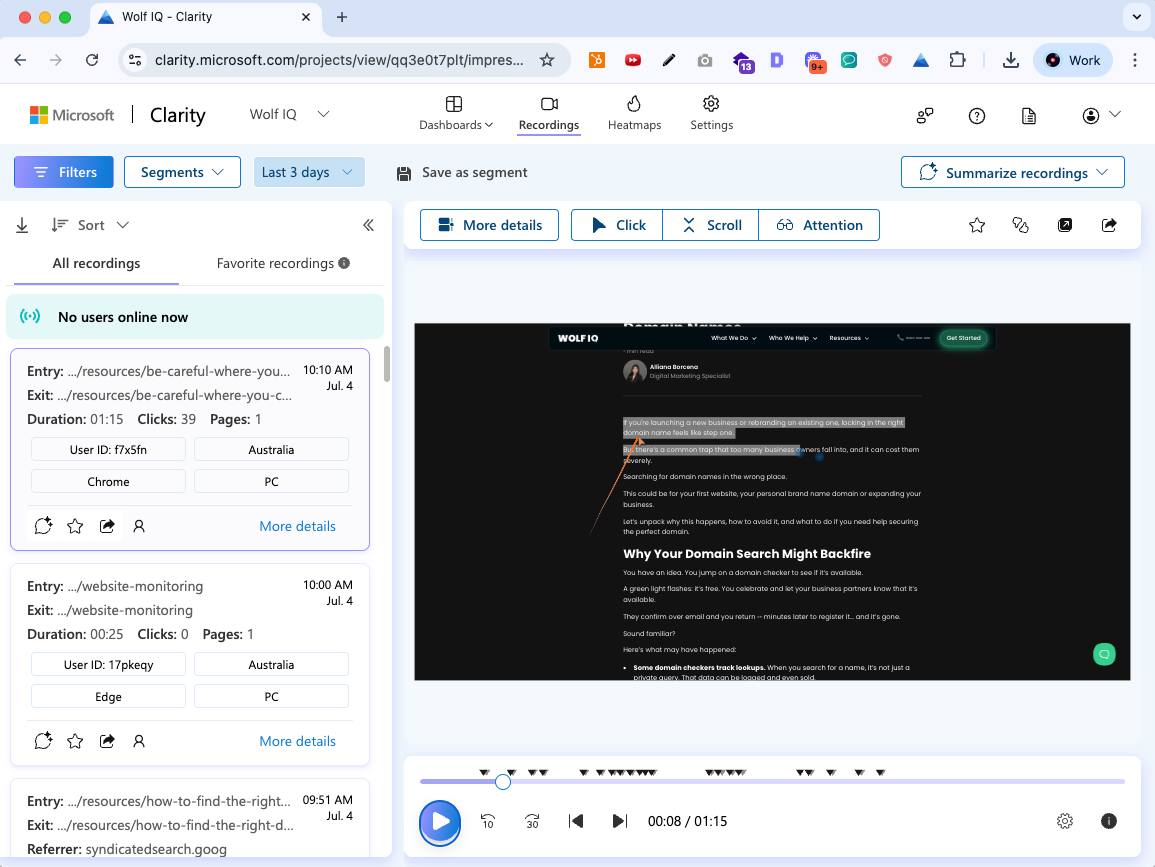
Microsoft Clarity is the most insightful tool here, helping you understand how visitors interact with your website through heatmaps, session recordings, and behavioral insights. This gives insight into how your existing design is performing and what needs to be fixed.
Outdated Design Elements and Functionality
Website design trends, best practices and functionality required always evolve, and most websites need to be updated every 2-3 years.
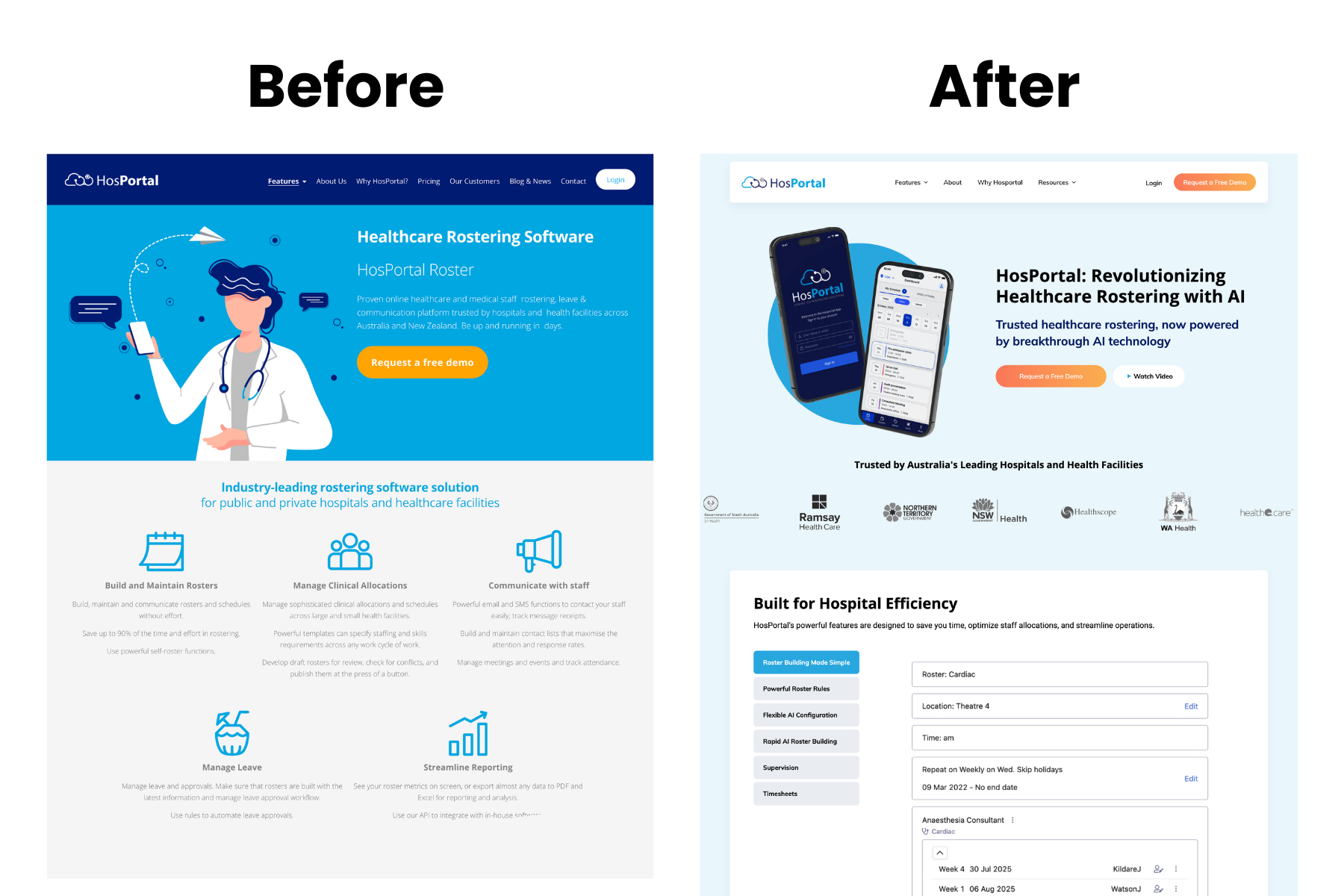
An example of a website redesign for a more modern look was Hosportal. They had an outdated design and mobile experience that wasn't building trust with their audience. Wolf IQ helped them redesign their website to a product-led aesthetic to better reflect their B2B maturity.
Other signs that your web design is outdated include:
- Flash-based elements or animations
- Cluttered layouts with too much information
- Outdated colour schemes and typography
- Stock photography that looks generic or dated
- Navigation systems that confuse rather than guide
Poor Content Organisation
If visitors can't quickly find the information they're seeking, they'll go elsewhere.
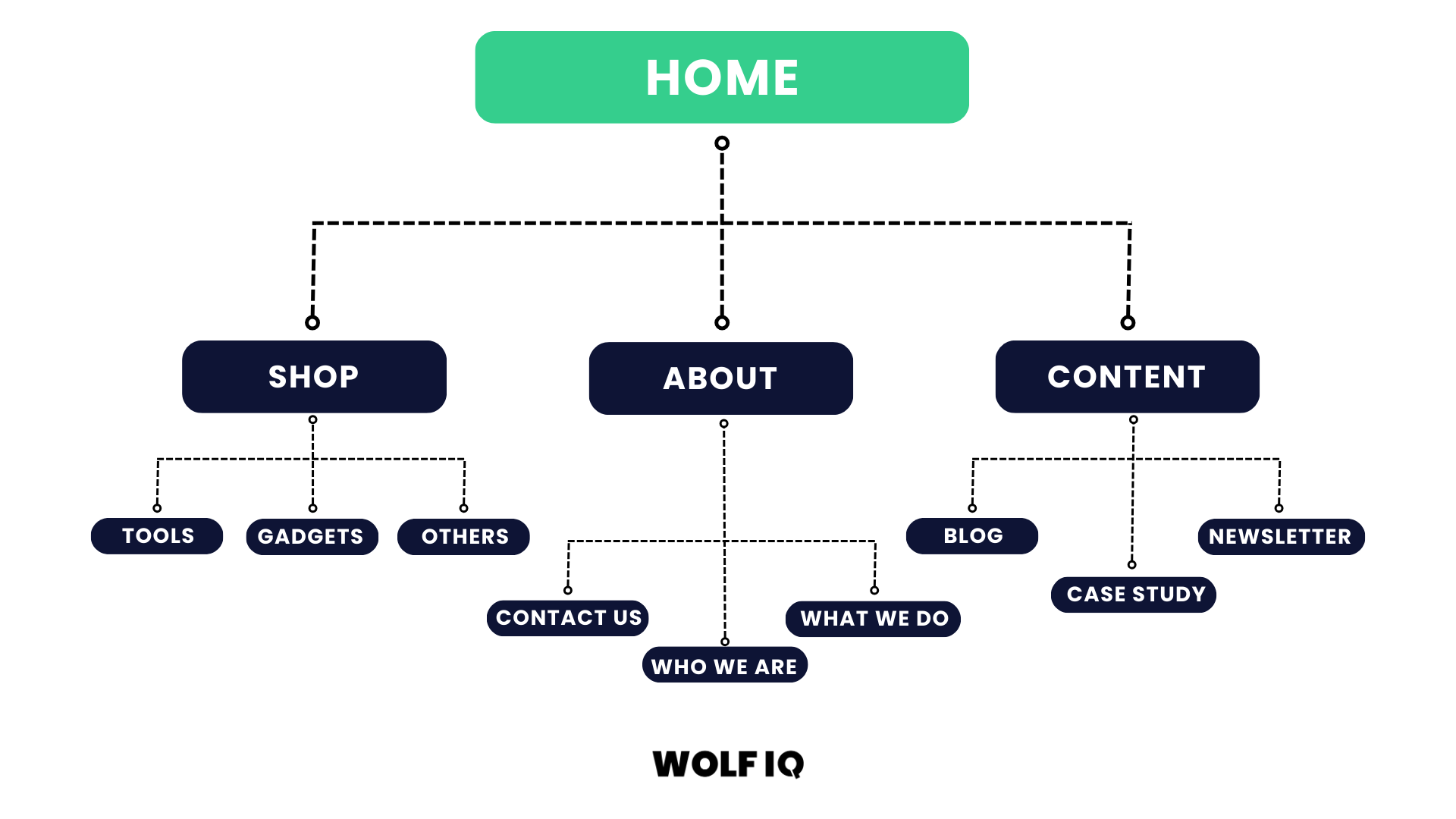
While it can be tempting to be unique and step outside common paradigms of navigation - for the vast majority of businesses, this is not the best path.
People don't want to think 'how do I use this website', and prefer to default to common patterns (navigation at the top, CTA in the corner, location at the bottom, etc.).
Warning signs that your content is not organised optimally include:
- Confusing navigation menus
- Important information is buried deep in the site
- Inconsistent content formatting
- Outdated or irrelevant content
- Missing calls-to-action or unclear next steps
Business Evolution Indicators
If you are part of a growing business, change is inevitable and sometimes the natural evolution of a business over time requires the website design to be revisited.
Here are some common reasons that Wolf IQ sees:
Brand Changes or Rebranding
If you've updated your logo, changed your business focus, or evolved your brand positioning, your website must reflect these changes. Misalignment between your current brand and website creates confusion and undermines credibility.
An example of a website redesign for branding cohesion is Johnny Gio's Pizza. They needed to expand rapidly across Sydney, their existing online presence didn't match their brand at their physical stores.
New Business Objectives
Perhaps you've expanded your services, entered new markets, or shifted your target audience (for example going from a B2C service to B2B service). Your website should support these new objectives with appropriate messaging, functionality, and user pathways.
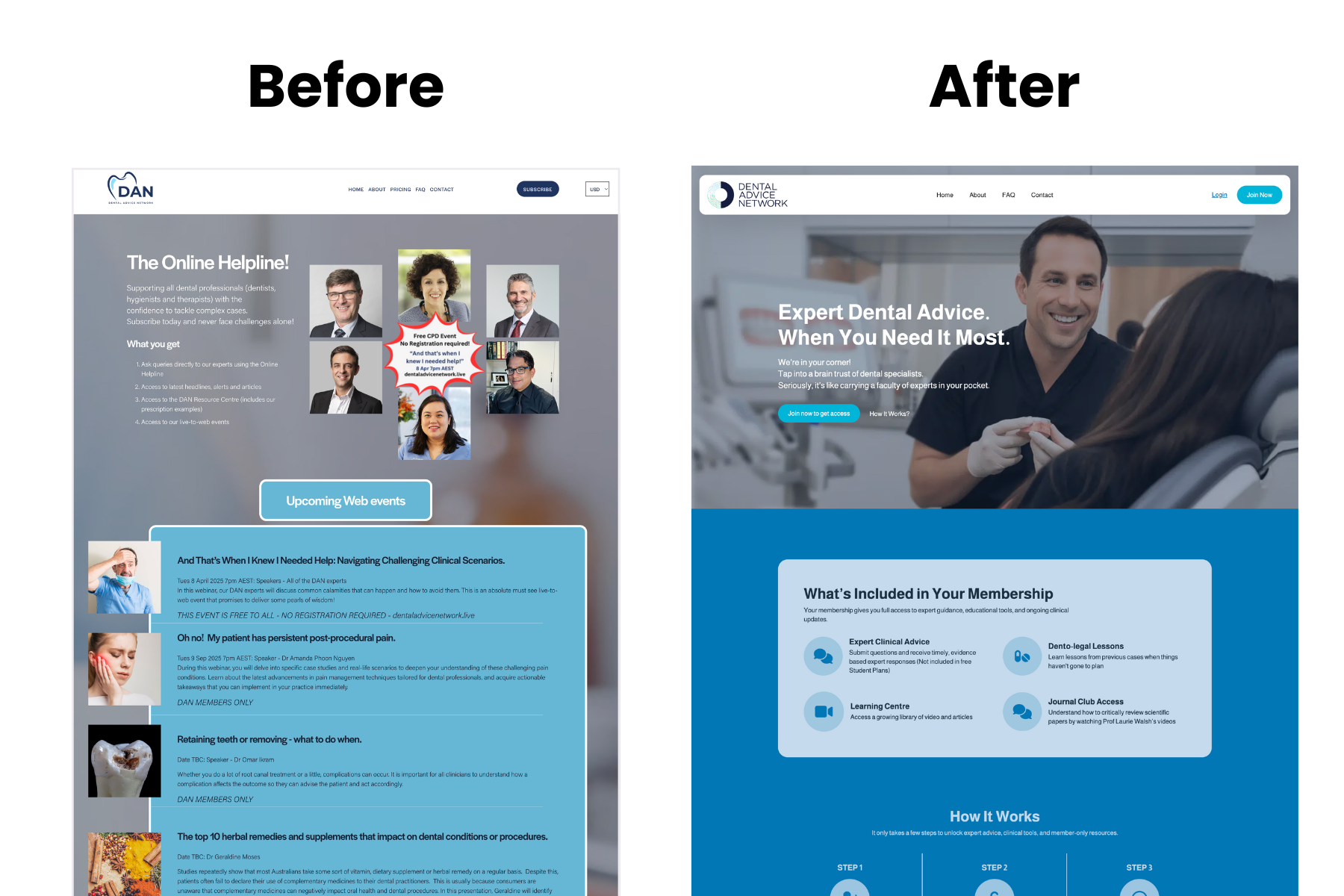
An example of a website redesign for new business objectives was the Dental Advice Network. They needed to expand their membership functionality, and Wolf IQ redesigned their website in a transition from Squarespace to WordPress for greater control and scalability.
Competitive Changes
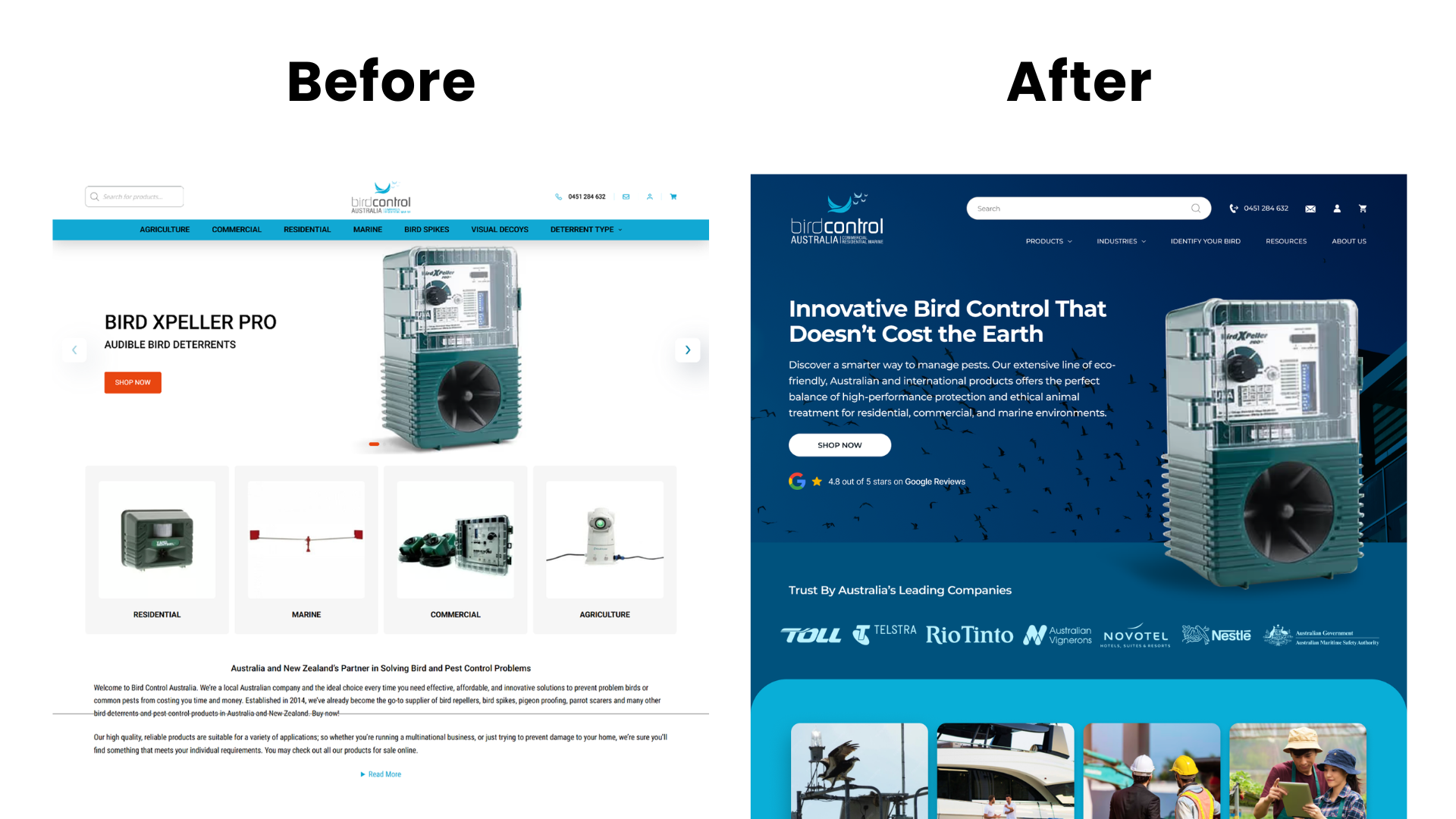
If your competitors' are launching new websites that look more professional, load faster, or provide better user experiences, you might be at a disadvantage to people exploring their options.
Regular competitive analysis can be helpful to see where competitors are going and if your website is falling behind industry standards.
Refresh, Redesign or Rebuild: Which Do You Need?
Redesign is often the wrong word for what a business actually needs. Before scoping anything, work out which of the three levels of change fits your situation. Choosing one level too high wastes budget, and one level too low wastes the whole project.
When a refresh is enough
The structure works and customers can find what they need, but the site looks dated or the content has drifted. A refresh updates design elements, imagery, copy and calls to action without touching the underlying architecture.
Typical scope is days to two weeks. Choose this when your analytics show healthy engagement but the site no longer matches the quality of your business.
When a redesign is right
The platform is sound but the site no longer serves the strategy: the structure confuses visitors, conversion paths are weak, mobile experience lags, or the brand has moved on.
A redesign rebuilds the design layer and information architecture on the existing platform, keeping your content and URLs where possible. This is the project the rest of this guide describes.
When only a rebuild will do
The honest answer is sometimes that the foundation is the problem: an abandoned page builder, a hacked-together theme nobody can maintain, a platform that cannot support what the business needs next, or performance problems that no amount of optimisation fixes.
A rebuild starts fresh on a new stack and treats the old site as reference material. It costs more up front and less over every year that follows.
| Signal | Refresh | Redesign | Rebuild |
|---|---|---|---|
| Site looks dated but works | Yes | ||
| Visitors struggle to find things | Yes | ||
| Weak conversions despite decent traffic | Yes | ||
| Platform limits what you can build next | Yes | ||
| Plugins or theme abandoned, updates break things | Yes | ||
| Rebrand or repositioning | Sometimes | Yes | |
| Slow even after optimisation work | Sometimes | Yes |
How to determine the ROI of website redesign?
Redesign Investment Return Equation
Website redesign represents one of the highest-return investments for growing businesses.
Research shows that while the upfront costs may seem significant, the long-term value can be substantial.
For instance, NWS Digital reports a case where a $150,000 redesign led to $600,000 in annual incremental revenue, implying a 300% first-year ROI.
The key is understanding that your website isn't an expense - it's a revenue-generating asset that works 24/7 to attract, engage, and convert customers.
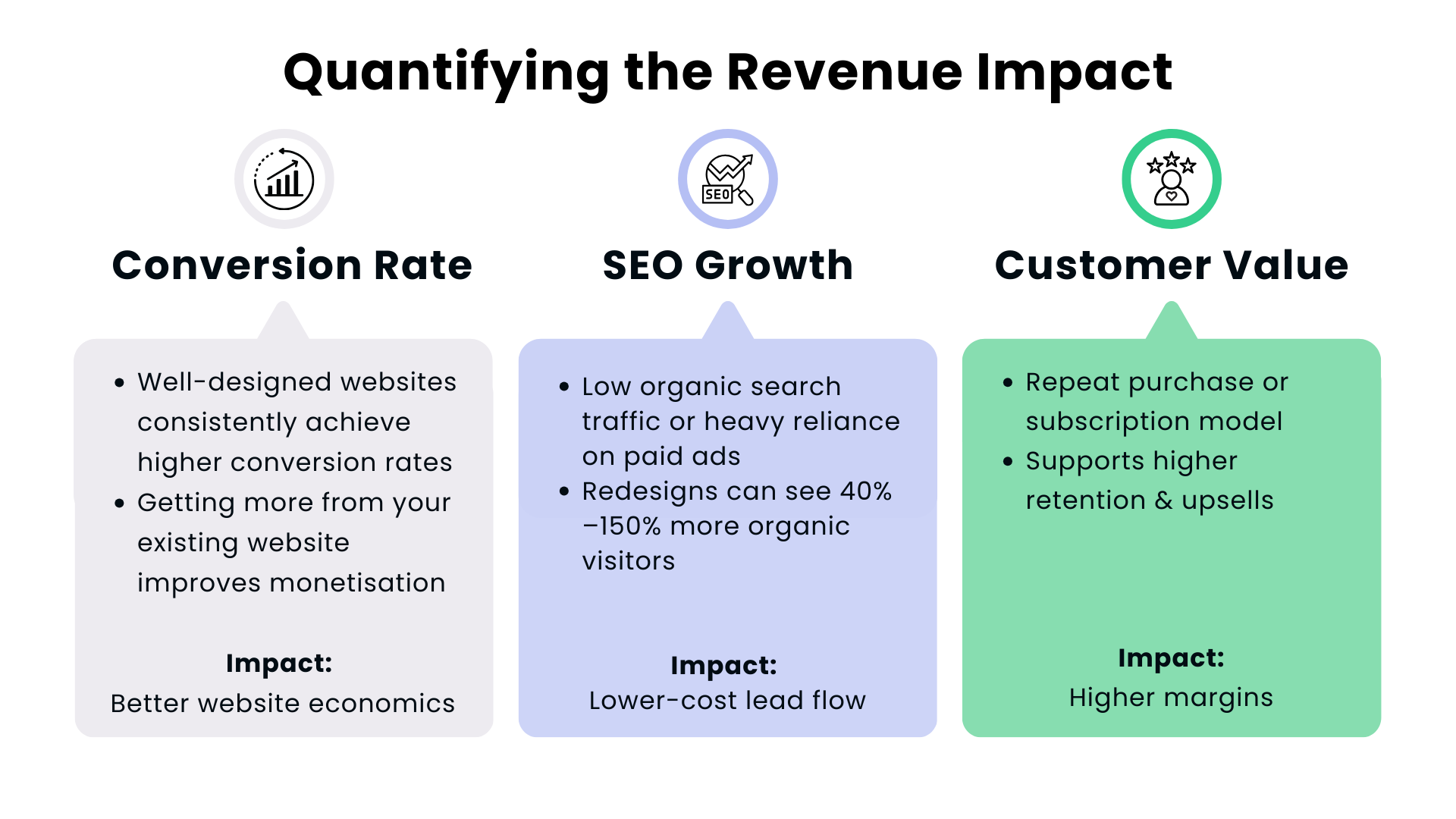
Quantifying the Revenue Impact
Conversion Rate Improvements
Well-designed websites consistently achieve higher conversion rates than their outdated counterparts.
Industry data from The Belfort Group and MindFeeder LLC shows that strategic redesigns can yield conversion rate increases of 100% to 400%, depending on the scope of the change.
Consider a consulting firm with these baseline metrics:
- Monthly website visitors: 2,000
- Current conversion rate: 1.5%
- Average client value: $5,000
- Monthly conversions: 30
- Monthly revenue from website: $150,000
After a strategic redesign improving the conversion rate from 1.5% to 2.0%.
- Monthly website visitors: 2,000
- Current conversion rate: 2.0%
- Average client value: $5,000
- Monthly conversions: 40
- Monthly revenue from website: $200,000
- Increase in Monthly revenue: $50,000
- Increase in Annual revenue: $600,000
Even with a $50,000 redesign investment, the annual return of $600,000 in new revenue would be a 12x Return on Investment.
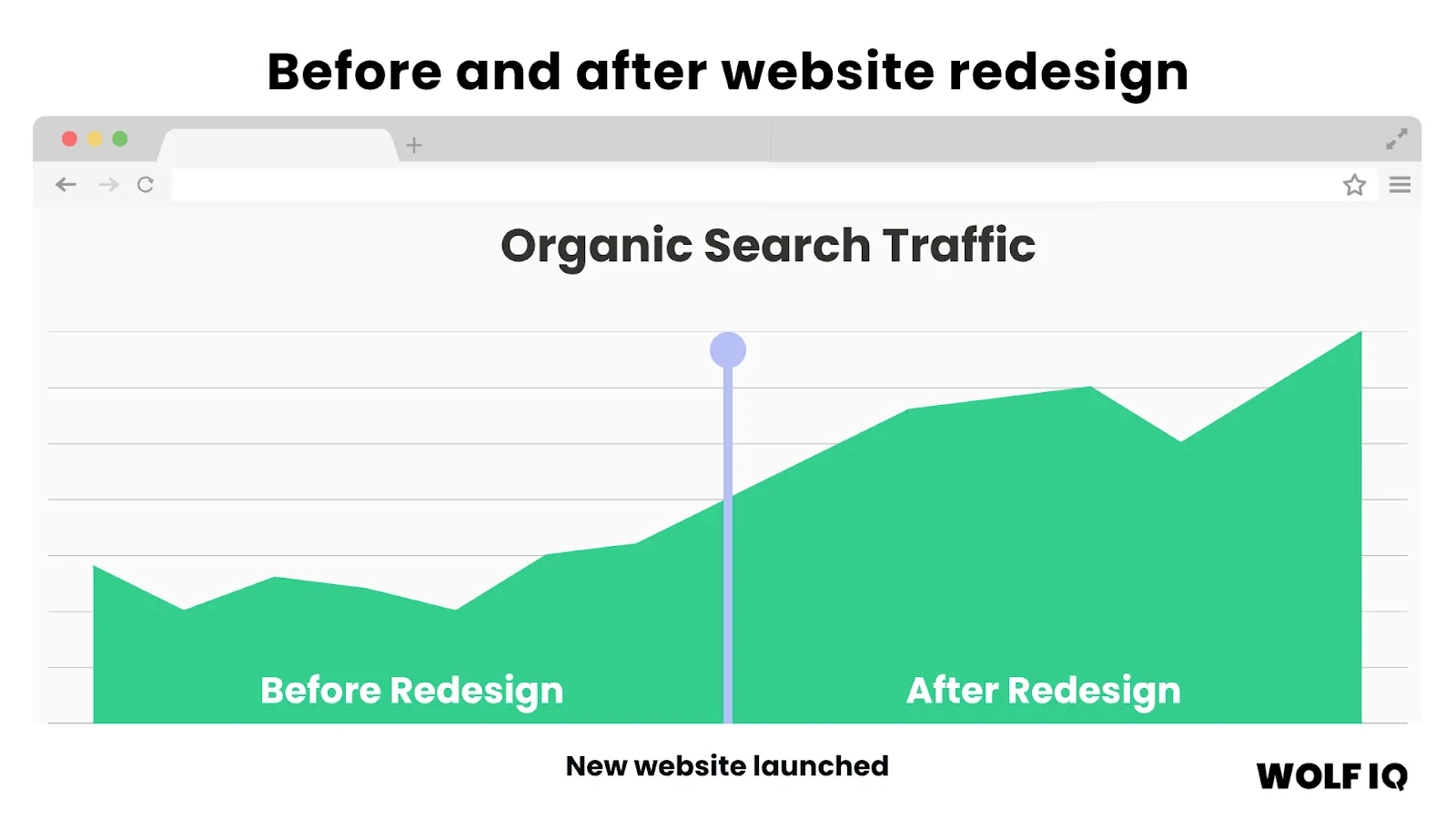
Online Visibility Traffic Growth
Modern website redesigns incorporate new SEO and GEO strategies that significantly improve organic search visibility.
Customer Lifetime Value Enhancement
Professional websites build trust and credibility, leading to higher customer retention rates and increased lifetime values.
If customers like doing business with you and the website provides a great experience, they are far more likely to come back in future.
Bain & Company found a 5% increase in customer retention can lift profits by 25%, with loyal repeat customers spending up to 300% more than new ones.
Redesign Cost Breakdown
Understanding website redesign costs helps you budget appropriately and evaluate proposals from agencies or freelancers.
Costs vary significantly based on complexity, functionality requirements, and provider expertise.
At Wolf IQ we build in a project‑management buffer of ~10‑15% of total budget time. We've found this buffer avoids common scope creep, delayed launches or broken integrations, these aren't overhead, they're insurance.
Small Business Websites ($5,000 - $10,000)
| Suitable For | Service businesses, small retail operations, professional practices |
| Typical Inclusions |
|
| Estimated Timeline | 6–12 weeks |
Medium Business Websites ($20,000 - $50,000)
| Suitable For | Growing businesses, e-commerce operations, multi-location companies |
| Typical Inclusions |
|
| Estimated Timeline | 12–20 weeks |
Enterprise Websites ($50,000+)
| Suitable For | Large businesses, complex e-commerce, multi-brand companies |
| Typical Inclusions |
|
| Estimated Timeline | 20–32 weeks |
The Hidden Costs of a Cheap Redesign
While it might be tempting to accept a $2,000 quote from an offshore agency or a freelancer using a generic WordPress template, the hidden costs of a cheap redesign can be devastating to an established business.
1. The Cost of Lost SEO Traffic
Cheap redesigns rarely include a comprehensive 301 redirect strategy.
If your old URLs are simply deleted and not mapped to the new pages, you will lose all the domain authority you've built over the years.
We've seen businesses lose 80% of their organic traffic overnight because a cheap developer didn't understand technical SEO. Rebuilding that traffic can take years and tens of thousands of dollars in SEO retainers.
2. The Cost of Poor Conversion Rates
A template might look pretty, but it isn't designed around your specific customer journey.
If your new site looks good but fails to guide users toward a conversion (a phone call, a form fill, a purchase), you are losing money every single day.
A drop in conversion rate from 3% to 1% means you need three times as much traffic just to maintain your current revenue.
3. The Cost of Security Breaches
Cheap builds often rely on bloated, outdated plugins to achieve functionality.
These plugins are notorious security vulnerabilities. A hacked website not only damages your reputation but can also lead to your site being blacklisted by Google, effectively removing you from the internet until the issue is resolved.
4. The Cost of Inflexibility
When your business grows and you need to add a new service line, integrate a CRM, or build a custom portal, a cheap template will break.
You can end up having to pay for another full redesign much sooner than if you had invested in a scalable, custom-built foundation from the start.
What are the key considerations for a website redesign?
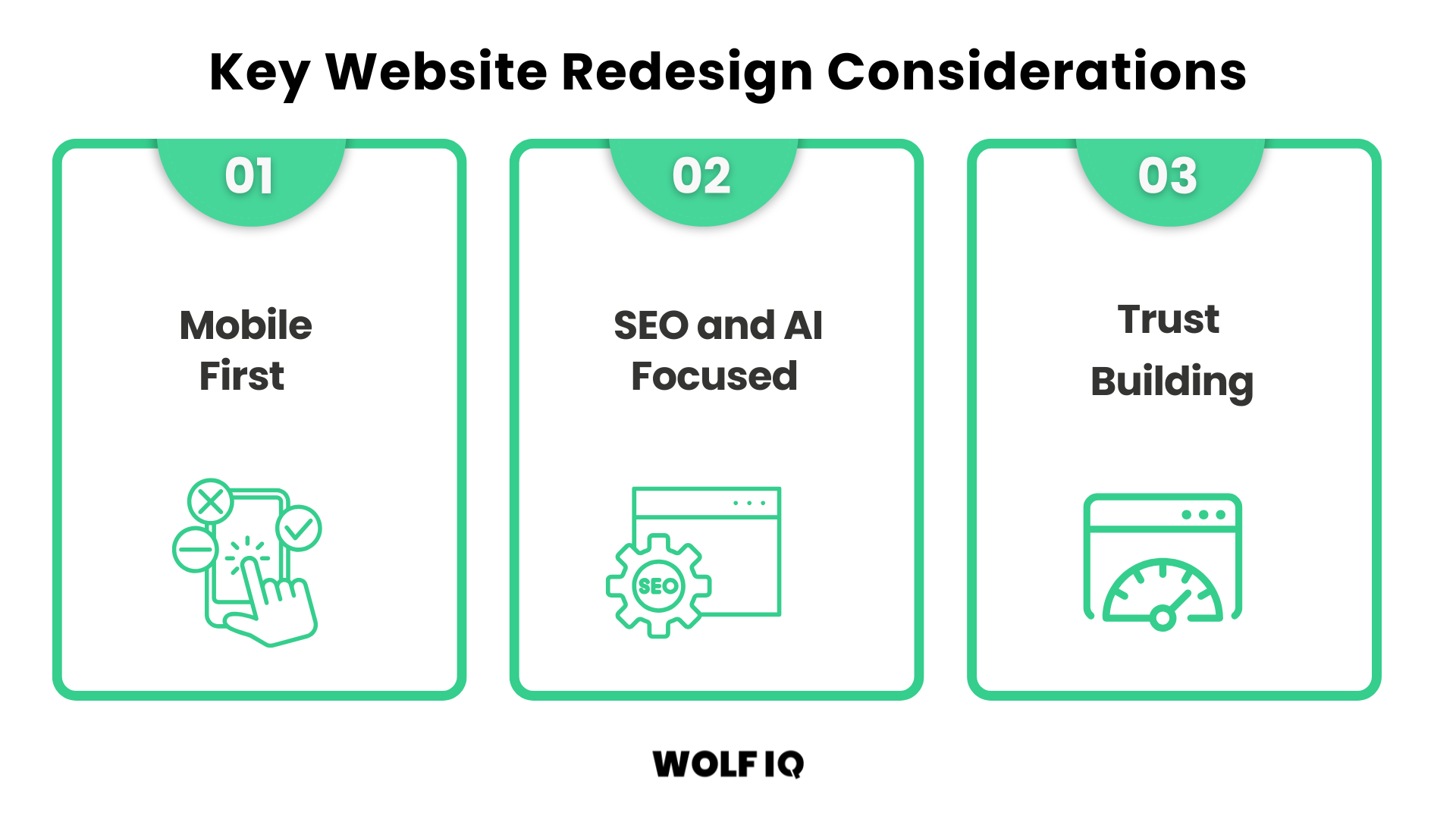
When completing a website redesign, there are three key considerations to get right.
Mobile-First Design
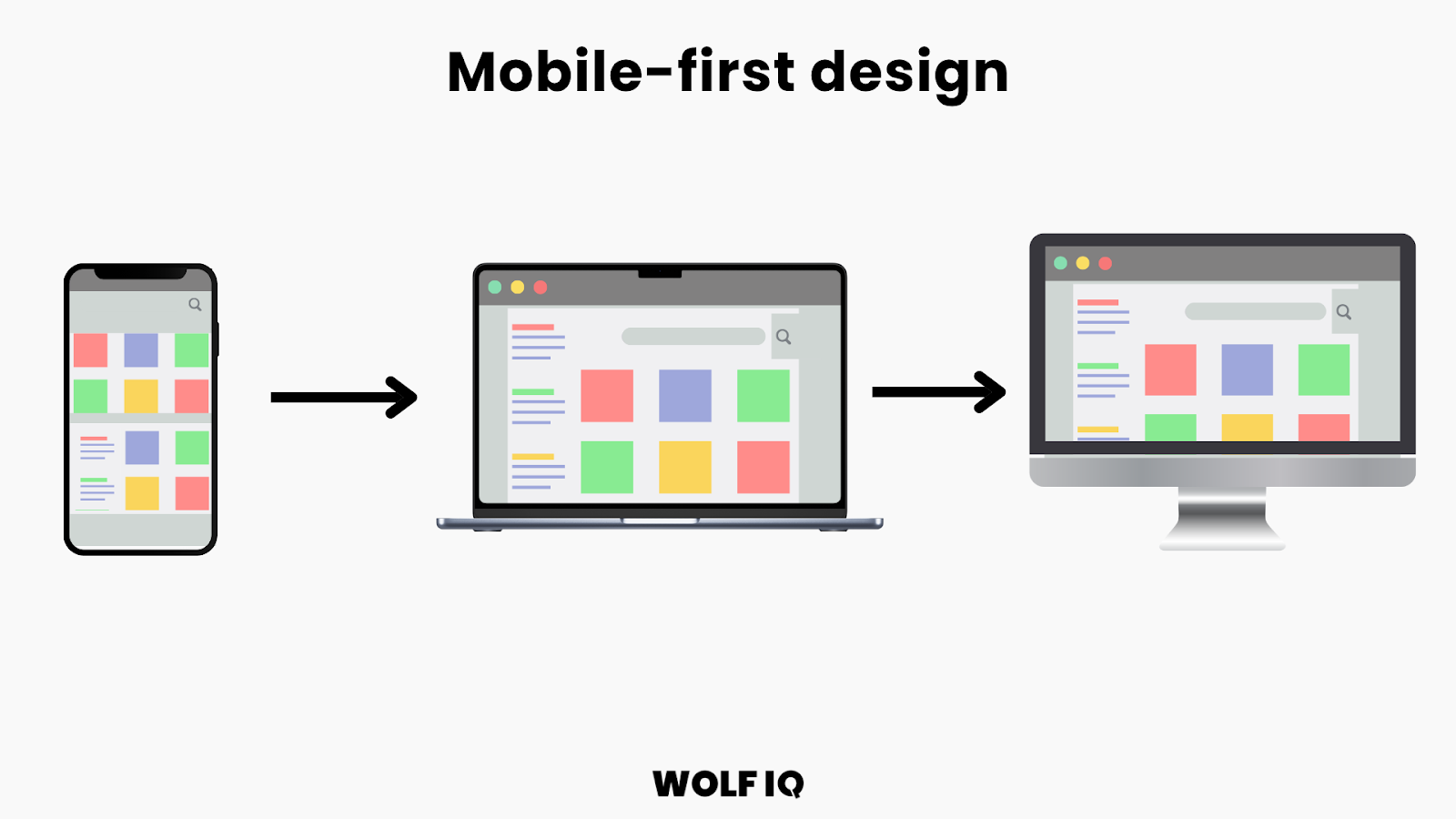
Consumers increasingly expect smooth mobile experiences, and Google's mobile-first indexing means your mobile site directly impacts search engine rankings.
A mobile first design involves starting the website design process by designing for the smallest device first (i.e. an iPhone) and then progressively enhancing the design features for larger layouts.
Touch-Friendly Interface Design
Mobile users expect interfaces optimised for finger navigation rather than mouse cursors.
This requires careful consideration of element sizing, spacing, and interaction patterns. Here are the Essential Touch Guidelines.
- Minimum Touch Target Size: 44x44 pixels for all interactive elements
- Adequate Spacing: Minimum 8 pixels between clickable elements
- Thumb-Friendly Navigation: Important actions within easy thumb reach
- Swipe Gesture Support: Natural mobile interaction patterns
- Form Optimisation: Large input fields with appropriate keyboard types
Content Prioritisation for Small Screens:
Mobile screens require content prioritisation.
Every element must earn its place by directly supporting user goals or business objectives. Here are the Content Hierarchy Strategies:
- Progressive Disclosure: Reveal information as users need it
- Scannable Formatting: Short paragraphs, bullet points, clear headings
- Visual Hierarchy: Use size, colour, and spacing to guide attention
- Essential Information First: Contact details, key services, and calls-to-action prominently displayed
SEO and AI Focused
Businesses must optimise their website for both SEO and AI overviews.
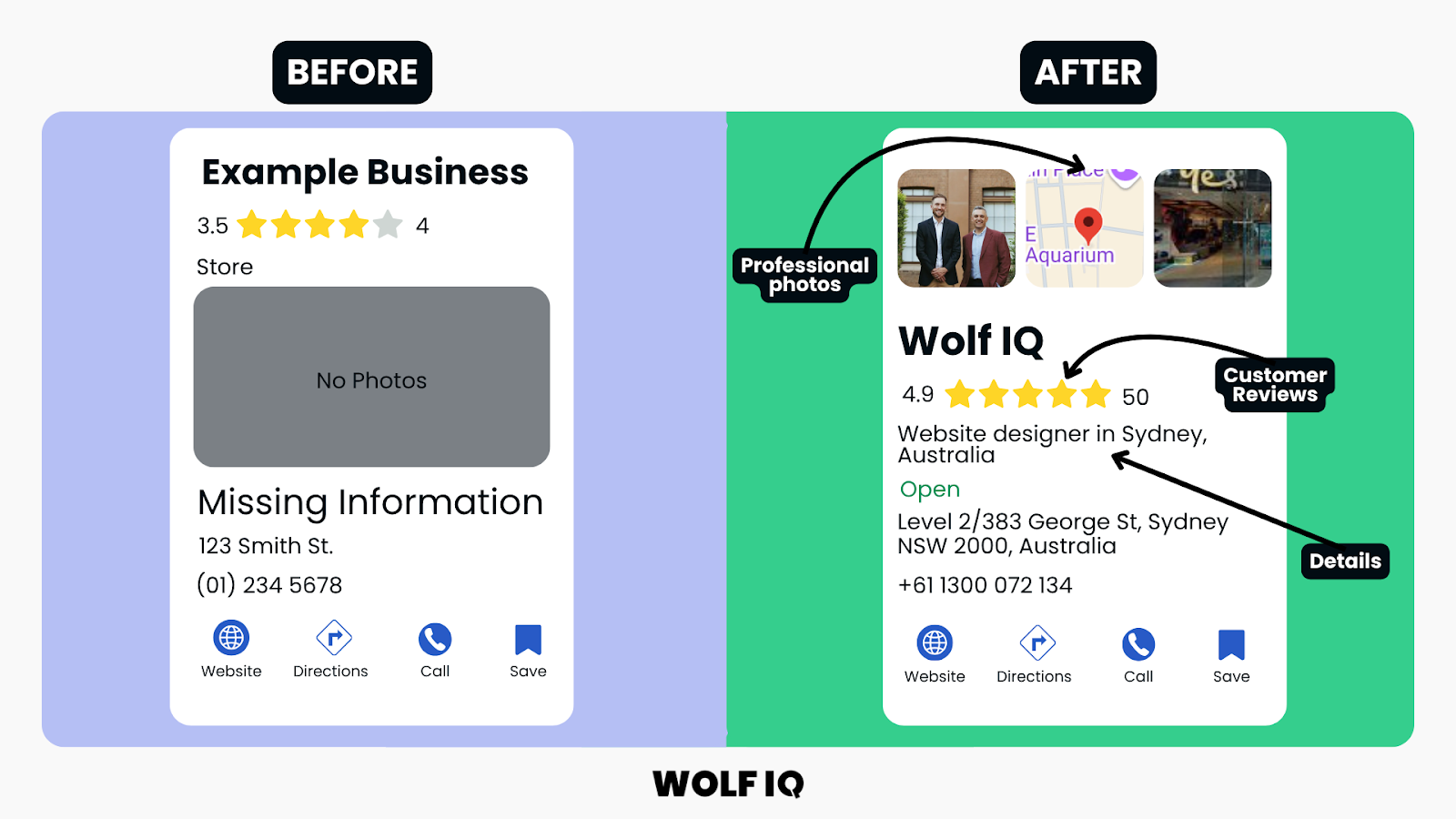
Google My Business Optimisation
Your Google My Business profile directly impacts local search visibility, as well as AI models understand and trust your business.
Profile Optimisation Elements:
- Complete Business Information: Accurate name, address, phone number, and hours
- Category Selection: Precise business categories that match customer search terms
- Service Area Definition: Clear geographic boundaries for service delivery
- Regular Content Updates: Posts, photos, and announcements that demonstrate activity
- Customer Review Management: Systematic approach to generating and responding to reviews
Local Keyword Strategy
Australian customers often include location terms in their searches. Your website content must reflect these search patterns while maintaining natural readability.
Location-Based Content Strategies:
- City and Suburb Pages: Dedicated content for each service area
- Local Industry Terms: Australian-specific terminology and business language
- Regional Service Descriptions: How your services adapt to local market conditions
- Community Involvement: Content showcasing local partnerships and community engagement
Schema Markup Implementation:
Structured data helps search engines and AI models understand your business information and display rich snippets in search results.
Essential Schema Types for Australian SMBs:
- LocalBusiness Schema: Basic business information and contact details
- Service Schema: Detailed service descriptions and pricing information
- Review Schema: Customer testimonials and rating displays
- Event Schema: Workshops, seminars, or community events
- FAQ Schema: Common questions and answers for featured snippet opportunities
Trust Building
Your future customers have specific expectations on the trustworthiness of your business, so a website's design must incorporate elements that build that confidence.
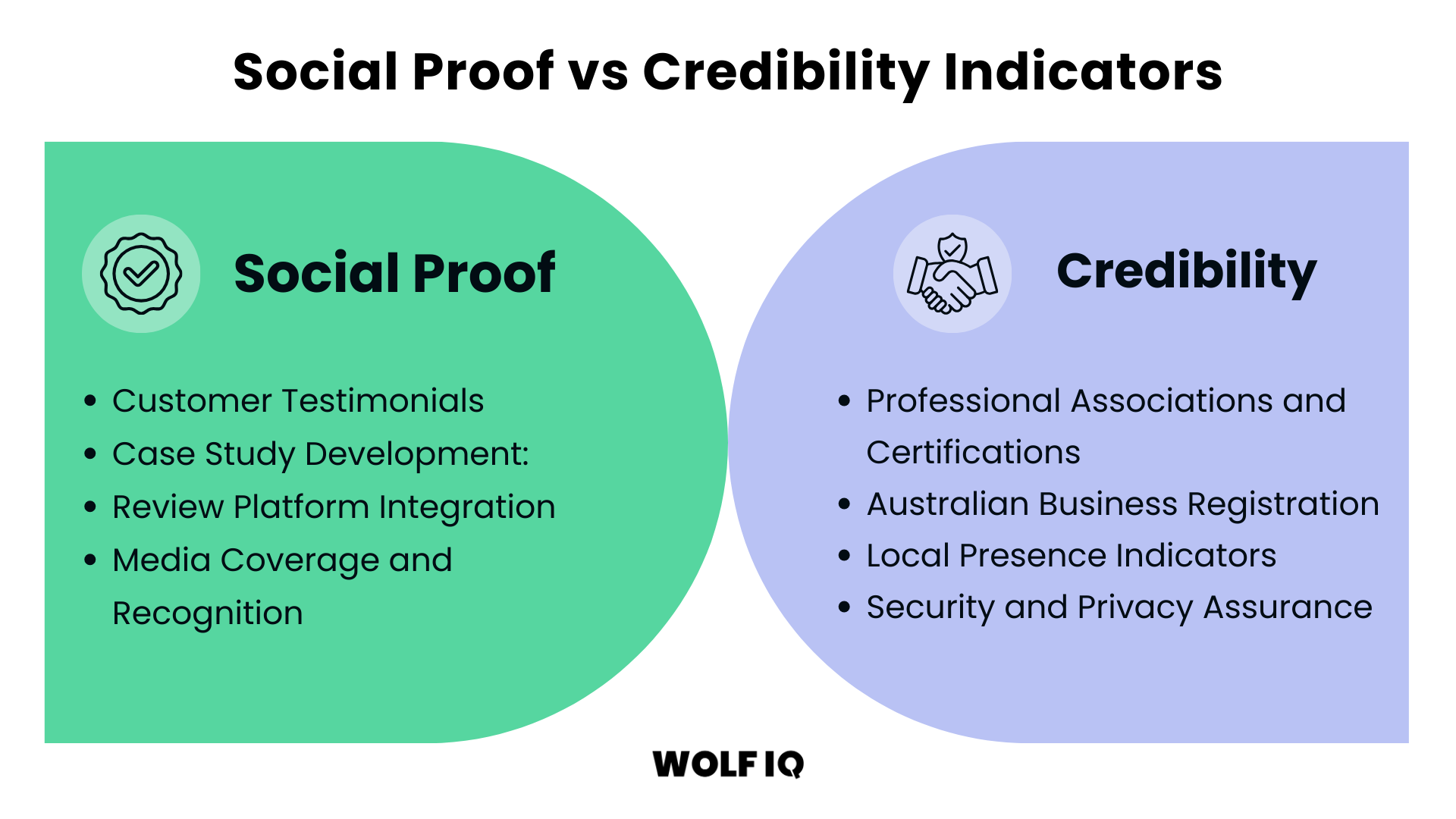
The two ways to do this are through social proof, and credibility indicators.
Social Proof
- Customer Testimonials: Feature authentic testimonials from real Australian customers, including names, locations, and specific results where possible.
- Case Study Development: Detailed success stories that demonstrate your ability to solve customer problems and deliver results.
- Review Platform Integration: Display reviews from Google, Facebook, and industry-specific platforms to provide third-party validation.
- Media Coverage and Recognition: Showcase any media mentions, awards, or industry recognition to build authority and credibility.
The design considerations outlined above ensure your website not only looks professional but also functions effectively for Australian customers across all devices and usage scenarios.
In the next section, we'll explore content strategy approaches that speak directly to your customers' needs and drive conversions.
Credibility Indicators
- Professional Associations and Certifications: Display relevant industry memberships and professional qualifications prominently throughout your site.
- Australian Business Registration: Include ABN (Australian Business Number) and relevant licensing information to demonstrate legitimate business operation.
- Local Presence Indicators:
- Australian Address: Physical business location within Australia
- Local Phone Numbers: Australian phone numbers rather than international alternatives
- Local Payment Methods: Support for popular Australian payment systems
- Australian Testimonials: Reviews and case studies from Australian customers
- Security and Privacy Assurance:
- Data Protection Communication: Clearly communicate how customer information is protected and used, referencing Australian Privacy Principles where relevant.
- Secure Transaction Indicators:
- SSL Certificate Display: Visible security badges and encryption notices
- Payment Security: PCI compliance and secure payment processor logos
- Privacy Policy Accessibility: Easy-to-find and understand privacy information
- Contact Security: Secure contact forms and encrypted communication options
Now you know all the things that go into a website redesign, next we'll cover the process.
What are the steps in a website redesign process?
Successful website redesigns follow a process that ensures each decision supports the redesign goals.
At Wolf IQ, we've used the following 6-step process for hundreds of website redesign projects.
Importantly - each step builds upon the previous one (you cant do them out of order).
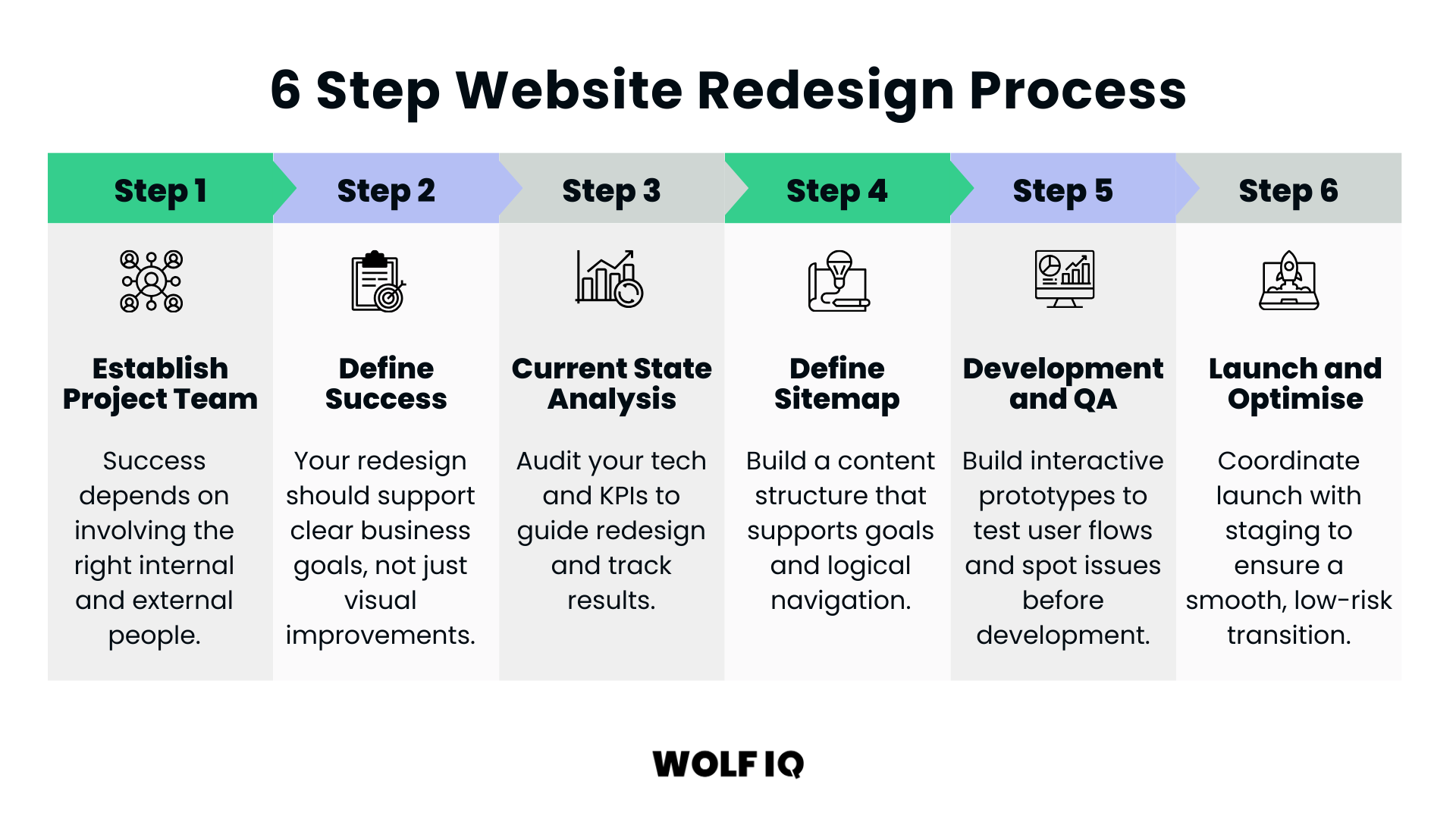
Step 1: Establish Project Team
The success of your redesign project depends on having the right people involved. This typically involves both internal stakeholders and external specialists.
Essential Internal Roles:
- Project Sponsor: Senior executive who provides strategic direction and removes obstacles
- Project Manager: Coordinates activities, manages timelines, and ensures communication
- Business Representative: Understands customer needs and business requirements
- Technical Liaison: Manages integration with existing systems and processes
- Content Owner: Responsible for content strategy and creation oversight
External Specialist Considerations
For most businesses, partnering with experienced agencies or freelancers provides access to specialised expertise without the overhead of permanent staff. These people should have done hundreds of redesigns, can save you headaches and see around corners.
You want to find an agency that has:
- Market Experience: Understanding of local business culture and customer expectations
- Industry Expertise: Relevant experience in your specific sector
- Technical Capabilities: Modern development skills and platform expertise
- Portfolio Quality: Demonstrated results for similar businesses
- Strong Communication: Clear, regular communication and project transparency
- Ongoing Support: Post-launch optimisation and maintenance capabilities
Step 2: Define Success Metrics
Your website redesign should support specific business goals rather than simply making the website look better. Having clear objectives can guide every design decision and provide measurable success.
These could be revenue, operational or market-focused.
| Revenue-Focused Objectives | Operational Efficiency Goals | Market Positioning |
|---|---|---|
|
|
|
Establishing baseline metrics for these items before beginning design work will help ensure accurate measurements of success at the end.
Example KPIs & Success Metrics
| Metric | Baseline | Target by Month 6 |
|---|---|---|
| Organic Sessions (total) | 250/month | >1,500/month |
| Qualified Leads | 5–10/month | 40+/month |
| Page 1 Keywords | 1 | 5+ |
| Page Health / Core Web Vitals | Phone: 59 Desktop: 64 Site Health: 90% | All key pages "Good"; Site Health: +90% |
| Organic traffic | – | >100/month |
Step 3: Determine the Current State
Understanding your current website's technical foundation informs migration planning and identifies improvement opportunities. You want to have all the base KPIs so you can measure improvement once it's done.
Performance Evaluation:
- Loading Speed Analysis: Current performance across devices and connection types
- Mobile Compatibility: Responsive design effectiveness and mobile user experience
- Search Engine Optimisation: Technical SEO health and content optimisation status
- Security Assessment: Current protection levels and compliance requirements
- Integration Analysis: Existing system connections and data flow requirements
Content and User Experience:
- Content Quality Review: Accuracy, relevance, and effectiveness of current content
- User Journey Analysis: How visitors currently navigate and interact with your site
- Conversion Path Evaluation: Effectiveness of current lead generation and sales processes
- Accessibility Compliance: Current adherence to WCAG guidelines and Australian requirements
Step 4: Define the New Sitemap
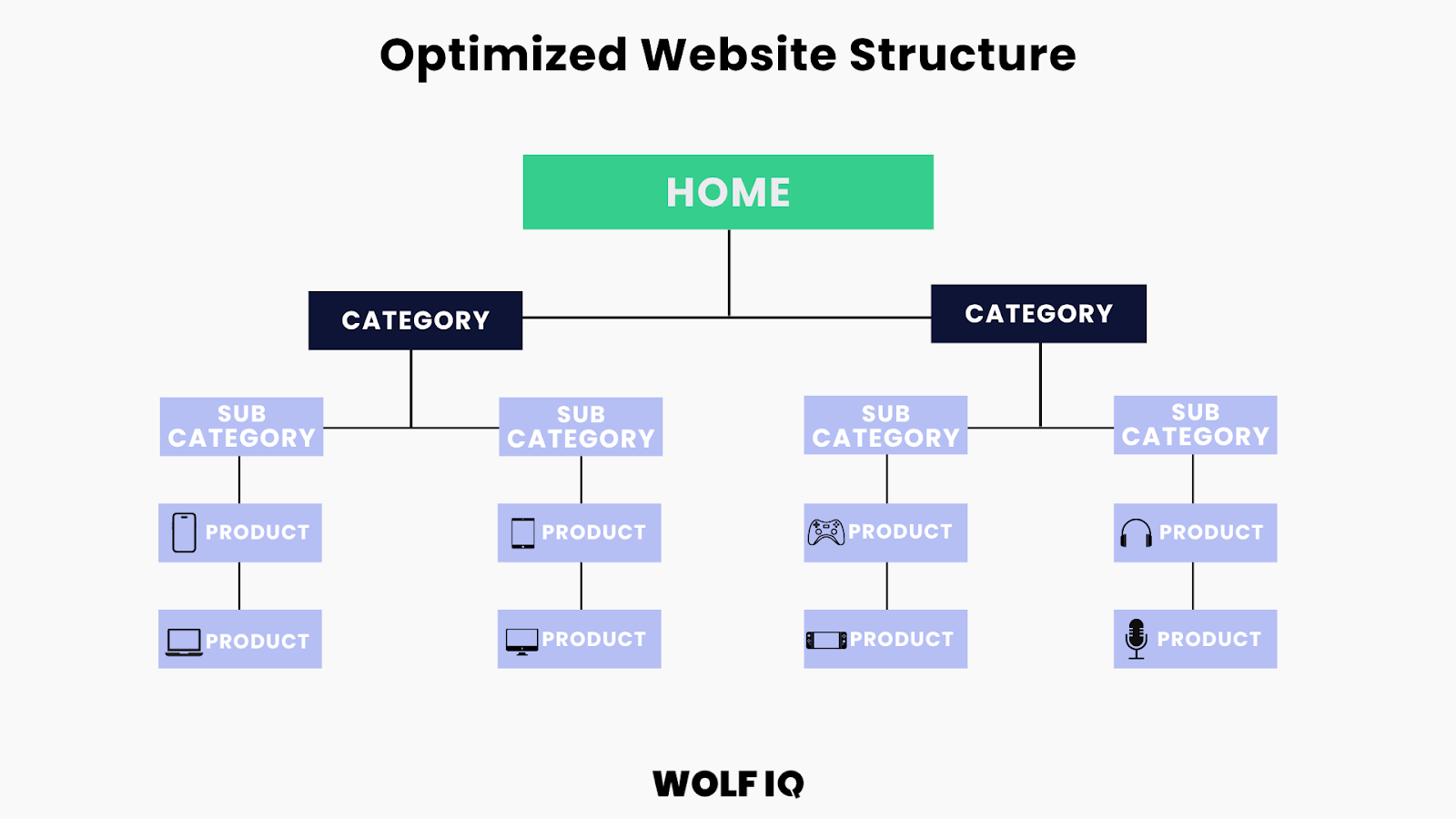
Next, you'll need to create the foundation that organises content logically and supports the project goals.
The first step is to define the future sitemap (i.e. where we are going) and then understand the current sitemap (you can use tools like Screaming Frog or Ahrefs) to get a clear picture of where we are.
From there, you'll need to map the old sitemap to the new one, and add 301 redirects for any orphaned pages. More on this in Step 5.
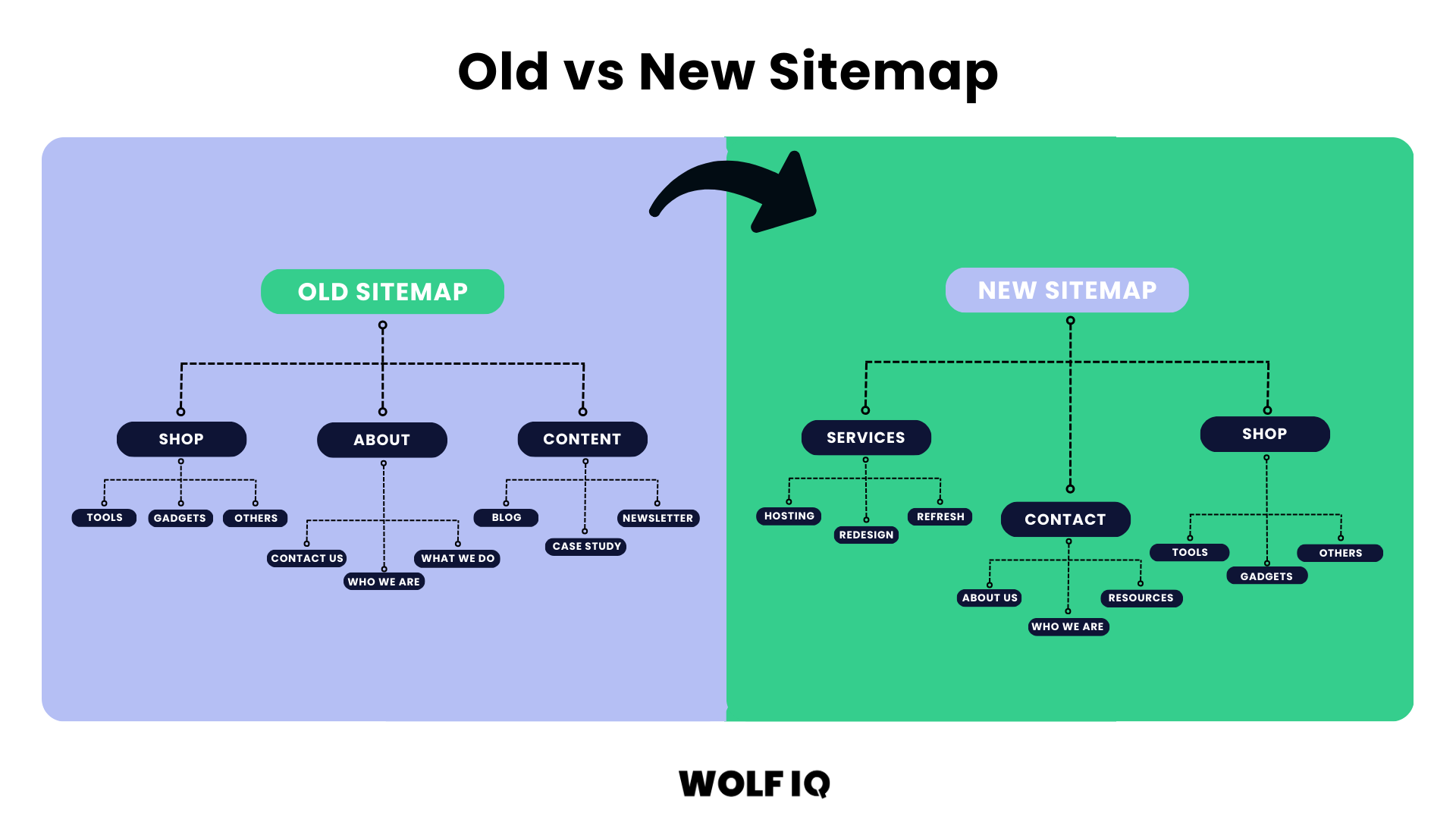
From the sitemap, developing low-fidelity layouts that focus on functionality and user experience can be helpful to shape the visual design.
The key wireframe elements to get right are:
- Page Layout Structure: Content placement and hierarchy
- Navigation Systems: Menu design and user pathway options
- Conversion Elements: Form placement and call-to-action positioning
- Content Blocks: Information organisation and presentation methods
Linking between pages on your own website (known as interlinking) can help improve navigation, distribute page authority, and help search engines understand your site structure and content relationships.
Step 5: Website Development and QA
This phase is where everything comes together.
Before committing to development, you want to create interactive prototypes that bring your website to life - without writing a single line of production code.
These clickable models help stakeholders understand how users will navigate the site, identify potential friction points, and test real functionality.
Following a progressive prototyping model keeps momentum high and decisions clear:
- Low-Fidelity Prototypes test structure, flow, and core functionality. No distractions, just the essential experience.
- High-Fidelity Prototypes introduce your brand's visual language, detailed UI components, and interactive elements to simulate the final experience.
This staged approach reduces development risk, speeds up feedback cycles, and ensures your team is aligned before you start coding.
You'll want to test with actual users from your target audience to validate that what you're building truly works.
- Is the navigation intuitive?
- Does the content support decision-making?
- Can users complete key actions without confusion?
These insights drive final design decisions and avoid costly post-launch changes.
Development & QA: Build for Performance
Once prototyping is complete and validated, you can then move into technical development, where your website takes shape under the hood.
The key focus areas here should be:
- Speed: Every site is optimised for fast loading across devices and regions.
- Security: Built-in protections against modern threats.
- Scalability: Ready to grow as your traffic and needs expand.
You want to make sure you run comprehensive testing across browsers, devices, and traffic conditions to ensure a smooth experience, whether it's your first user or your 50,000th.
Stakeholder Sign-Off
Before full development begins, run a structured review session with all key decision-makers. This ensures the final direction is:
- On-brand: Design reflects your identity and positioning.
- On-goal: Functionality supports business outcomes like lead generation, engagement, or automation.
- On-budget and on-time: Confirming that what was built matches scope, resources, and timelines.
This is also where you lock in any final changes through a clear change management process, reducing the risk of surprises later.
Redirects: Don't Lose What You've Built
A common but costly oversight during website redesigns is neglecting to plan your redirects.
When URLs change but redirection isn't managed, the fallout is immediate: broken links, lost search rankings, and a confused user base.
A 301 redirect is a way to tell search engines and browsers that a page has moved permanently to a new address.
For example, if your old "Contact Us" page was at yourbusiness.com/contact-us and the new version is at yourbusiness.com/contact, a 301 redirect will automatically send visitors (and Google) to the new page, without showing an error or losing your SEO ranking.
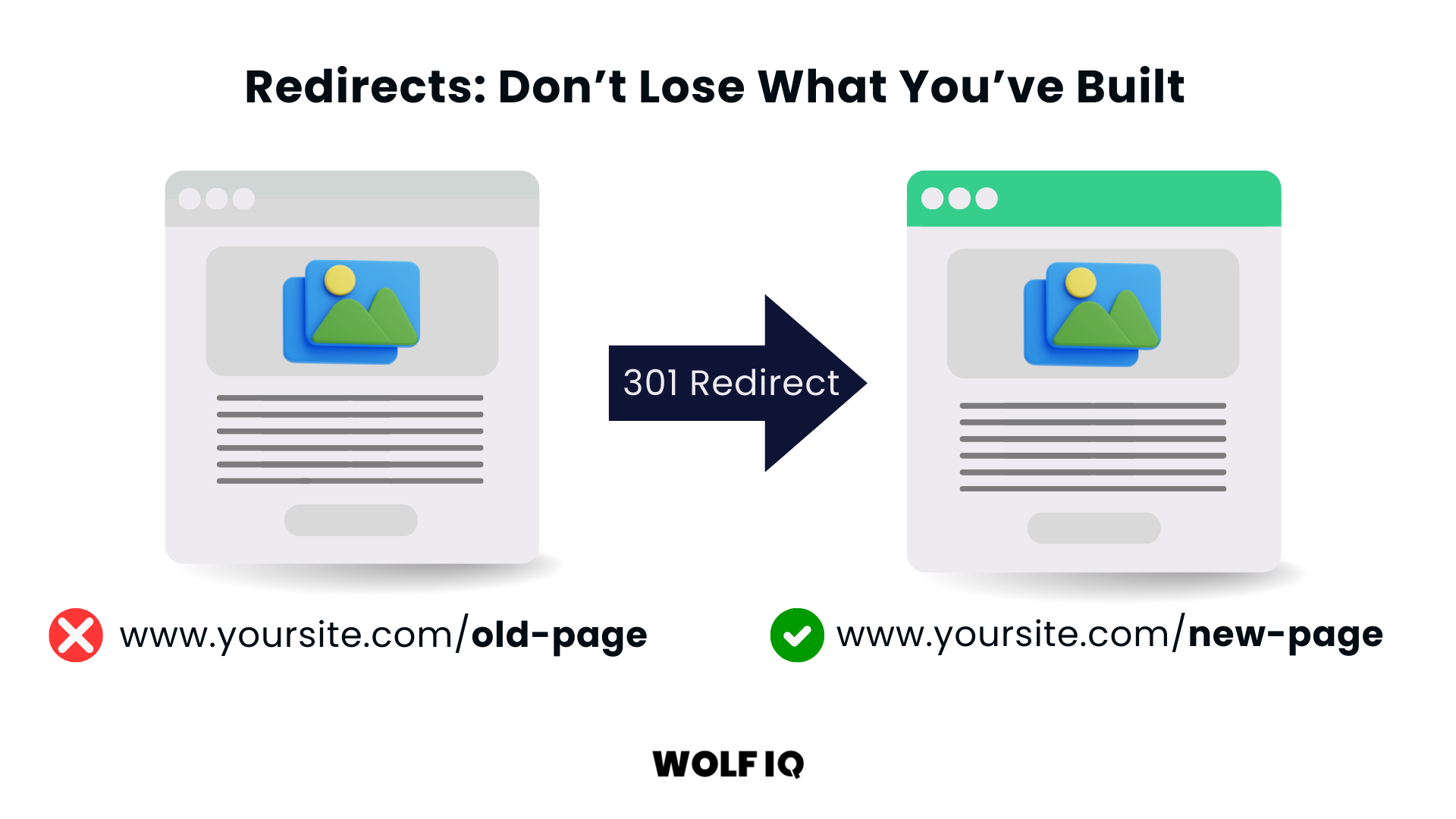
This is very important in a redesign process, because you may have 100s of URLs changing.
Before launch, we execute a comprehensive redirect mapping strategy that protects your site's SEO equity and keeps the user experience smooth:
- 301 Redirect Mapping: Every existing URL is mapped to its new counterpart, nothing gets lost.
- High-Value Page Protection: We prioritise pages with strong backlinks, top keyword rankings, or high conversion impact.
- Post-Launch Validation: Log files and crawl tools help us catch any missed redirects in real time.
Redirects are invisible to users, but critical to your digital footprint. Get this wrong, and months (or years) of SEO gains can vanish overnight.
Blog Content Consolidation: Move What Matters
If your website has been publishing content for years, chances are you've got dozens, or even hundreds, of articles. But not all of them deserve a spot in your new build.
Carrying over all legacy blog content can:
- Inflate migration timelines
- Hurt SEO through duplicate or outdated content
- Distract users with irrelevant or low-value posts
That's why we recommend a content consolidation before the lift-and-shift:
- Inventory and Score: We review every post based on traffic, SEO value, engagement, and relevance.
- Merge or Retire: Low-performing or overlapping content is either merged into stronger posts or removed entirely.
- Update What Matters: High-value posts are refreshed with current data, CTAs, and internal links to align with your new strategy.
The result: a sharper, faster, more focused content experience post-launch, with better SEO and clearer messaging.
Step 6: Launch and Optimise
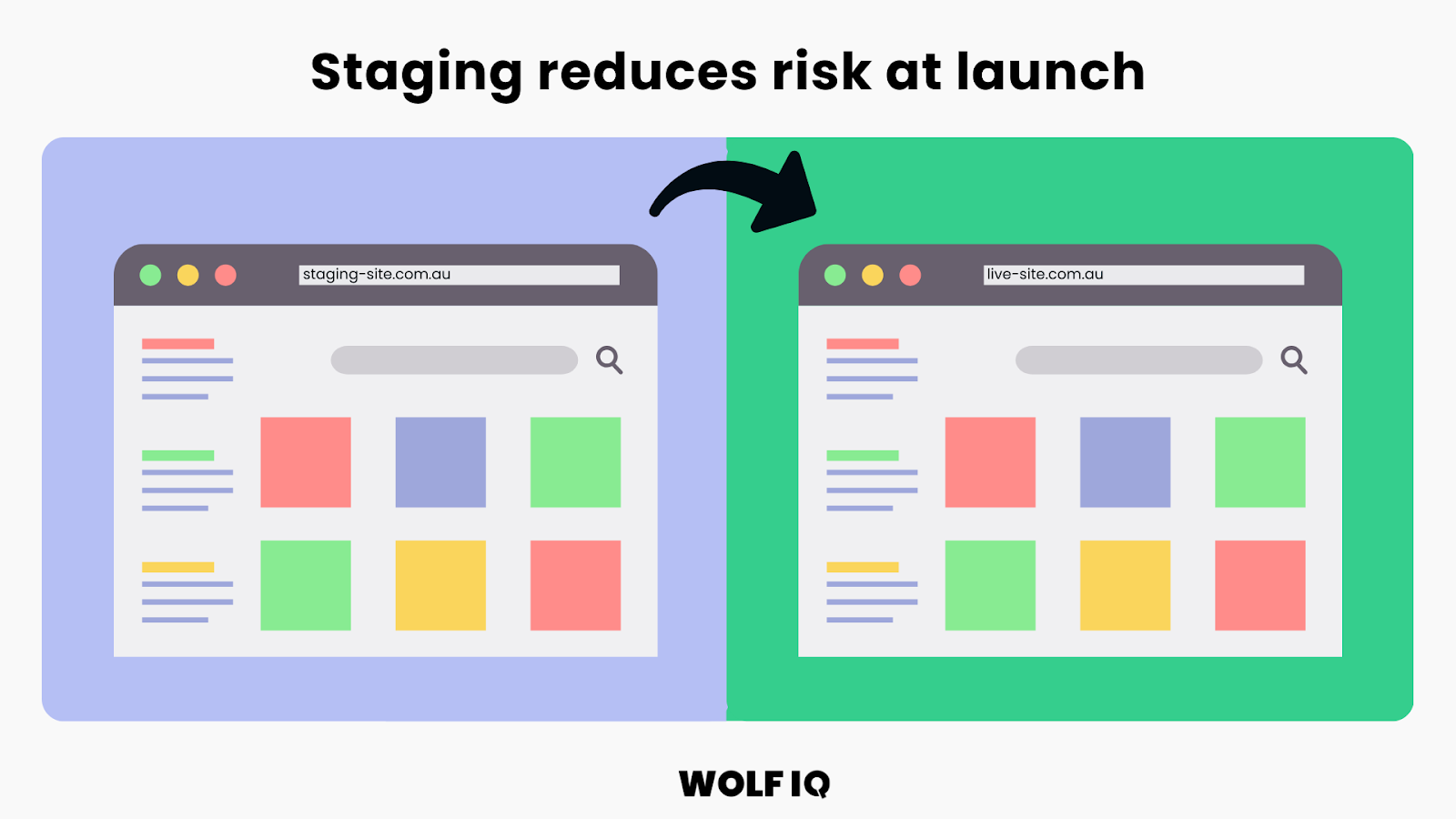
Coordinate all elements for a smooth transition from the old to the new website while minimising business disruption. It's critical to have a staging environment here for visibility and sign-off before it's live on the open internet.
Once your new website is live, the work isn't over, it's time to switch into post-launch monitoring mode.
This is where you make sure your investment is performing as expected and that any surprises are dealt with quickly.
Start by keeping a close eye on performance. Monitor page speed and overall functionality from day one to ensure that nothing is slowing visitors down.
Even small delays or glitches can cause people to click away.
Next, look at user behaviour. Tools like Google Analytics, Hotjar, or Microsoft Clarity can reveal how visitors are navigating the new design, what's drawing their attention, where they're clicking, and where they might be getting stuck.
Keep a pulse on your conversions too. Track your key business metrics, whether that's leads, sales, bookings, or form completions, and compare them against your pre-launch baselines.
This is one of the fastest ways to see whether your redesign is delivering a return.
Finally, be ready for rapid issue resolution. Gather user feedback, run regular checks, and address any problems quickly.
The first few weeks after launch are critical for ironing out kinks and fine-tuning the site for the best possible performance and user experience.
Platform Migration Paths
Many redesigns involve changing platforms, and the migration is where SEO lives or dies. These are the four moves we see most, what carries over, and what to protect.
Wix or Squarespace to WordPress
The classic outgrowing move. Content migrates manually or via export tools, but URL structures rarely match, so a complete redirect map from every old URL to its new equivalent is non-negotiable.
Design does not carry over at all. What you gain is ownership, plugin flexibility and room to grow. Budget extra time for rebuilding forms, galleries and any builder-specific features.
WordPress (WooCommerce) to Shopify
Products, customers and orders migrate through dedicated tools, but URL patterns change because Shopify enforces its own structure for products and collections.
Redirects handle most of it, blog content moves with more friction, and heavily customised checkout or shipping logic may need rethinking within Shopify’s constraints. The trade is flexibility for stability and lower maintenance.
Old custom build to a modern stack
Legacy custom sites hold content in unusual structures, so this path starts with a full content inventory and crawl of the existing site before anything else.
Nothing carries over automatically. The redirect map, metadata migration and preservation of any hard-earned backlink targets are the whole game.
Plan for discovery to take longer than expected, because undocumented functionality always surfaces mid-project.
Major WordPress theme or builder changes
Staying on WordPress but changing theme or page builder is a migration in disguise.
Content stored in builder-specific shortcodes does not survive the switch cleanly and needs rebuilding page by page. URLs usually stay identical, which protects SEO, but audit every page after the switch because broken layouts fail silently.
How to protect SEO during any migration
The rules are the same on every path: crawl the old site first so you have a complete URL list, map every URL that has traffic or backlinks to a destination, and use one-hop 301 redirects.
Keep title tags and metadata, launch with the redirect map live from minute one, then watch Search Console coverage daily for the first fortnight. Rankings dip briefly during most migrations. They only stay down when redirects are missing.
What are common website redesign mistakes?
Mistake 1: Starting Without Clear Objectives
Many Australian SMBs begin redesign projects with vague goals like "make it look better" or "modernise the design."
How to Avoid: Define specific, measurable objectives before starting. Examples: "Increase online leads by 40% within 6 months" or "Improve mobile conversion rate from 1.2% to 3.5%."
Mistake 2: Ignoring User Research
Designing based on internal preferences rather than customer needs consistently produces poor results.
How to Avoid: Survey existing customers, analyse user behaviour data, and test assumptions with real users before making design decisions.
Mistake 3: Unrealistic Budget Expectations
Underestimating true costs leads to compromised quality or project abandonment.
How to Avoid: Budget 2-5% of annual revenue for redesign. Include hidden costs like content creation, photography, and ongoing maintenance. Reserve 15-20% contingency for unexpected requirements.
Mistake 4: Rushing the Timeline
Aggressive deadlines consistently produce poor outcomes and technical problems.
How to Avoid: Allow 4-12 weeks for small business websites, 16-24 weeks for medium businesses. Quality execution requires adequate time for planning, design, development, and testing.
Mistake 5: Desktop-First Design
With 60%+ of website traffic from mobile devices, desktop-first approaches underperform.
How to Avoid: Design for mobile devices first, then enhance for larger screens. Ensure touch-friendly interfaces and fast mobile loading times.
Mistake 6: Prioritising Aesthetics Over Functionality
Beautiful websites that don't serve users need waste investment and frustrate customers.
How to Avoid: Ensure every design element serves a specific user need or business purpose. Test functionality throughout the design process.
Mistake 7: Neglecting Content Strategy
Focusing only on design while ignoring content strategy produces websites that fail to attract or convert visitors.
How to Avoid: Develop content strategy alongside design. Include keyword research, user-focused writing, and clear calls-to-action in your planning.
Mistake 8: Losing Search Rankings During Launch
Poor technical execution can destroy years of SEO progress.
How to Avoid: Map all old URLs to new locations, implement proper redirects, and monitor search rankings closely for several weeks after launch.
Mistake 9: Inadequate Testing
Launching without comprehensive testing leads to functionality problems and poor user experiences.
How to Avoid: Test across multiple devices, browsers, and connection speeds. Include functional testing, performance validation, and user acceptance testing before launch.
Mistake 10: Choosing Providers Based on Price Alone
Selecting the cheapest option often results in poor quality work and higher long-term costs.
How to Avoid: Evaluate providers based on experience, portfolio quality, and client references. Prioritise Australian market experience and long-term partnership potential.
Your Website is a Growth Engine
Throughout this guide, we've explored every aspect of website redesign for small and medium businesses.
Remember, your website isn't just a digital brochure, it's a 24/7 sales representative, marketing tool, and customer service portal that either accelerates your business growth or holds it back.
Looking for redesign help?
Wolf IQ has redesigned hundreds of websites. We'd love to support you too.
Get in Touch Trusted by 500+ businesses
Frequently Asked Questions
How long does a typical website redesign take?
Small business redesigns typically take 1-2 weeks, medium business websites 6-10 weeks, and enterprise projects 12 weeks or more from discovery to launch.
The timeline scales with scope: page count, custom functionality and integrations, and how much content needs rewriting.
The timeline depends heavily on the speed of content approval, the complexity of custom integrations (like CRMs or ERPs), and the depth of user testing required.
Will I lose my SEO rankings if I redesign my website?
If handled incorrectly by inexperienced developers, yes, you can lose years of SEO progress overnight. However, a strategic redesign actually protects and enhances your rankings.
At Wolf IQ, we implement a comprehensive 301 redirect mapping strategy, preserve high-value content and URL structures, and conduct rigorous pre- and post-launch technical SEO audits.
You need to ensure search engines understand exactly where your old content has moved, maintaining your domain authority and search visibility.
What is the difference between a website redesign and a homepage refresh?
A website refresh involves minor cosmetic updates, think of it as a fresh coat of paint.
This includes changing colours, updating fonts, swapping out images, or making minor layout tweaks, usually costing between $2,000 and $8,000.
A redesign is a structural overhaul, think of it as a full renovation. It involves rebuilding the site architecture, overhauling the user experience (UX), changing the content management system (CMS), and implementing a new SEO strategy to solve fundamental business problems.
How do I know if my website needs a full redesign or just a refresh?
Look at your core metrics and business goals.
If your site looks a bit dated but still converts well, loads quickly, and ranks high on Google, a refresh is likely sufficient.
However, if you are experiencing high bounce rates (over 70%), slow load times (over 3 seconds), declining organic traffic, or if your business model has fundamentally changed and the site no longer reflects your current offerings, a full redesign is necessary to fix the underlying structural issues.
Do I need to rewrite all my content for a redesign?
A redesign is the perfect time to audit your content, but it doesn't need to be changed.
We typically recommend keeping high-performing, SEO-rich content while rewriting outdated pages to align with your new brand voice and conversion goals.
What happens to my current website while the new one is being built?
Your current website will remain live and fully functional throughout the entire redesign process. We build your new website on a secure, hidden staging server.
You will have access to this staging environment to review progress and provide feedback.
Only once the new site is 100% approved and rigorously tested do we "flip the switch" and point your domain to the new website.
How much does a website redesign cost in Australia?
Small business websites are typically $1,000 - $3,000 to redesign, medium business websites $5,000 - $15,000, and enterprise websites $25,000 and above. The main cost drivers are page count, custom functionality and how much content needs rewriting.
Can I redesign my website while running Google or Meta ads?
Yes, but coordinate the cutover. Keep landing page URLs identical or redirect them cleanly, and re-verify conversion tracking the day the new site goes live. Broken tracking after a redesign quietly wastes ad spend, so treat tag testing as part of the launch checklist.
Should I redesign in place or build on a staging site?
Always build on staging. Redesigning a live site in place shows customers a half-finished product and makes rollback impossible. A staging build lets you test everything, then switch over in one controlled cutover.
How do I choose between redesigning and starting from scratch?
Look at the foundation, not the design. If the platform still fits your needs and is well maintained, redesign on top of it. If the platform is the constraint, an abandoned builder, chronic performance problems or no room for what comes next, a rebuild costs more now and less every year after.
What should I do if my new site ranks worse after the redesign?
First check Search Console for coverage errors and crawl the new site for redirect gaps, missing titles and noindex tags left over from staging. Most post-redesign ranking drops trace to missing 301 redirects or blocked pages, and both are fixable. A brief dip is normal; a sustained drop means something specific broke.
How often should a website be redesigned?
There is no fixed cycle. Redesign when the site stops serving the business: conversion rates slide, the design undermines trust, or the platform blocks what you need next. Well-maintained sites commonly run 4 to 6 years between major redesigns, while neglected ones need rescue sooner.