What Are the Do's and Don'ts of Healthcare Website Design?
5 min read | Published: Dec 10, 2025 | Last updated: Dec 10, 2025

Alliana Borcena
|Head of Support
WordPress expert that oversees 500+ monthly support requests to ensure customer websites remain fast, secure and successful.
A healthcare website is more than just an online presence; it’s a vital touchpoint for patients seeking medical information, booking appointments, or finding the right provider.
At Wolf IQ, we know this firsthand. After designing and launching over 100 medical websites, we’ve seen how the right design choices can ease patient anxiety, increase bookings, and build long-term trust.
Our approach blends technical excellence with patient-first thinking, ensuring that every healthcare website serves both the practice and the people it helps.
| DO’s | DON’Ts |
|---|---|
| Prioritise user experience (UX) | Avoid cluttered layouts |
| Optimise for mobile devices | Engage patients with informative content |
| Implement accessibility features | Do not use medical jargon |
| Provide clear contact information | Do not neglect SEO best practices |
| Use high-quality, relevant visuals | Avoid inconsistent branding |
The Do’s of Healthcare Website Design
#1. Prioritise User Experience (UX)
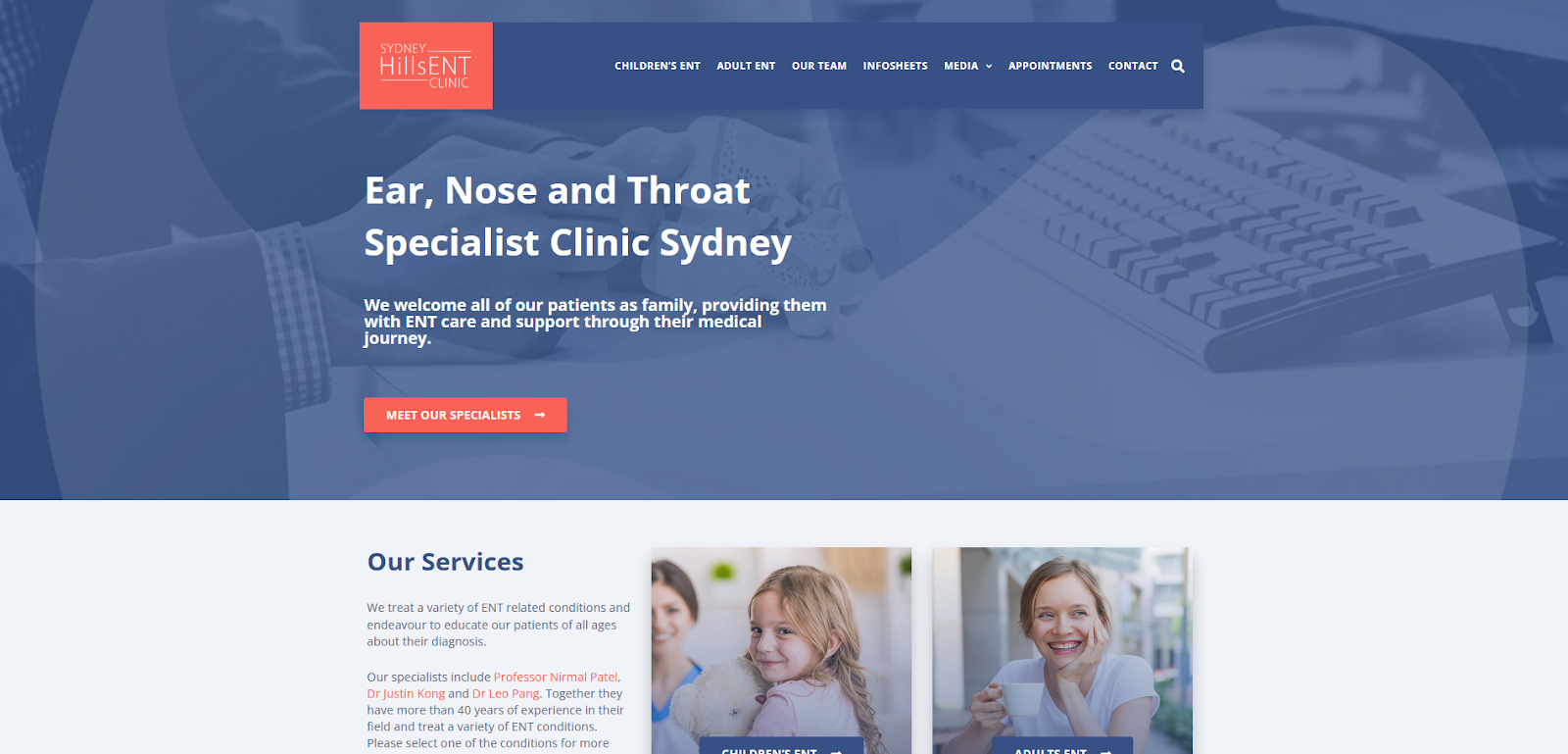
A well-structured website should be as intuitive as walking into a well-organised clinic. Patients should be able to find what they need quickly and without unnecessary complexity.
At Wolf IQ, we prioritise user experience, just like we did for Sydney Hills ENT, where we modernised their brand and made the website as intuitive as walking into a well-organised clinic.
Patients should be able to find what they need quickly, without confusion or clutter.
- Use clear navigation menus with logically categorised sections.
- Implement search functionality for quick access to health services, provider directories, and FAQs.
- Maintain a consistent layout across all pages to reduce cognitive load for users.
#2. Optimise for Mobile Devices
With over 60% of users accessing healthcare websites via mobile devices, mobile responsiveness is non-negotiable.
- Ensure a responsive design that adapts to different screen sizes.
- Avoid elements like pop-ups that may obstruct mobile usability.
- Design touch-friendly buttons for easy navigation on smaller screens.

#3. Implement Accessibility Features
Medical websites must be accessible to all users, including those with disabilities.
- High-Contrast Text: Enhances readability for users with visual impairments.
- Alt Text for Images: Ensures screen readers can interpret visual content effectively.
- Keyboard Navigation: Allows users who cannot use a mouse to navigate the site smoothly.
An inclusive website ensures all patients—including those with visual, auditory, or motor impairments—can access important medical information.
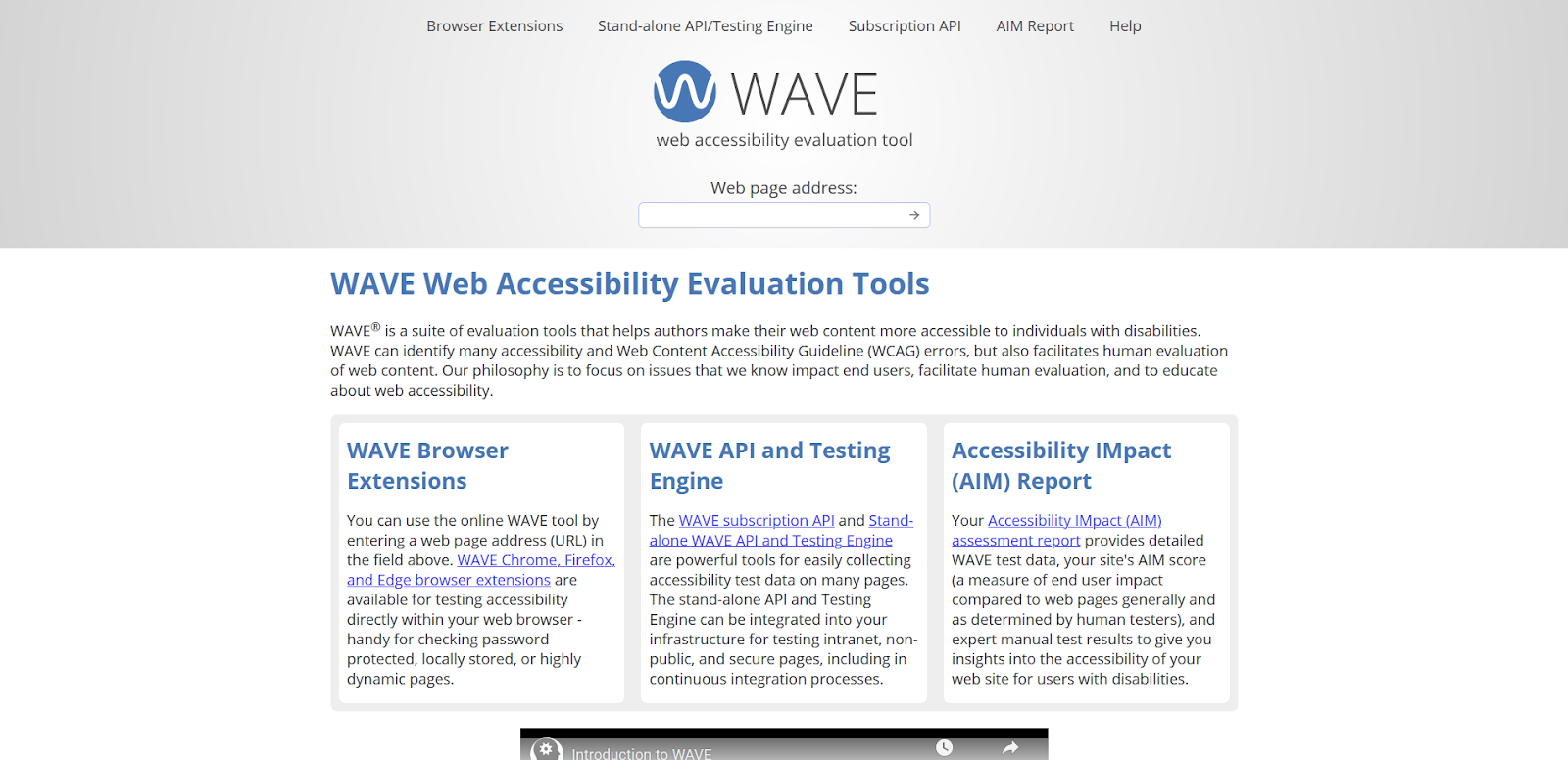
To assess your site’s accessibility, tools like WAVE (Web Accessibility Evaluation Tool) offer quick and easy checks. Simply enter your website URL to identify accessibility issues and get actionable insights.
#4. Provide Clear Contact Information
A patient seeking medical help should not have to dig through pages to find a contact number.
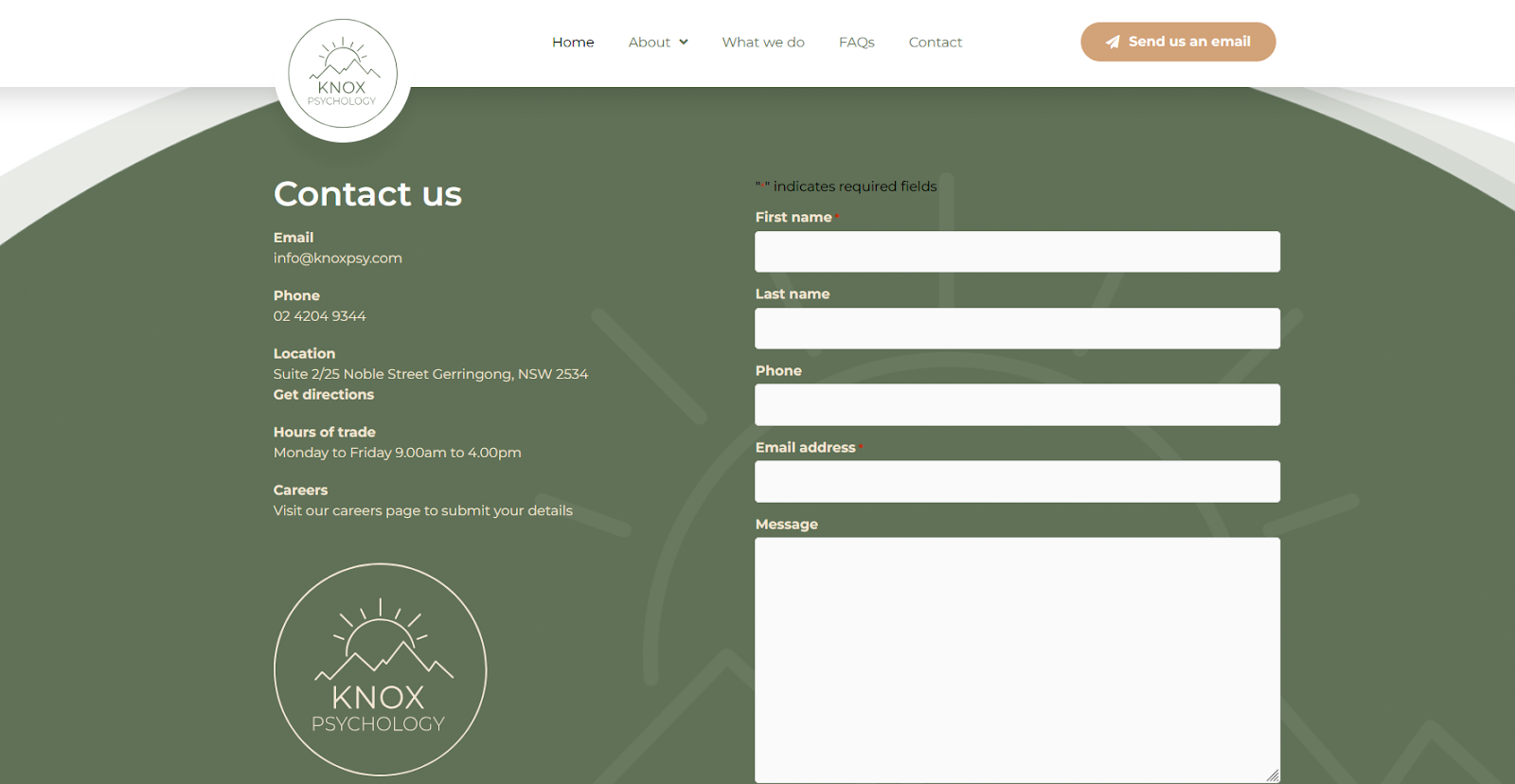
At Wolf IQ, when we designed healthcare websites like the one for Knox Psychology, we always ensured contact details were clear, immediate, and accessible.
Why? Because when someone is looking for help, clarity and ease matter more than anything else.
- Place phone numbers, email addresses, and physical locations prominently on the homepage.
- Include a click-to-call feature for mobile users.
- Embed an interactive map for easy navigation to physical locations.
#5. Use High-Quality Visuals
First impressions matter. A website filled with pixelated images and stock photos can appear unprofessional and impersonal.
- Invest in high-resolution images of your facility and staff to establish trust.
- Use short explainer videos to clarify complex procedures.
- Avoid excessive decorative graphics that do not contribute to the user experience.
The Don’ts of Healthcare Website Design
#1. Avoid Cluttered Layouts
Overloading a website with excessive content is like handing a patient a 20-page medical form for a simple check-up.
- Keep text concise and break up content with subheadings and bullet points.
- Use white space effectively to create a clean, breathable design.
- Avoid too many call-to-action buttons on a single page to prevent confusion.
#2. Do Not Use Medical Jargon
Healthcare is complex, but communication should not be.
- Replace technical terminology with simple, patient-friendly language.
- Provide layman-friendly explanations for complex medical conditions.
- Use FAQs and glossaries to define unavoidable medical terms.
#3. Avoid Slow Load Times
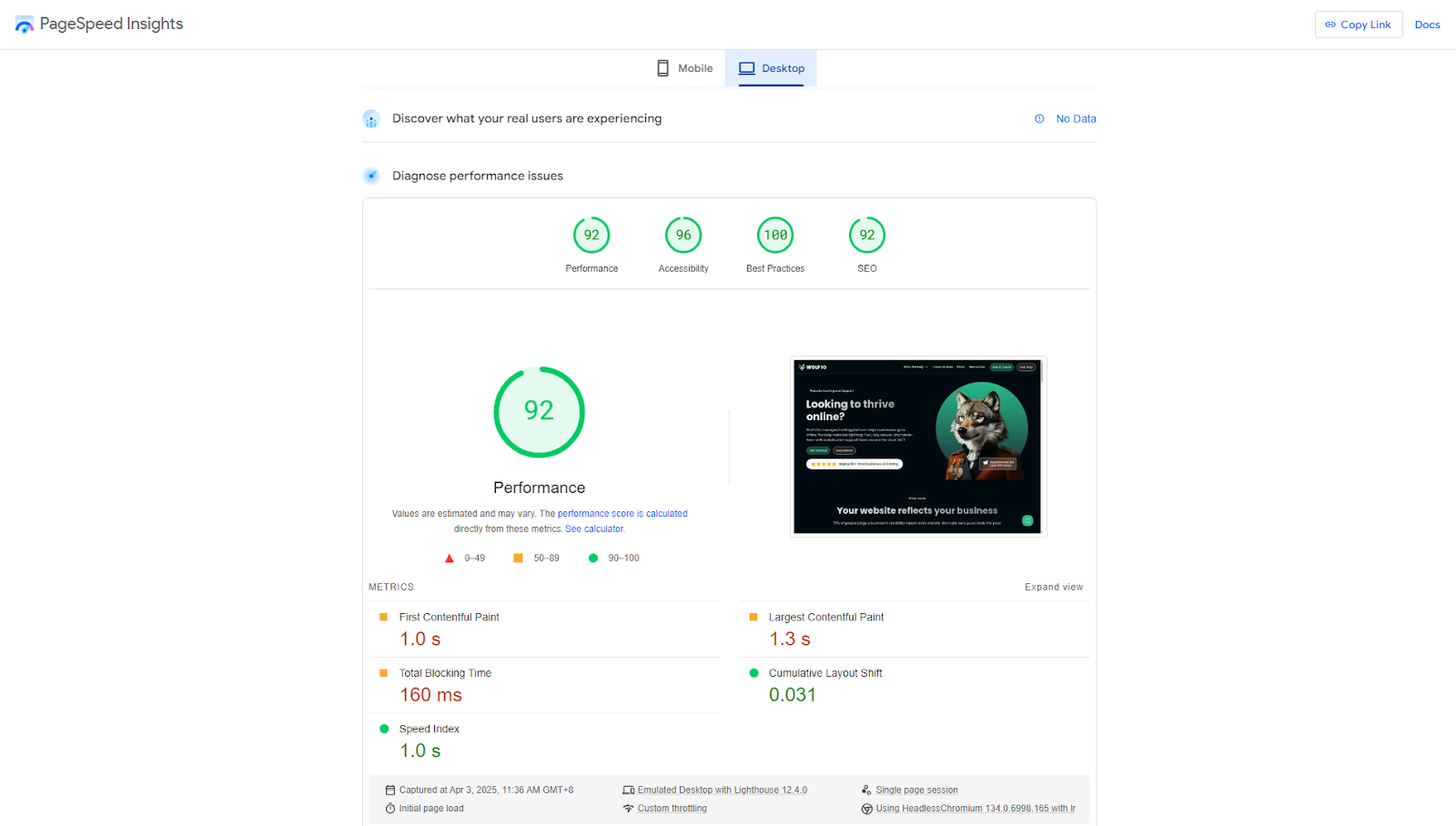
A slow website can be as frustrating as waiting in a doctor’s office with no explanation. Page speed directly affects user engagement and retention, you can test your speed through PageSpeed Insights by Google.
- Compress large images and videos to reduce loading time.
- Minimise excessive animations and scripts that slow down performance.
- Enable browser caching to improve repeat visitor experience.
#4. Do Not Neglect SEO Best Practices
Even the best-designed website is useless if no one can find it.
- Use descriptive meta titles and descriptions for better search visibility.
- Incorporate relevant healthcare keywords naturally within the content.
- Implement structured data to improve search engine indexing.
#5. Avoid Inconsistent Branding
Branding should be as consistent as a medical professional’s bedside manner.
- Use a cohesive colour palette, typography, and tone across all pages.
- Ensure logo placement is uniform on every page.
- Maintain a consistent messaging style to strengthen brand identity.
Conclusion
A well-structured healthcare website not only enhances user experience but also builds trust, improves accessibility, and strengthens your brand.
Implement these best practices to create a digital presence that serves both patients and healthcare professionals effectively.
Ready to create a healthcare website that works as hard as you do? Contact Wolf IQ -we’ve helped 30+ healthcare businesses build seamless, patient-friendly digital experiences.
Get started with a free consultation today
Don't just settle for a website. Thrive online with Wolf IQ.
Get in Touch Trusted by 500+ businesses
Education
Better resources, better decisions
Discover Wolf IQ's resource hub for articles and guides to growing your business online.

Is SEO Dead? What business owners need to know about Google's new AI Overview
With Google's AI Overviews taking over search, small businesses are shifting away from keyword chasing.
Learn More →
What is Local SEO and how does it work?
Local SEO helps businesses appear in searches relevant to their location, driving nearby customer traffic.
Learn More →
13 mistakes small business owners make with their website
Common website mistakes include slow load times, poor navigation, and weak calls to action.
Learn More →
Why does your website need to be mobile-first?
Mobile traffic now makes up the majority of website visitors. Here is what you need to know about responsive design.
Learn More →
8 Ways Small Business Owners Get Website Optimisation Wrong
Many small businesses overlook key factors like page speed, mobile responsiveness, and SEO, limiting their online impact.
Learn More →
What is Website Optimisation?
See some key examples where speed, design, and content can amplify your online success.
Learn More →