Text reading 'WOLF IQ' in bold white capital letters on a transparent background.
What We Do
All ServicesWhy Wolf IQThe Wolf IQ DifferenceCase StudiesWebsite DesignCare PlansWeb HostingGrowth PlansWordPress MigrationsMonthly Reporting
Platform
HosPortal homepage showing AI-powered healthcare rostering with mobile app interface and testimonials from hospital leaders.
We help businesses win online
Wolf IQ provides web design & development services for growing businesses - backed with ongoing hosting & dedicated support.
Abstract green geometric logo composed of angled shapes forming a stylized letter W.
Why Wolf IQ
4.9 Stars on Google - trusted by 250+ Businesses.
Three interconnected green 3D cubes forming a geometric shape.
Our Difference
Websites that get you more traffic, leads and revenue.
Case Studies
Meet some of the business leaders that rely on Wolf IQ.
Services
Green icon of a paintbrush over a rectangular frame with three sparkle stars above.
Website Design
High-performing websites that grow your business.
Green icon of a web browser window with a headset and a gear representing customer support or technical assistance.
Care Plans
Dedicated hosting, maintenance & expert support.
Green cloud icon above server with up and down arrows indicating data transfer.
WordPress Support
Proactive care, and 99% of all requests solved within 24 hours.
Computer monitor with SEO analytics dashboard and a magnifying glass highlighting SEO.
Growth Plans
Win attention. Convert interest. Grow your revenue.
WordPress logo.
WordPress Development
Custom development for fast, secure, winning websites.
Green icon of a document featuring a pie chart, bar chart, and lines of text.
Monthly Reporting
See your progress and track website improvements.
Pricing
Watch demo
Support us
Bridge That Gap With Start Now.
Get Started
Resources
Website Buyers GuideWebsite Conversion GuideWebsite DIY vs PartnerWebsite Maintenance ManualAustralian Website CostsWebsite RedesignsBest Ecommerce PlatformsTraffic Growth PlaybookCase StudiesAll ContentPortfolioAbout Wolf IQReferral Program
Results
Green light bulb icon with rays indicating an idea or innovation.
Top Resources for Business Owners and Marketing Leaders
Case Studies
Read Wolf IQ case studies and success stories.
Web Design Portfolio
Check out some recent website projects by Wolf IQ.
Reviews
See what 100+ of our customers say about Wolf IQ
Website Buyers Guide
How to choose, budget, and build a website that drives real results.
AI in SEO Guide
A guide to staying visible as AI transforms SEO.
Website Maintenance Manual
Keeping your #1 marketing asset secure, fast, and profitable.
Website DIY vs Partner
Why cheap and DIY sites hurt growing Australian businesses.
Traffic Growth Playbook
43 proven strategies to grow website traffic in Australia.
Website Redesigns
Process, costs, ROI, and common mistakes to avoid.
Australian Website Costs
How much websites costs in Australia and what drives pricing.
Website Conversion Guide
21 proven ways to increase conversions for Australian websites.
Best Ecommerce Platforms
Comparisons and recommendations for Australian small businesses.
Pricing
Watch demo
Support us
Bridge That Gap With Start Now.
Get Started
Why Wolf IQ
Contact Us
📞 1300 072 134
Schedule a Call

Why Google PageSpeed Is So Important and How to Score 100

Wolf IQ manages hosting, maintenance, and performance for 400+ WordPress sites—here’s why Google PageSpeed matters for Aussie businesses.
Smiling man with short dark hair, beard, and blue eyes wearing a black hoodie against a green background.
Andy Crebar
|
CEO of Wolf IQ
20+ years of building businesses through digital marketing, and today helping hundreds of Aussie businesses grow online.
Written By
Andy Crebar
CEO of Wolf IQ
20+ years of building businesses through digital marketing, and today helping hundreds of Aussie businesses grow online.
Table of Contents

Your website's speed is a critical factor that directly impacts your bottom line.

For Aussie businesses where 74% of website visitors will be on a mobile device and expect the page to load in less than two seconds, a slow website means lower search engine rankings and lost customers.

This guide will explain why Google PageSpeed is so important and provide a practical, step-by-step approach to achieving a high score.

# Action Why It Matters
1 Audit with Google PageSpeed Insights Pinpoints exact bottlenecks across Core Web Vitals (LCP, CLS, FID) — gives you a prioritised fix list, not guesswork.
2 Upgrade to a performance-grade host Load speed, server response time, TTFB, and FID are directly capped by your hosting infrastructure. No amount of optimisation overcomes a slow server.
3 Compress and resize all images Images are typically the single largest contributor to page weight. Right-sizing them delivers the fastest, highest-impact file size reduction.
4 Minify CSS, JS, and HTML Strips whitespace, comments, and redundant code — reduces file sizes and cuts browser parse time with zero functional change.
5 Deploy a Content Delivery Network (CDN) Serves assets from the node closest to each visitor, slashing latency for users outside your primary server region.
6 Enable a WordPress caching plugin Delivers pre-built pages to returning visitors instead of regenerating them on every request — dramatically reduces server load and load time.
1
Audit with Google PageSpeed Insights
Why It Matters
Pinpoints exact bottlenecks across Core Web Vitals (LCP, CLS, FID) — gives you a prioritised fix list, not guesswork.
2
Upgrade to a performance-grade host
Why It Matters
Load speed, server response time, TTFB, and FID are directly capped by your hosting infrastructure. No amount of optimisation overcomes a slow server.
3
Compress and resize all images
Why It Matters
Images are typically the single largest contributor to page weight. Right-sizing them delivers the fastest, highest-impact file size reduction.
4
Minify CSS, JS, and HTML
Why It Matters
Strips whitespace, comments, and redundant code — reduces file sizes and cuts browser parse time with zero functional change.
5
Deploy a Content Delivery Network (CDN)
Why It Matters
Serves assets from the node closest to each visitor, slashing latency for users outside your primary server region.
6
Enable a WordPress caching plugin
Why It Matters
Delivers pre-built pages to returning visitors instead of regenerating them on every request — dramatically reduces server load and load time.

Why PageSpeed Matters

In 2021, Google rolled out the Page Experience ranking factor to its methodology.

Based on Core Web Vitals, a website’s performance no longer only focuses on speed, but also on user experience when using the site. These metrics are:

  1. LCP(Largest Contentful Paint): Measures the loading performance of a website.
  2. Interaction To Next Paint (INP): Measures the responsiveness of the webpage.
  3. CLS (Cumulative Layout Shift): Measures visual stability of the webpage.

Use PageSpeed here to get your results. We'll cover these more in detail later, but why does this even matter…

The Cost of a Slow Website

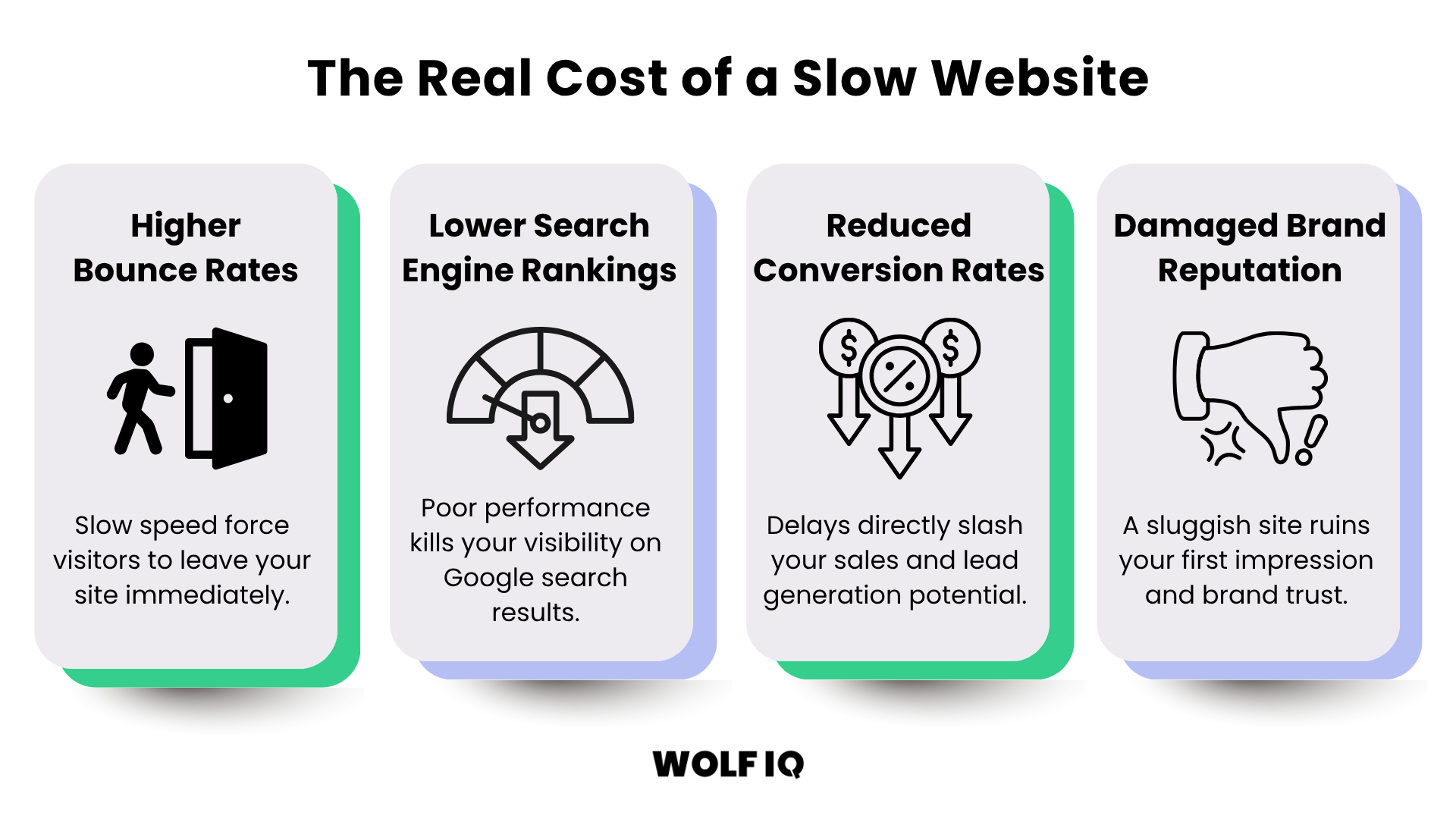
The impact of a slow look sign can hurt your business in four key areas.

Infographic titled “The Real Cost of a Slow Website” highlighting four impacts: higher bounce rates, lower search rankings, reduced conversions, and damaged brand reputation. - Wolf IQ
  • Higher Bounce Rates: When your website is slow, visitors don't wait around. A high bounce rate means that visitors are leaving your site after viewing only one page. Google's own research shows that as page load time goes from one second to three seconds, the probability of bounce increases by 32%. For Australian e-commerce businesses, this translates to thousands of dollars in lost revenue every month.
  • Lower Search Engine Rankings: Google has confirmed that page speed is a direct ranking factor for both desktop and mobile searches. A faster website will generally rank higher than a slower one, all other things being equal. With Google's mobile-first indexing, the speed of your mobile site is more important than ever. In Australia's competitive digital landscape, where businesses are fighting for visibility on the first page of Google, every ranking factor matters.
  • Reduced Conversion Rates: A slow website can have a significant impact on your conversion rates. If your site is slow, customers are less likely to make a purchase, fill out a contact form, or take any other desired action. A faster site leads to a smoother user journey and more conversions. Research by Akamai shows that a 100-millisecond delay in website load time can hurt conversion rates by 7%.
  • Damaged Brand Reputation: In today's digital world, your website is often the first impression customers have of your business. A slow, clunky website sends the message that you don't care about the customer experience. This can damage your brand reputation and make it harder to build trust with potential customers.

Mobile Speed Matters

With nearly 60% of online searches in Australia now happening on mobile devices, the speed of your mobile site is critical. Google's mobile-first indexing means that Google primarily uses the mobile version of your site for indexing and ranking. If your mobile site is slow, your rankings will suffer.

Google's Core Web Vitals

Core Web Vitals are the key signals that Google uses to evaluate the performance of your website.

Understanding these metrics is the first step to improving your PageSpeed score.

Metric How It's Measured Scoring Thresholds
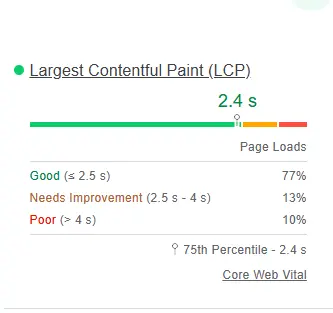
LCP Largest Contentful Paint Largest Contentful Paint (LCP) — Core Web Vitals Scoring Thresholds
Good: 2.5 seconds or less
Needs Improvement: 2.5–4 seconds
Poor: 4 seconds or above
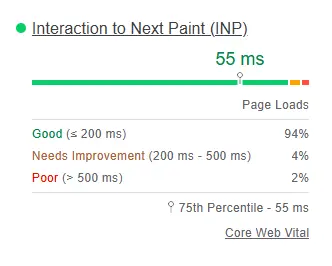
INP Interaction to Next Paint Interaction to Next Paint (INP) — Core Web Vitals Scoring Thresholds
Good: Below 200 milliseconds
Needs Improvement: 200–500 milliseconds
Poor: Above 500 milliseconds
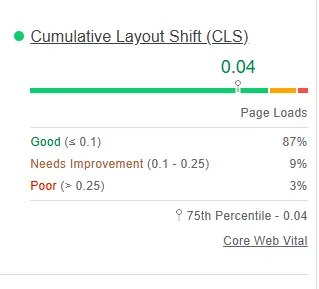
CLS Cumulative Layout Shift Cumulative Layout Shift (CLS) — Core Web Vitals Scoring Thresholds
Good: 0.1 or less
Needs Improvement: 0.1–0.25
Poor: 0.25 or above
LCP
Largest Contentful Paint
Largest Contentful Paint (LCP) — Core Web Vitals
Scoring Thresholds
Good: 2.5 seconds or less
Needs Improvement: 2.5–4 seconds
Poor: 4 seconds or above
INP
Interaction to Next Paint
Interaction to Next Paint (INP) — Core Web Vitals
Scoring Thresholds
Good: Below 200 milliseconds
Needs Improvement: 200–500 milliseconds
Poor: Above 500 milliseconds
CLS
Cumulative Layout Shift
Cumulative Layout Shift (CLS) — Core Web Vitals
Scoring Thresholds
Good: 0.1 or less
Needs Improvement: 0.1–0.25
Poor: 0.25 or above

Largest Contentful Paint (LCP)

LCP measures how long it takes for the largest piece of content (usually an image or a large block of text) to load on the screen. This is important because it gives users a sense of when the page is actually usable.

What affects LCP: Server response time, slow-loading resources (like large images or videos), render-blocking JavaScript and CSS, and client-side rendering.

How to improve LCP: Optimise your images, improve your server response time, remove unnecessary third-party scripts, and use lazy loading for images below the fold.

Interaction to Next Paint (INP)

INP assesses your page's overall responsiveness to user interactions.

It measures the time from when a user interacts with your page (like clicking a button) to the time the browser paints the next frame. This metric replaced First Input Delay (FID) because it provides a more complete picture of responsiveness.

What affects INP: Long-running JavaScript tasks, large DOM sizes, and inefficient event handlers.

How to improve INP: Break up long JavaScript tasks, optimise your JavaScript code, and reduce the size of your DOM.

Cumulative Layout Shift (CLS)

CLS measures the visual stability of your page. It looks at how much elements on your page move around as it loads.

Have you ever been about to click a button, only to have it move at the last second? That's a layout shift, and it's frustrating for users.

What affects CLS: Images without dimensions, ads and embeds without reserved space, dynamically injected content, and web fonts causing FOIT/FOUT.

How to improve CLS: Always include width and height attributes on your images and video elements, reserve space for ads and embeds, avoid inserting content above existing content, and use font-display: optional for web fonts.

How to Score 100 on Google PageSpeed Insights

Achieving a perfect score of 100 on Google PageSpeed Insights is not always easy.

It requires a combination of technical optimisation and good content practices. Here are the key steps you need to take:

1. Choose a Quality Hosting Provider

Your hosting provider has a significant impact on your website's speed. Choose a reliable Australian hosting provider that offers fast server response times and good support.
A high-performance server rack representing the importance of choosing a quality, fast Australian hosting provider for your website. - Wolf IQ

2. Optimise Your Images

Large, unoptimised images are one of the biggest culprits of slow page load times. Compress your images before uploading them to your website, and use the correct image format (e.g., JPEG for photos, PNG for graphics with transparency).
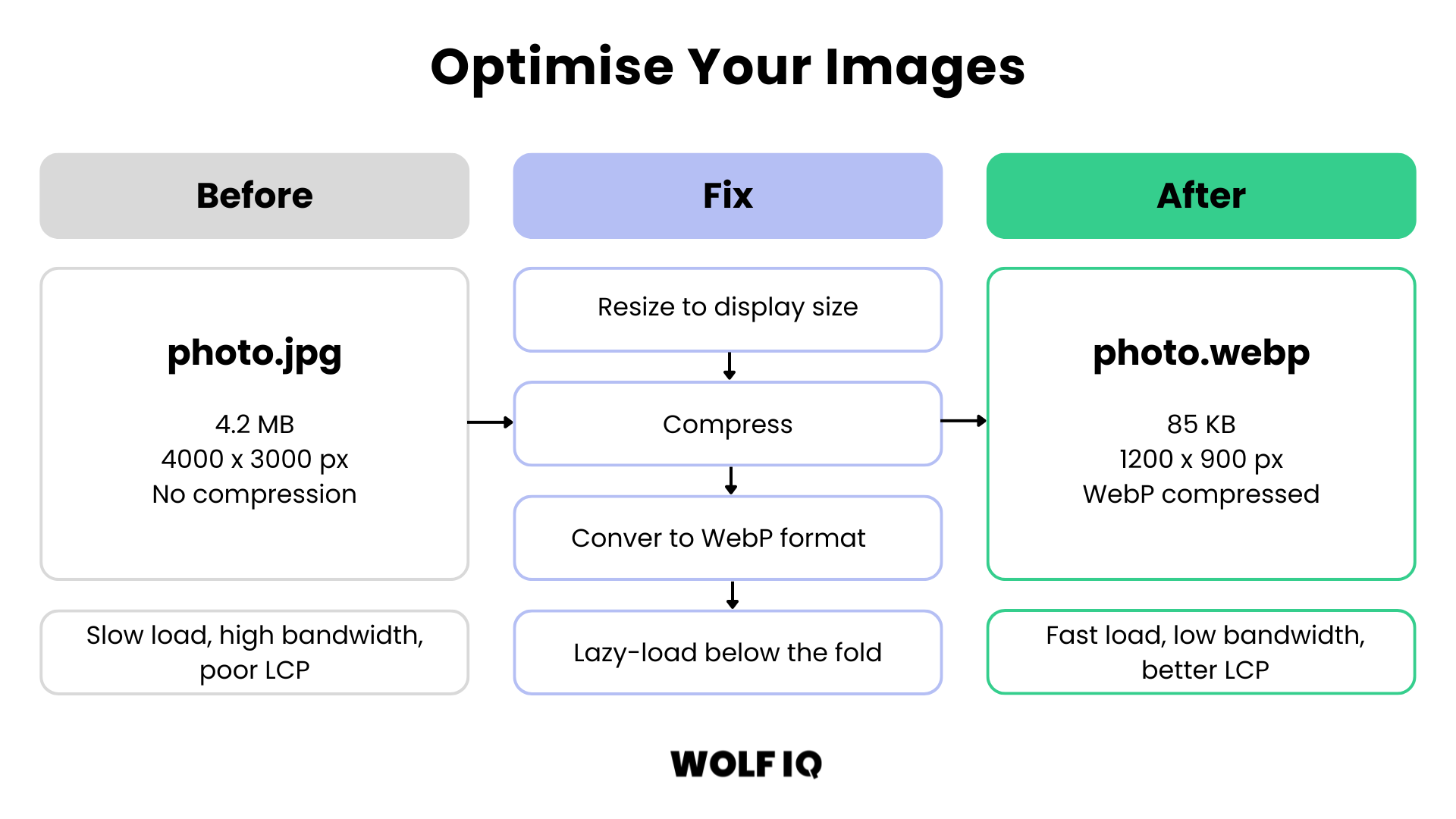
Infographic showing the image optimisation process: resizing, compressing, converting to WebP format, and lazy-loading to improve page load times. - Wolf IQ

3. Minify Your Code

Minifying your HTML, CSS, and JavaScript code removes unnecessary characters and reduces the file size, which can improve your page load times.
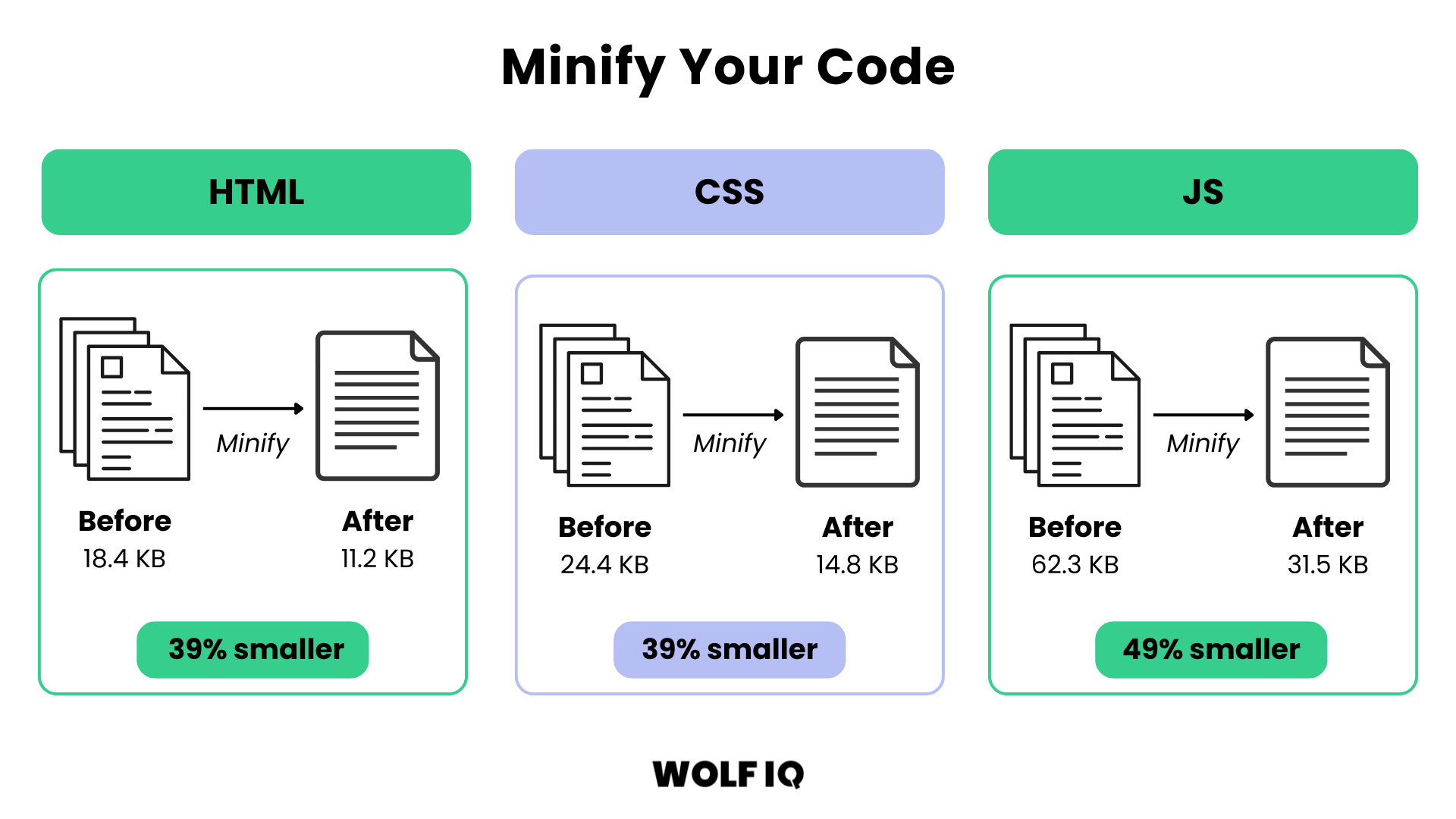
Diagram illustrating how minifying HTML, CSS, and JavaScript code reduces file sizes by up to 49 percent for faster website performance. - Wolf IQ

4. Leverage Browser Caching

Browser caching allows you to store parts of your website on a visitor's computer, so they don't have to download them every time they visit your site. This can significantly improve your page load times for returning visitors.
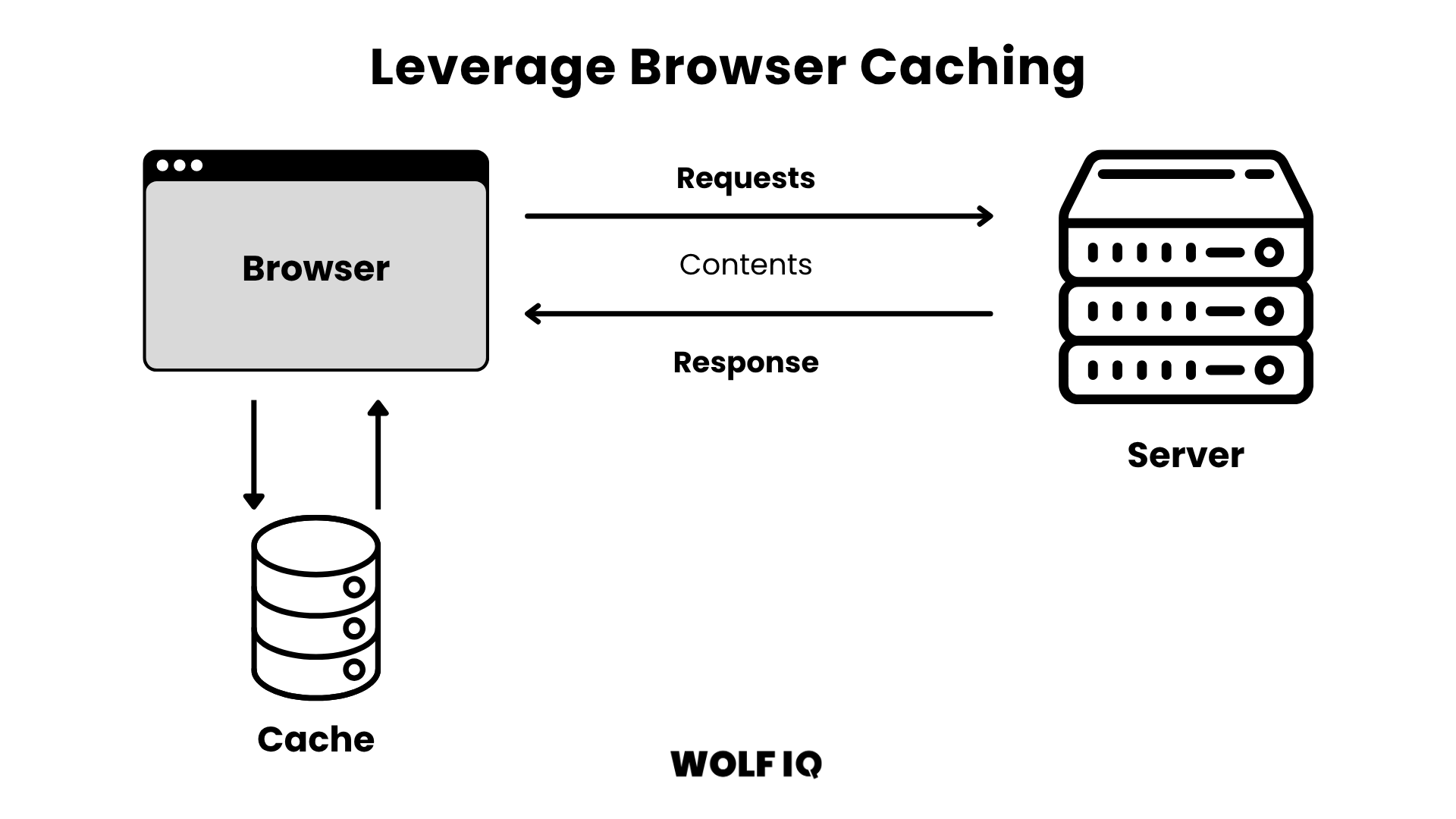
Diagram titled “Leverage Browser Caching” showing a browser storing data in cache to reduce repeated server requests and speed up load times. - Wolf IQ

5. Use a Content Delivery Network (CDN)

A CDN is a network of servers that are located around the world. When a visitor comes to your site, the CDN delivers the content from the server that is closest to them, which can significantly improve your page load times.
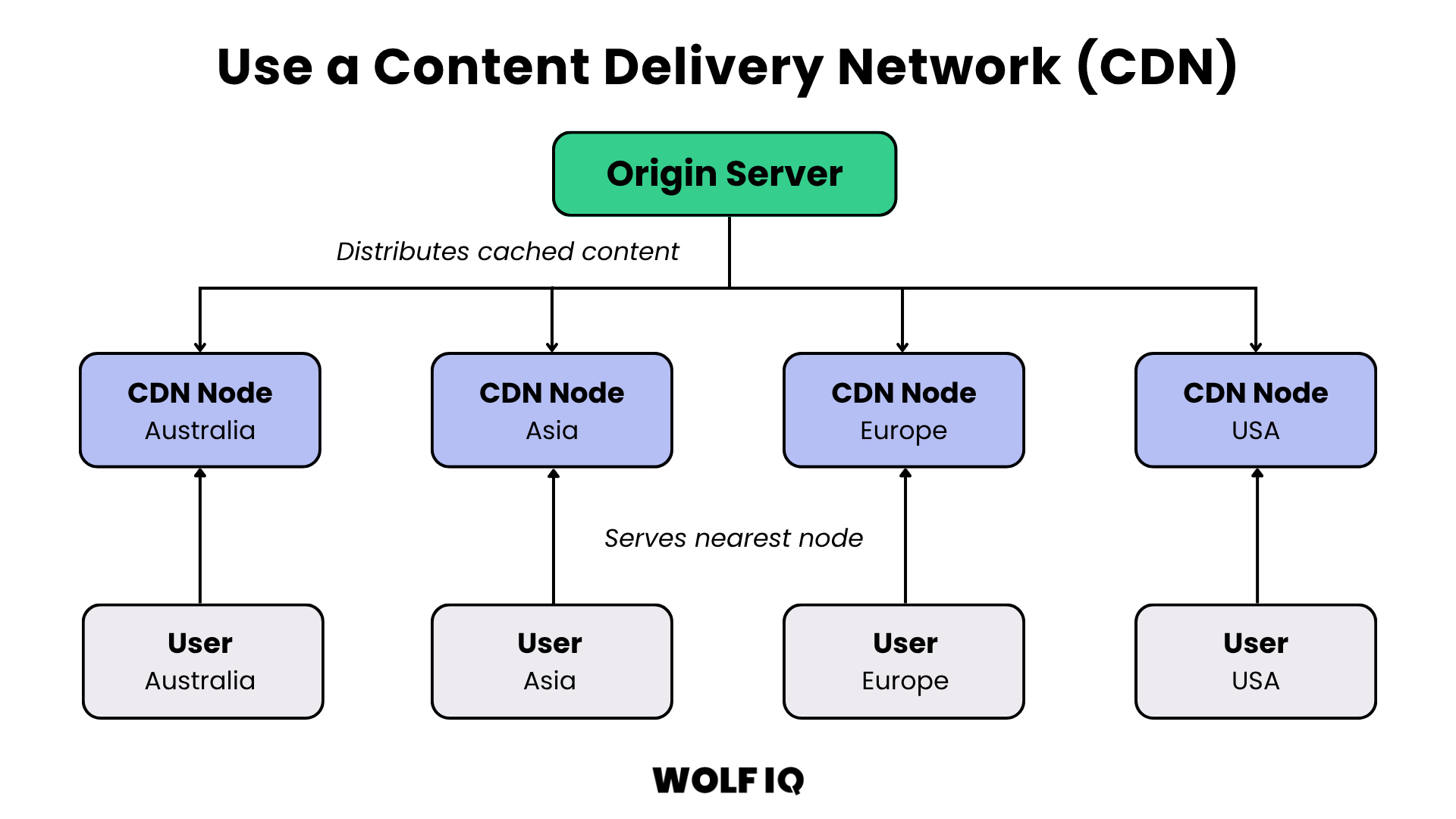
Infographic demonstrating how a Content Delivery Network (CDN) distributes website assets globally to cut latency and improve load times for users. - Wolf IQ

6. Remove Unnecessary Plugins and Scripts

Every plugin and script you add to your website adds to the page load time. Regularly review your plugins and scripts and remove any that you are not using.
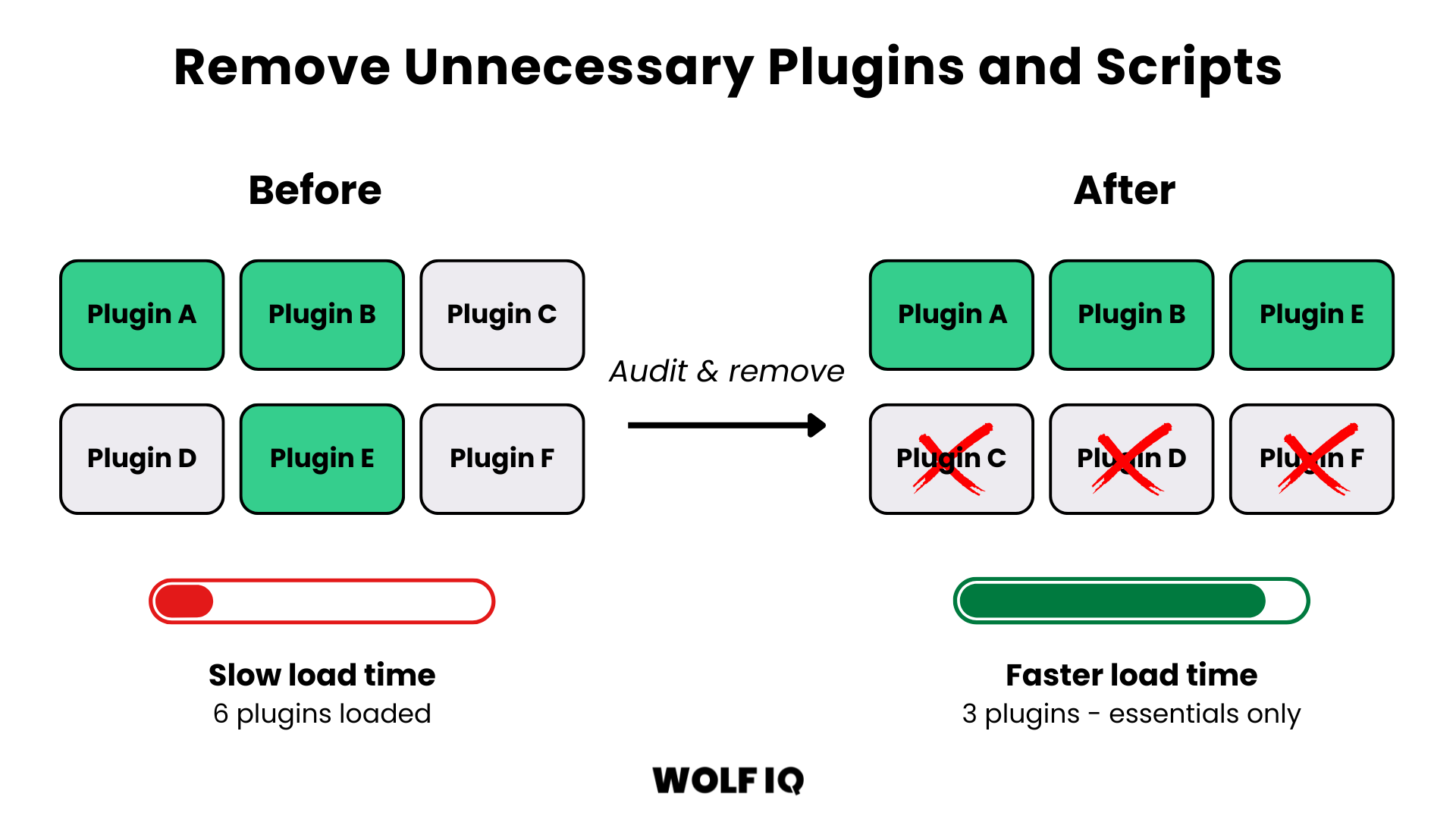
Before and after diagram showing the performance benefits of auditing and removing unnecessary WordPress plugins to reduce page load time. - Wolf IQ

7. Optimise Your Fonts

Web fonts can add to your page load time. Use a limited number of fonts, and make sure they are optimised for the web.
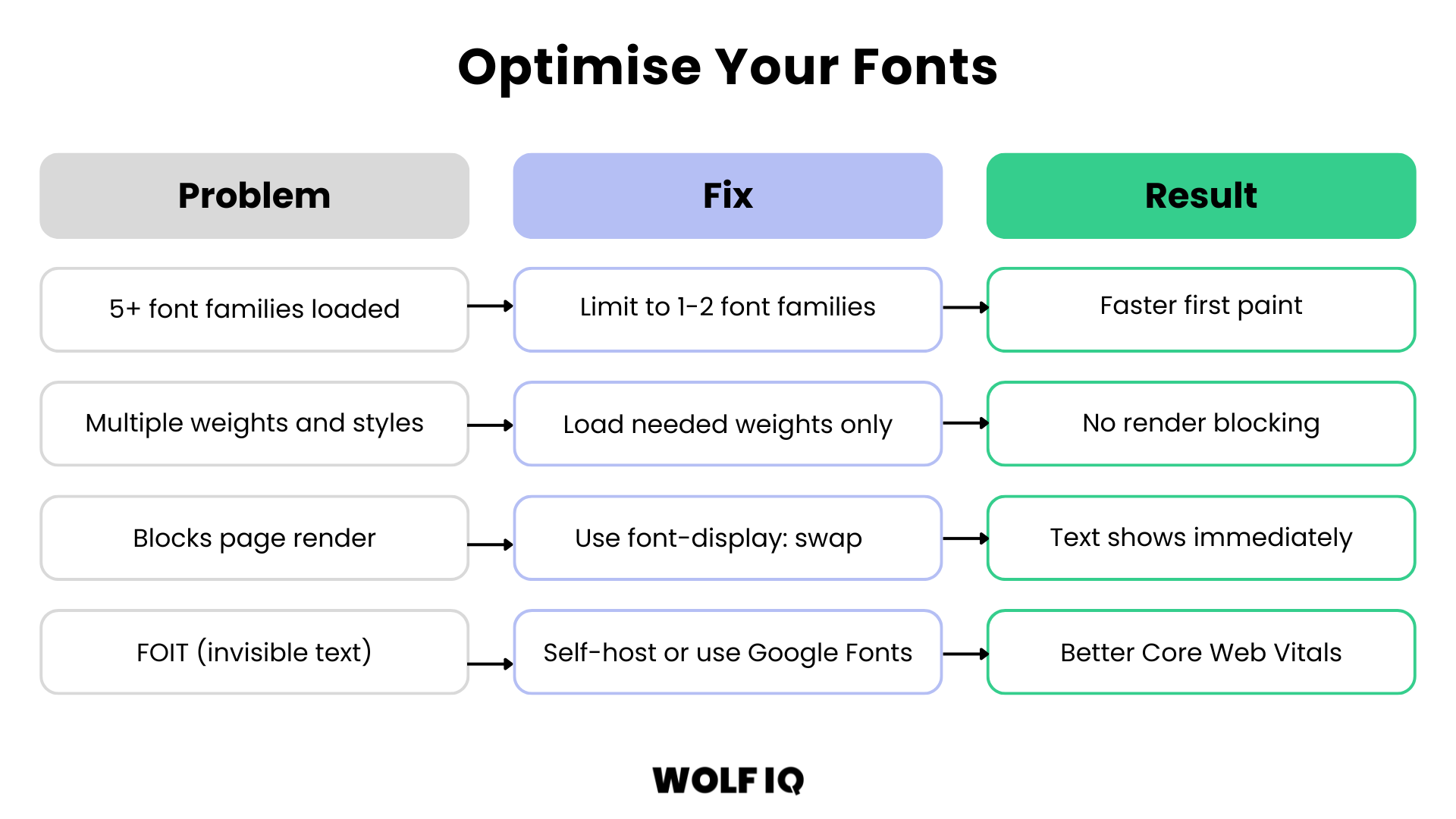
Visual guide on how to optimise web fonts by limiting font families, loading only needed weights, and using font-display swap to prevent invisible text. - Wolf IQ

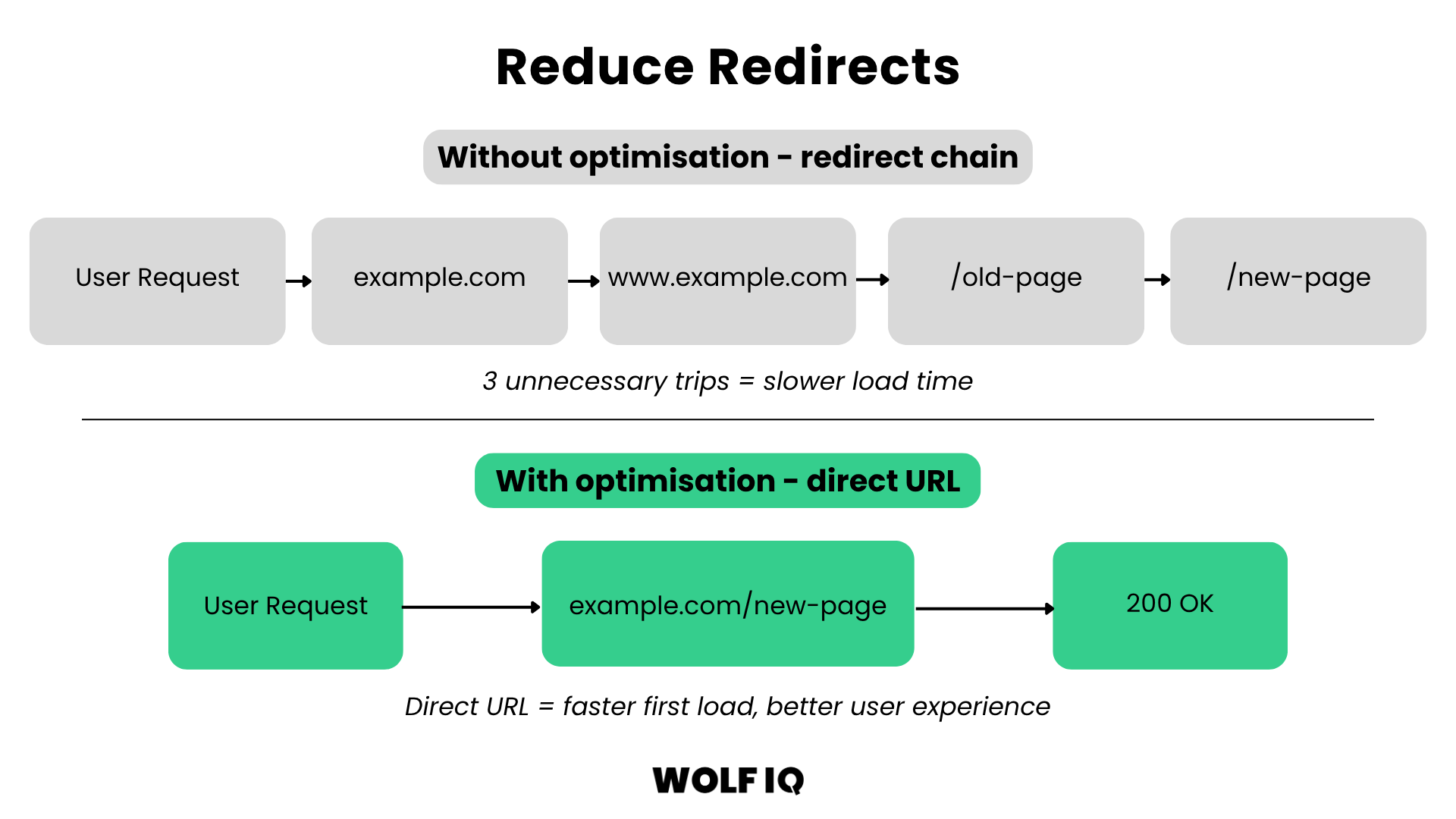
8. Reduce Redirects

Every redirect adds to your page load time. Minimise the number of redirects on your website to improve your site's site speed.

Diagram comparing a slow redirect chain with multiple round trips versus an optimised direct URL for a faster first load time. - Wolf IQ

Common Mistakes to Avoid

When optimising for PageSpeed, there are some common mistakes that can actually make things worse:
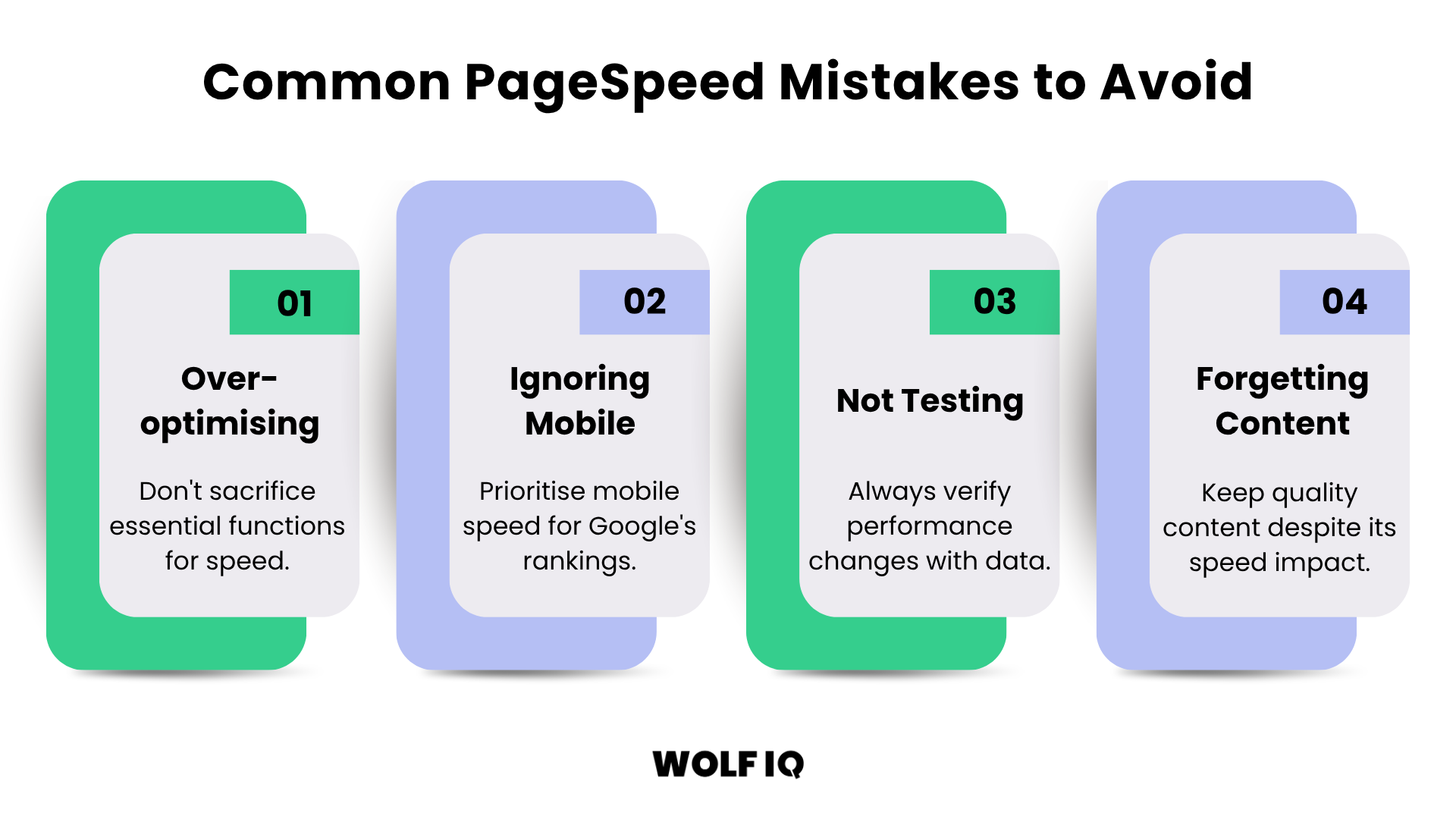
A structured digital webpage layout highlighting the common mistake of forgetting about high-quality content while over-optimising for speed. - Wolf IQ
  1. Over-optimising: Don't sacrifice functionality for speed. If a plugin or script is essential for your business, keep it, even if it adds a bit to your load time.
  2. Ignoring Mobile: Many businesses focus on desktop speed and forget about mobile. Remember, Google uses mobile-first indexing, so your mobile speed is what matters most.
  3. Not Testing: Always test your changes to make sure they're actually improving your speed. Use Google PageSpeed Insights to track your progress.
  4. Forgetting About Content: Speed is important, but so is content. Don't remove valuable content just to improve your speed score.

When to Hire an Expert

Optimising PageSpeed can be complex and time-consuming. If you’re not seeing results or aren’t comfortable making changes, it may be time to bring in a web developer or SEO specialist.

Remember, PageSpeed isn’t a one-time fix—it requires ongoing monitoring and optimisation as your site evolves.

Start by using Google PageSpeed Insights to identify issues, then make incremental improvements. Even small changes can significantly boost user experience and your bottom line.

Is a slow website costing you customers?

Talk to our team about a custom speed optimisation plan for your business.

Get in Touch

Reviews Avatars
Trusted by 250+ businesses
Google logo
4.9/5 on Google Reviews
WOLF IQ ACademy

Better resources, better decisions

Making winning online simple and profitable. Dive into strategies for building success online.

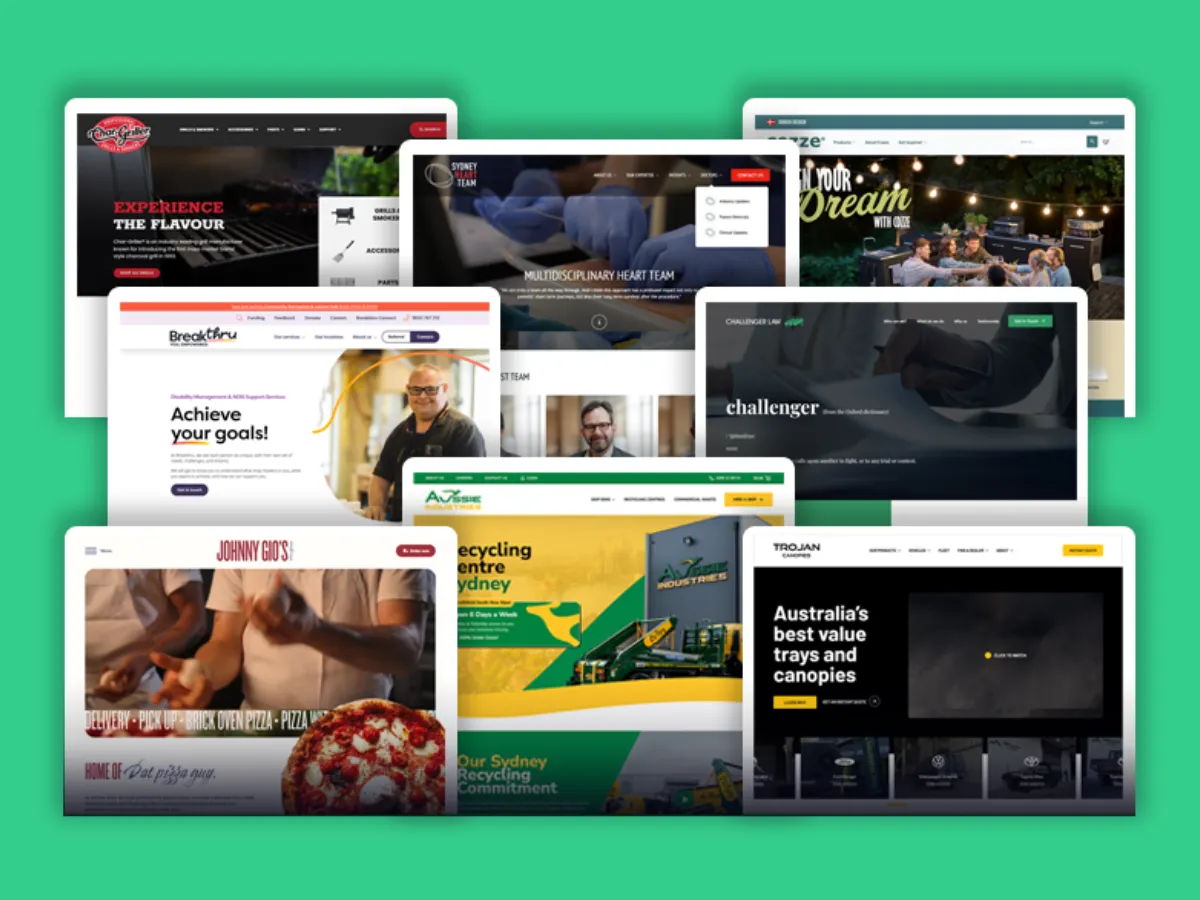
Collage of various website homepage screenshots featuring diverse industries including cooking, healthcare, recycling, and legal services on a green background.

Website Buyers Guide

How to choose, budget, and build a website that drives real results.
Go to Resource →
Browser window with icons of Google, Bing, OpenAI, and a colorful spark symbol above green and teal horizontal bars representing text or search results.

Traffic Growth Playbook

43 proven strategies to grow website traffic in Australia.
Go to Resource →
Illustration of a desktop webpage next to a mobile version showing responsive web design.

Website Conversion Guide

21 proven ways to increase conversions for Australian websites.
Go to Resource →
Clutch review section showing 5-star rating and a score of 5.0.
100% Aussie owned
AO Licence 08510
Red stylized waratah flower above the bold blue text 'NSW GOVERNMENT'.
NSW Government supplier
‍ABN  36 169 796 221
Who We Are
About UsThe Wolf IQ DifferenceCareersReviewsContact Us
What We Do
Website DesignWordPress DevelopmentWordPress Support
Website Hosting
Growth Plans
WordPress Migration
Monthly ReportingAll Services
Case Studies
Themis Medico-Legal
Little Scribblers
Ghost Charters
Privatus Capital Partners
Johnny Gio’s Pizza
Breakthru
Dental Advice Network
HosPortal
Stella Insurance
Aussie Industries
Who We Help
Business Owners
Marketing Leaders
Agencies
Locations We Serve
Sydney
North Sydney
Liverpool
Castle Hill
Campbelltown
Blacktown
Penrith
Bankstown
Manly
Parramatta
Industries
Insurance
Small Business
Legal
Education
Medical
eCommerce
Resources
PodcastInstant QuoteWebsite CostsDesign PortfolioReferral Program
Get an AI summary of Wolf IQ
Connect with us
Wolf IQ Logo - Footer
© 2026 Wolf IQ. All rights reserved.
Level 2/383 George St, Sydney NSW 2000
Privacy PolicyTerms & Conditions