What is Zapier? Streamline Your Tasks with Automation
5 min read | Published: Dec 10, 2025 | Last updated: Dec 10, 2025
Andrea Sevilla
|Digital Marketing Expert
Marketing professional with 10+ years of experience in content writing.
Zapier gives many small businesses superpowers.
The problem is, it can be a steep learning curve to understand when and how to use it effectively.
If you or your team is spending too much time on data entry or missed follow-ups - Zapier can do the repetitive bits for you.
In this article, we’ll explore how business owners and marketing leaders can use Zapier to transform everyday processes into seamless routines, freeing up time to focus on what truly matters.
What is Zapier?
Itis your digital assistant, connecting apps and automating repetitive tasks without the need for coding skills.
Zapier is like a bridge between islands (your apps), enabling them to work together effortlessly.
At its core are Zaps are automated workflows that connect two or more apps, enabling data to move seamlessly without manual input
With over 8,000 supported apps—from Gmail and Slack to Salesforce and Shopify—Zapier is an accessible, cost-effective tool for individuals, teams, and businesses.
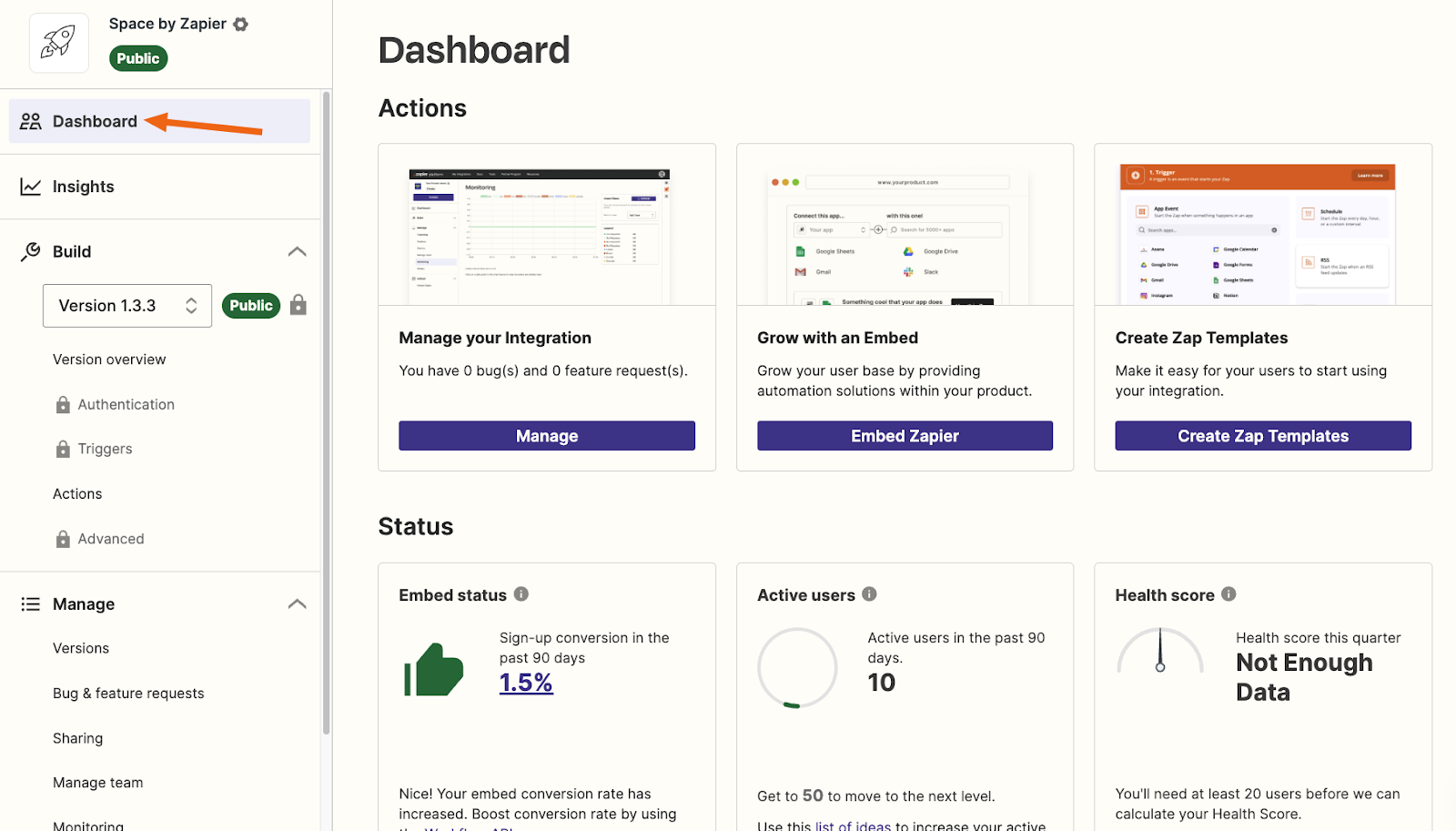
How does Zapier work?
Zapier’s workflows follow a straightforward structure - you just need an event and a trigger.
- Trigger: An event in one app starts the automation (e.g., receiving a new email).
- Action: A resulting task in another app (e.g., saving the attachment to Google Drive).
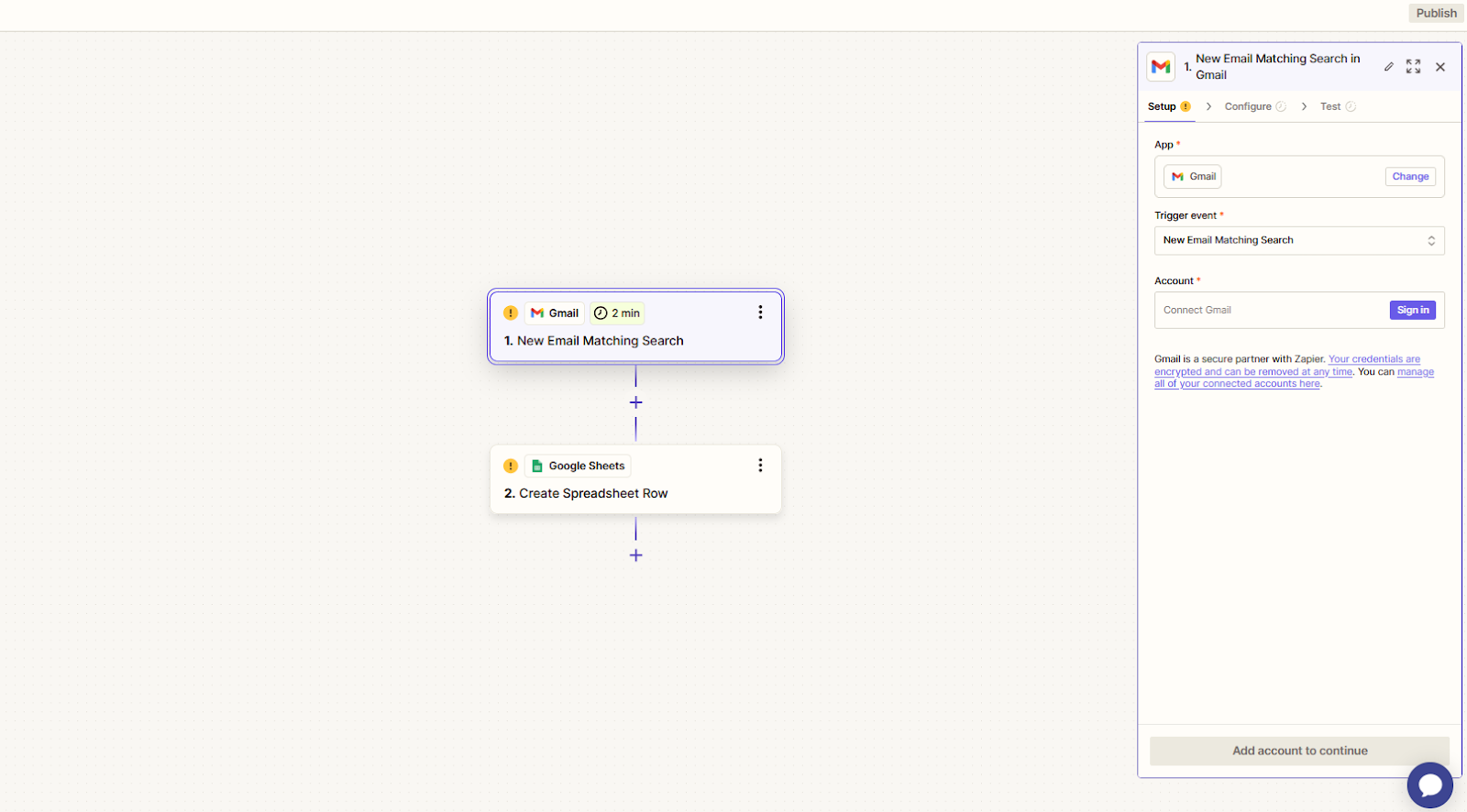
Steps to create a Zap:
- Choose a trigger app (e.g., Gmail).
- Select the trigger event (e.g., receiving a new email).
- Pick an action app (e.g., Trello).
- Set the action event (e.g., creating a new card).
- Test and activate the Zap.
Once you understand this set-up, the use cases are endless because their are 8,000 apps you can user as triggers and actions!
We use Zapier here at Wolf IQ, and see dozens of our customers building their own workflows like:
- Managing Leads: Sending form submissions directly to their CRM.
- Social Media Updates: Automatically posting new blogs across platforms like LinkedIn and Instagram.
- E-commerce Support: Connecting different online stores to accounting tools for streamlined order tracking.
- Project Organisation: Creating tasks in project management tools based on email notifications.
Benefits of using Zapier
Here’s a summary of its key benefits:
| Benefit | Key Points | Examples |
|---|---|---|
| Save Time | Eliminates repetitive tasks and errors. | Auto-save email attachments, sync CRM data. |
| Connect Apps | Connects thousands of apps seamlessly. | Link CRM, marketing, and productivity tools. |
| Customise Workflows | Flexible automation with advanced features. | Sort emails, format data for reports. |
| Increase automation | Automates routines for strategic focus. | Welcome emails, task creation from triggers. |
Here’s a closer look at each benefit to see how Zapier empowers you to save time, boost productivity, and simplify your work processes.
1. Save time
Zapier eliminates manual data entry and repetitive tasks, reducing errors and freeing up time for high-value work. Examples include:
- Automatically saving email attachments to cloud storage.
- Syncing customer data across apps like your CRM and email marketing tools.
2. Connect data between apps
With thousands of integrations, Zapier connects popular productivity tools and niche platforms alike. This ensures your information flows smoothly between apps, saving time and effort.
Say a customer submits a support form - Zapier can send it to your help desk, alert your team on Slack, and log the details in a spreadsheet, instantly.
3. Customise different workflows
Zapier’s flexibility lets you create workflows tailored to your needs.
Advanced features like multi-step Zaps, conditional paths, filters, and scheduling add precision to automation. For instance:
- Automatically sort incoming emails by urgency.
- Convert data into specific formats for reporting.
4. Increase automation
By automating routine processes, you can focus on strategic tasks like customer engagement, brainstorming, or business growth. Imagine creating a Zap that:
- Sends a personalised welcome email to new subscribers.
- Adds them to a mailing list.
- Creates a task in your project management tool—all from one trigger.
What does Zapier cost?
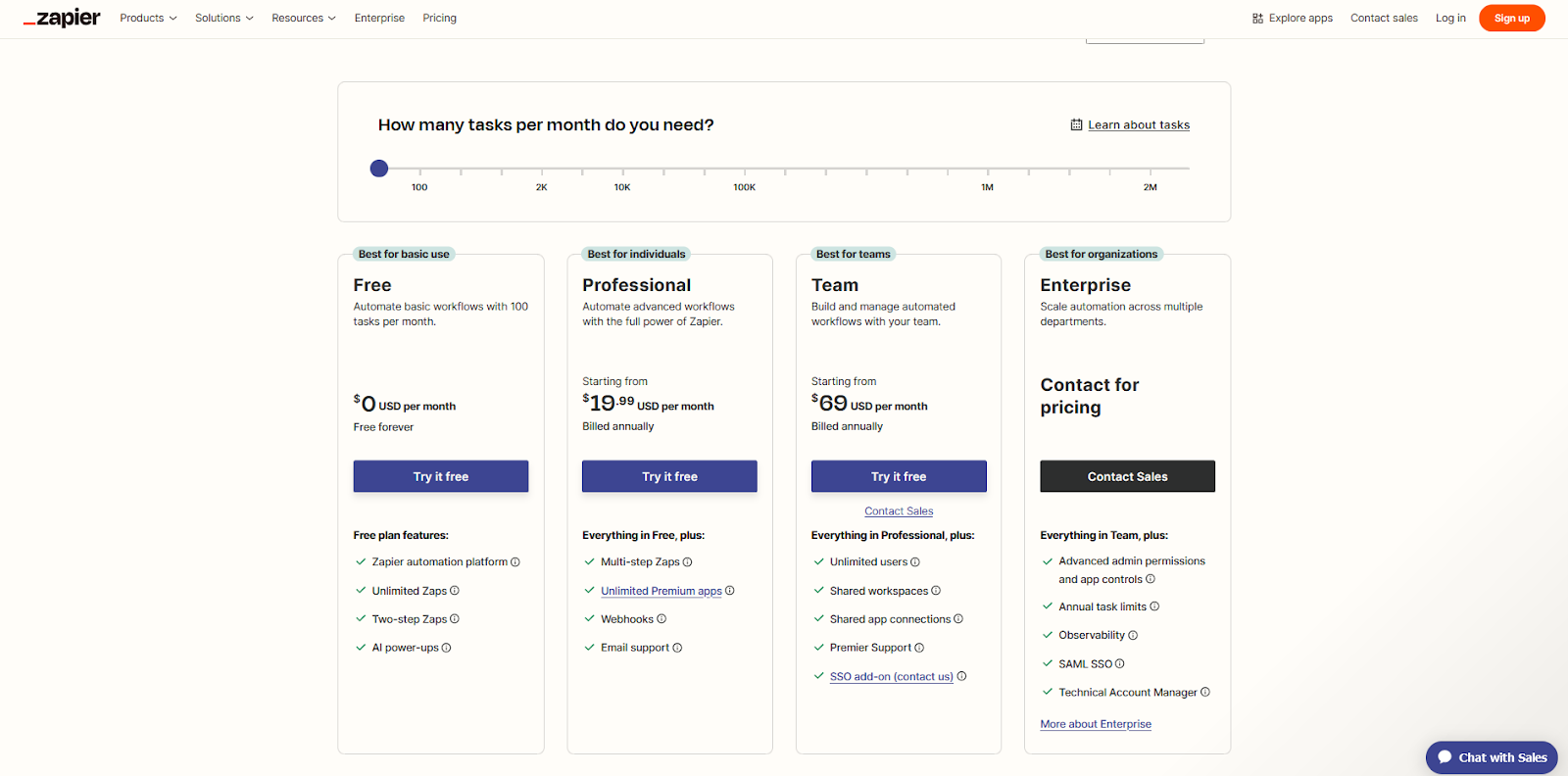
Zapier offers plans for a range of users:
- Free Plan: $0/month for up to 100 tasks and 5 Zaps
- Starter Plan: $19.99/month, 20 Zaps, and 750 tasks.
- Professional Plan: $49/month, unlimited Zaps, 2,000 tasks, and advanced features.
- Team and Company Plans: High task limits and collaborative features for larger organisations.
Get started with Zapier
Zapier’s intuitive setup makes automation accessible to everyone. You can start with pre-built templates for quick results, or create custom workflows if you're confident.
Most companies are now technology enabled, and with its powerful integrations and user-friendly interface, Zapier helps many small businesses work smarter.
Get in touch with Wolf IQ today if you'd like any help getting set-up with some basic automations for your business.
Get started with a free consultation today
Don't just settle for a website. Thrive online with Wolf IQ.
Get in Touch Trusted by 500+ businesses
Education
Better resources, better decisions
Discover Wolf IQ's resource hub for articles and guides to growing your business online.

Is SEO Dead? What business owners need to know about Google's new AI Overview
With Google's AI Overviews taking over search, small businesses are shifting away from keyword chasing.
Learn More →
What is Local SEO and how does it work?
Local SEO helps businesses appear in searches relevant to their location, driving nearby customer traffic.
Learn More →
13 mistakes small business owners make with their website
Common website mistakes include slow load times, poor navigation, and weak calls to action.
Learn More →
Why does your website need to be mobile-first?
Mobile traffic now makes up the majority of website visitors. Here is what you need to know about responsive design.
Learn More →
8 Ways Small Business Owners Get Website Optimisation Wrong
Many small businesses overlook key factors like page speed, mobile responsiveness, and SEO, limiting their online impact.
Learn More →
What is Website Optimisation?
See some key examples where speed, design, and content can amplify your online success.
Learn More →